

Problem on replacing MCU
Hi everybody.
First of all let me thank you for reading this post.
I started a project using STM32F103R8T7 MCU but when I was almost done with the full program of it for my application I noticed the MCU hasn't enough memory for an improvement I tried to do. So, I search over STM32CubeIDE which were the compatible MCUs and found the STM32F412RET6, which is listed inside the mentioned software as a hardware compatible MCU with the first one mentioned here before. I desoldered the old STM32F103 MCU from my custom board and soldered the new one, the STM21F412. Then I started a new project on STM32CubeIDE to configure all the pins as needed in my project. This, of course, was done using STM32CubeMX inside STM32CubeIDE. When everything was configured in the same way as in the previous MCU.
At this point I tried to upload the basic firmware but for my surprise the CubeIDE is telling me that is not possible to upload the code.
Please find below some screenshots of what the software is showing me and also all the messages given to me, not only by CubeIDE, also by STM32CubeProgrammer.
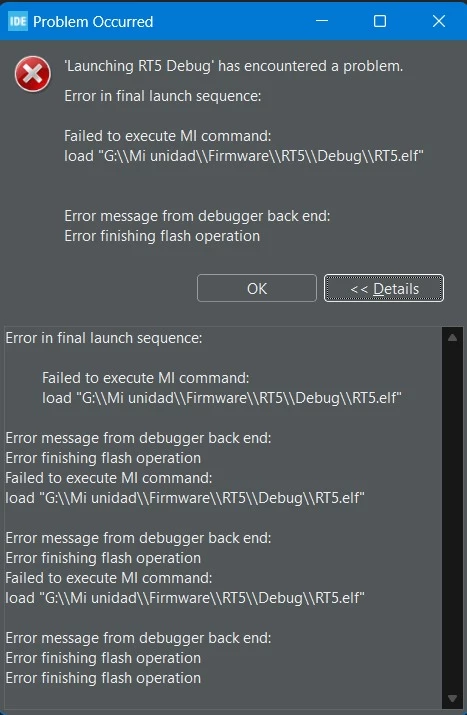
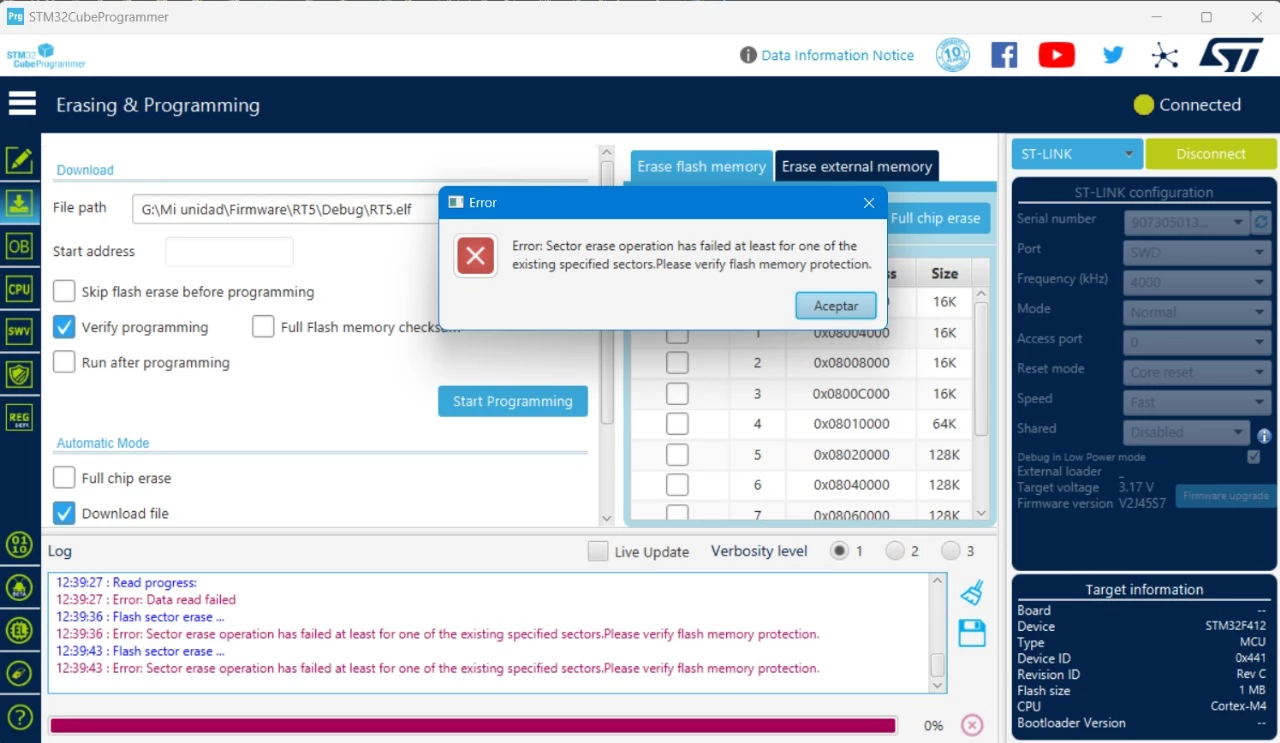
Meesage from STM32CubeIDE
STMicroelectronics ST-LINK GDB server. Version 7.7.0
Copyright (c) 2024, STMicroelectronics. All rights reserved.
Starting server with the following options:
Persistent Mode : Disabled
Logging Level : 1
Listen Port Number : 61234
Status Refresh Delay : 15s
Verbose Mode : Disabled
SWD Debug : Enabled
Waiting for debugger connection...
Debugger connected
Waiting for debugger connection...
Debugger connected
Waiting for debugger connection...
-------------------------------------------------------------------
STM32CubeProgrammer v2.16.0
-------------------------------------------------------------------
Log output file: C:\Users\braia\AppData\Local\Temp\STM32CubeProgrammer_a16432.log
ST-LINK SN : 9073050132124647524B4E00
ST-LINK FW : V2J45S7
Board : --
Voltage : 3.17V
SWD freq : 4000 KHz
Connect mode: Under Reset
Reset mode : Hardware reset
Device ID : 0x441
Revision ID : Rev C
Device name : STM32F412
Flash size : 1 MBytes (default)
Start Address : 8000000
Device type : MCU
Device CPU : Cortex-M4
BL Version : 0x0
Memory Programming ...
Opening and parsing file: ST-LINK_GDB_server_a16432.srec
File : ST-LINK_GDB_server_a16432.srec
Size : 55.92 KB
Address : 0x08000000
Erasing memory corresponding to segment 0:
Erasing internal memory sectors [0 3]
Error: failed to erase memory
Error: failed to erase memory
Encountered Error when opening C:\ST\STM32CubeIDE_1.14.1\STM32CubeIDE\plugins\com.st.stm32cube.ide.mcu.externaltools.cubeprogrammer.win32_2.1.201.202404072231\tools\bin\STM32_Programmer_CLI.exe
Error in STM32CubeProgrammer
Shutting down...
Exit.
Meesage from STM32CubeProgrammer
12:39:03 : UR connection mode is defined with the HWrst reset mode
12:39:03 : ST-LINK SN : 9073050132124647524B4E00
12:39:03 : ST-LINK FW : V2J45S7
12:39:03 : Board : --
12:39:03 : Voltage : 3.17V
12:39:03 : SWD freq : 4000 KHz
12:39:03 : Connect mode: Normal
12:39:03 : Reset mode : Software reset
12:39:03 : Device ID : 0x441
12:39:03 : Revision ID : Rev C
12:39:03 : Debug in Low Power mode is not supported for this device.
12:39:03 : UPLOADING OPTION BYTES DATA ...
12:39:03 : Bank : 0x00
12:39:03 : Address : 0x40023c14
12:39:03 : Size : 8 Bytes
12:39:03 : UPLOADING ...
12:39:03 : Size : 1024 Bytes
12:39:03 : Address : 0x8000000
12:39:03 : Read progress:
12:39:04 : Error: Data read failed
At this point I tried to find some help from STM32 Developers group on Facebook at first time, but without any luck.
What I search over Internet is that maybe the problem comes from RDP bytes and when I checked it, the value found by STM32CubeProgrammer is 0xFF, none of the possible values (0xAA, 0xBB or 0xCC).
I tried to change the value to one of the possible values and press the "Apply" button, but without success again. Below you will be able to find some screenshots related to it.
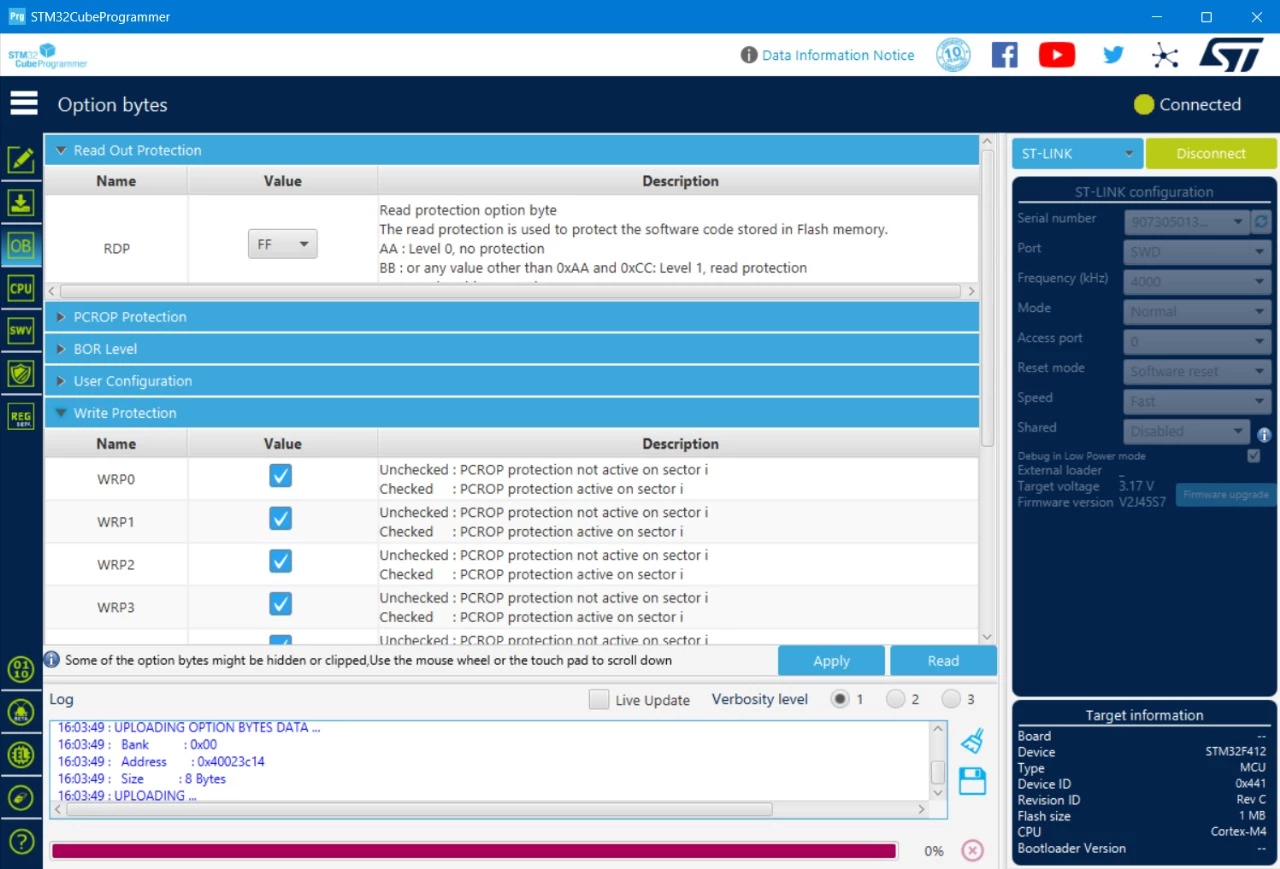
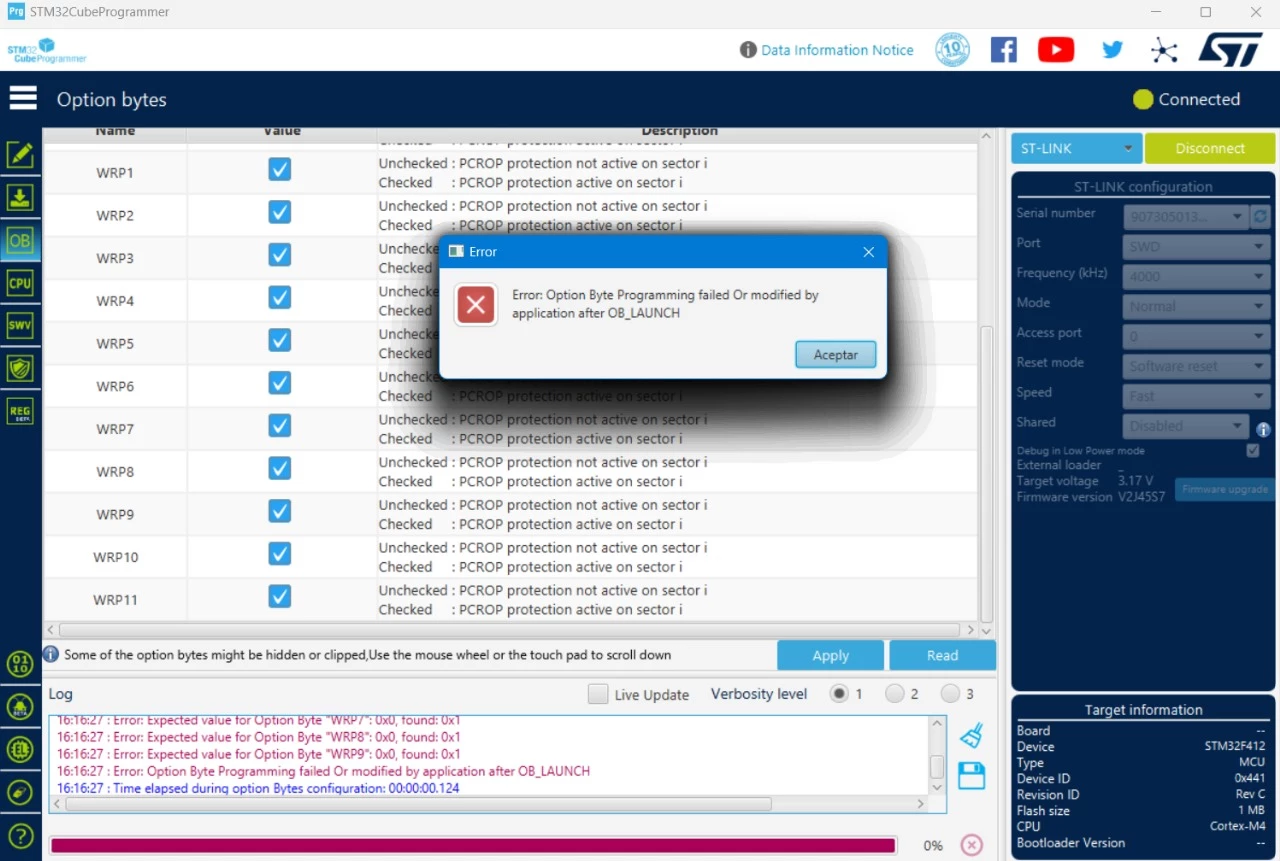
Any comments of suggestions will be very welcome.
Thanks in advance,
Braian Bannert