

Associate III
October 4, 2026
Question

Old Project

  • October 4, 2026
  • 2 replies
  • 16 views

I previously wrote the code for my project and generated the HEX file. I copied my project folder from the workspace_2.1.0 directory to a USB flash drive.

Now, when I open this copied project on a new PC using STM32CubeIDE, I cannot find the page where the settings for generating the HEX file are configured.

Could someone please help me?


2 replies

XooMAuthor
Associate III
October 4, 2026

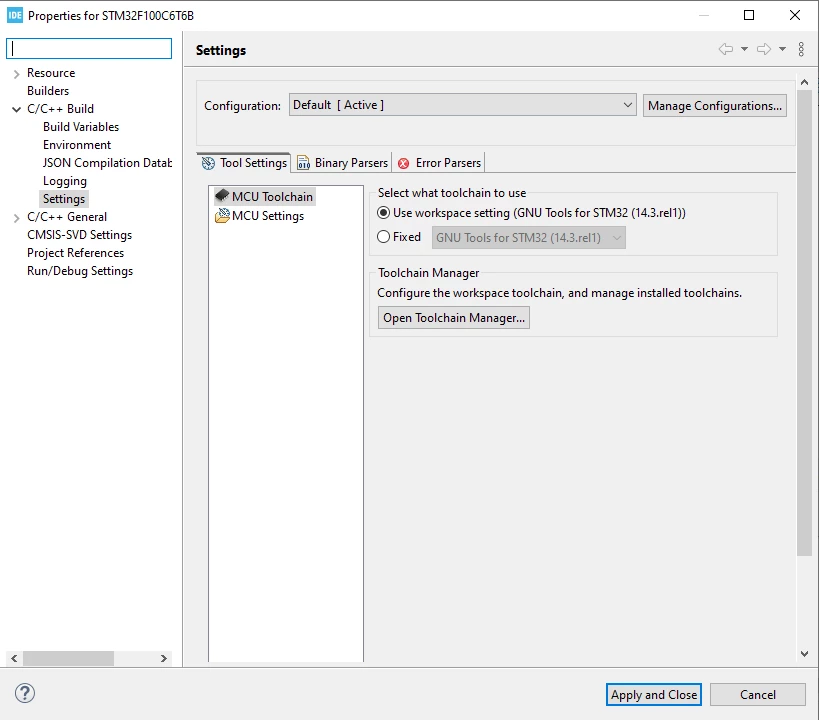
C/C++ Build > Settings
Tool Settings-MCU Post build outputs-Convert to Intel hex file (-O hex)

This part is missing, how can I activate it?

TDK
October 4, 2026

Does it even build correctly?

The project isn’t set up correctly, likely it was not imported correctly.

Remove it from the workspace and add it again by double clicking the .project file.

"If you feel a post has answered your question, please click ""Accept as Solution""."