Visitor
September 19, 2026
Question

"No ST-LINK detected..." when trying to "Run as" the project in STM32CubeIDE on MacOS 27

  • September 19, 2026
  • 3 replies
  • 17 views

Hi! 

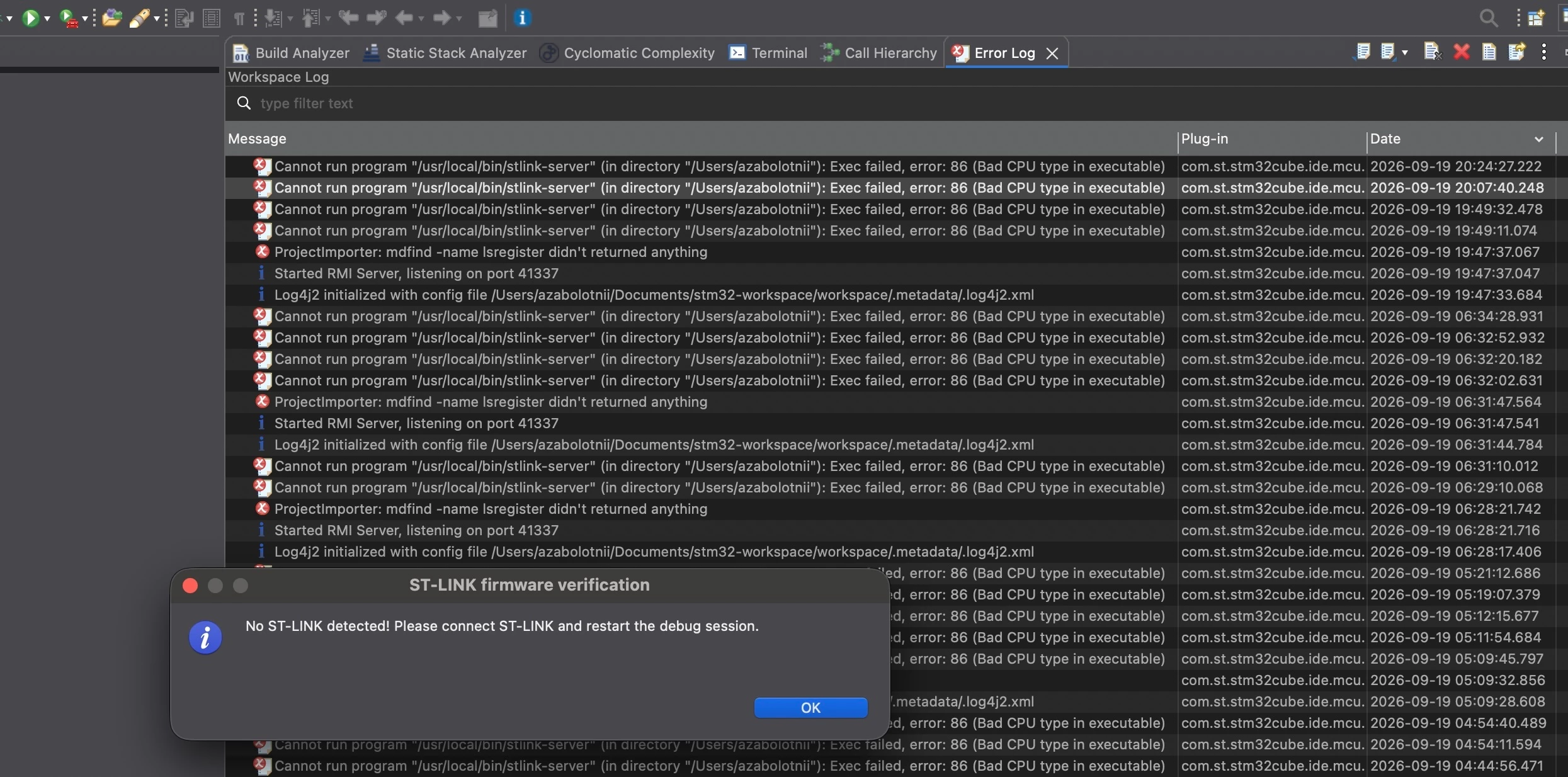
When trying to run the code in STM32CubeIDE (“Run as”) I see the error

“No ST-LINK detected! Please connect ST-LINK and restart the debug session.”.

In error log I also see the message

“Cannot run program "/usr/local/bin/stlink-server" (in directory "/Users/<username>"): Exec failed, error: 86 (Bad CPU type in executable)”

This started to happen after updating to MacOS 27.0 (Golden Gate) from version 26. Before that it was working fine.

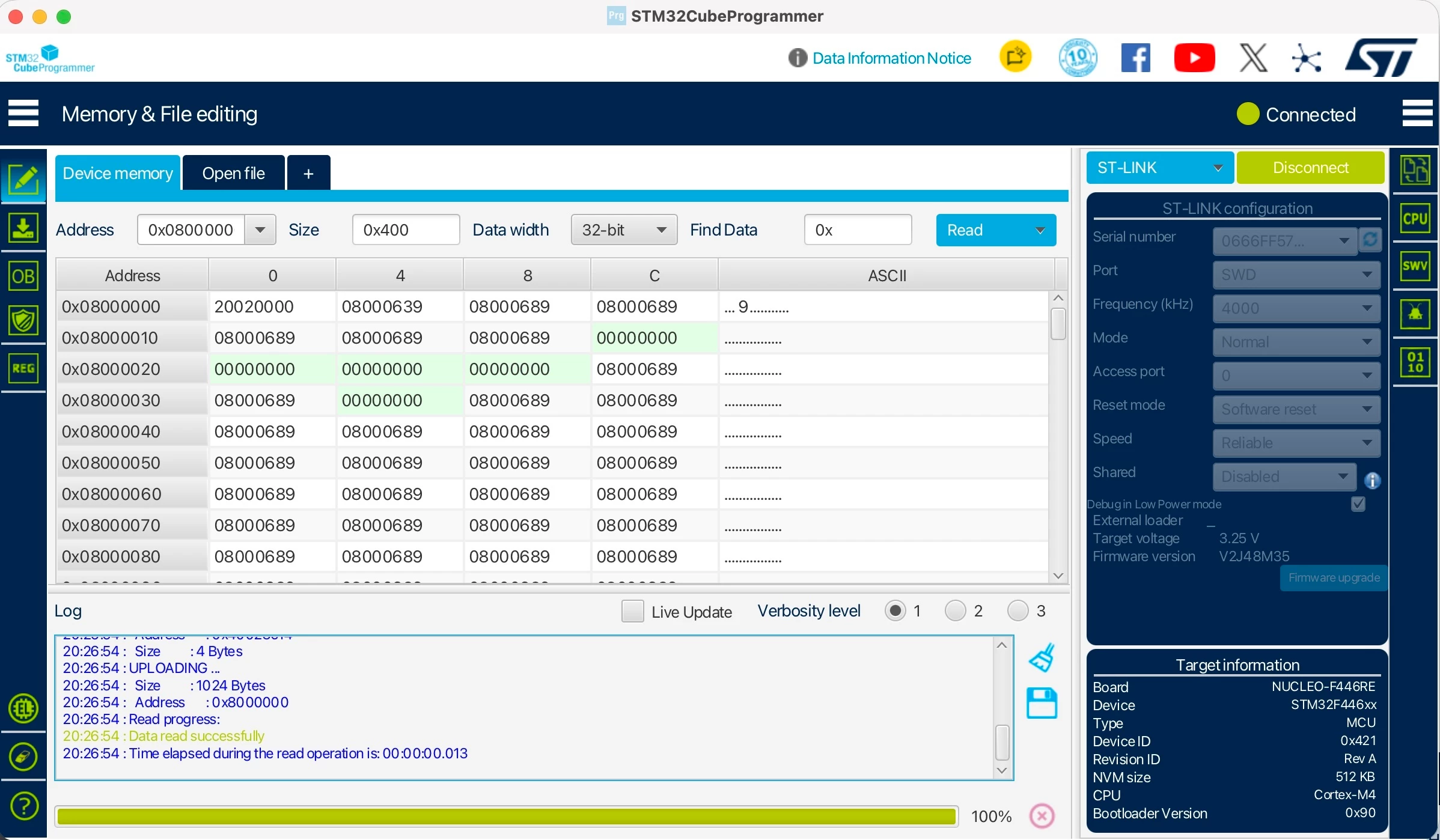
Also the board can be seen by STM32CubeProgrammer (see screenshot).

Also I installed as a separate package ST-LINK-SERVER 2.1.1 (https://www.st.com/en/development-tools/st-link-server.html)

Board: Nucleo-F446RE

Laptop: Apple M4 Pro with MacOS 27.0

IDE: STM32CubeIDE Version: 2.2.0 Build 29186_20260626_0934 (UTC)


3 replies

Associate II
September 19, 2026

I hate to suggest this but:- 

  1.  completely uninstall cube IDE and reinstall it
  2. after reset make sure cube programmer doesn’t capture the USB first ie run cube IDE first 
  3. if that does not help I don’t know, driver issue maybe?
Visitor
September 19, 2026

Thanks a lot! Looks like it helped!

I tried to completely remove IDE and stlink server. AI chat suggested these set of folders/files. I didn’t have all of them however. I’ll leave it here in case someone gets the same kind of issue

echo "1. Killing active processes..."
killall STM32CubeIDE ST-LINK_server stlink-server ST-LINK_gdbserver segger-jlink openocd 2>/dev/null

echo "2. Removing Application & App Data..."
sudo rm -rf /Applications/STM32CubeIDE.app
rm -rf ~/.stm32cubeide
rm -rf ~/Library/Preferences/com.st.stm32cube.ide.mcu.rcp.product.plist
rm -rf ~/Library/Caches/com.st.stm32cube.ide.mcu.rcp.product
rm -rf ~/Library/Saved\ Application\ State/com.st.stm32cube.ide.mcu.rcp.product.savedState

echo "3. Removing Firmware Repositories & Logs..."
rm -rf ~/STM32Cube/Repository
rm -rf ~/.stlink
rm -rf ~/Library/Logs/STMicroelectronics

echo "4. Removing ST-LINK Server & Debug Binaries..."
sudo rm -f /usr/local/bin/stlink-server
sudo rm -rf /usr/local/stlink-server
sudo rm -f /usr/local/bin/ST-LINK_gdbserver
sudo rm -rf /usr/local/STMicroelectronics

echo "5. Cleaning macOS Package Receipts..."
sudo pkgutil --forget com.st.pkg.st-stlink-server 2>/dev/null
sudo pkgutil --pkgs | grep -i "stlink" | xargs -I {} sudo pkgutil --forget {} 2>/dev/null

echo "Done! STM32CubeIDE and ST-LINK services have been fully purged."


TDK
September 19, 2026

MacOS 26 is the latest supported version.

You may be able to get it to work on your own, but it’s not officially supported.

"If you feel a post has answered your question, please click ""Accept as Solution""."