


xpress_embedo
Associate III
June 13, 2026
Question

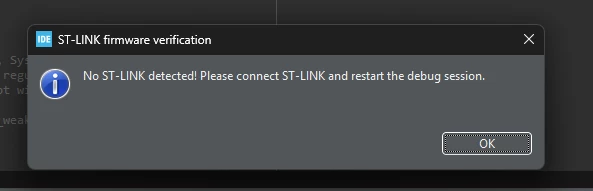
No ST-LINK detected! Please connect ST-LINK and restart the debug session.

  • June 13, 2026
  • 5 replies
  • 85 views

I am using Nucleo F103RB Kit which has onboard St-Link.

I created a simple Led Blink project, and when trying to debug or program the board, I am getting the message that “No ST-Link Detected, and so on”.
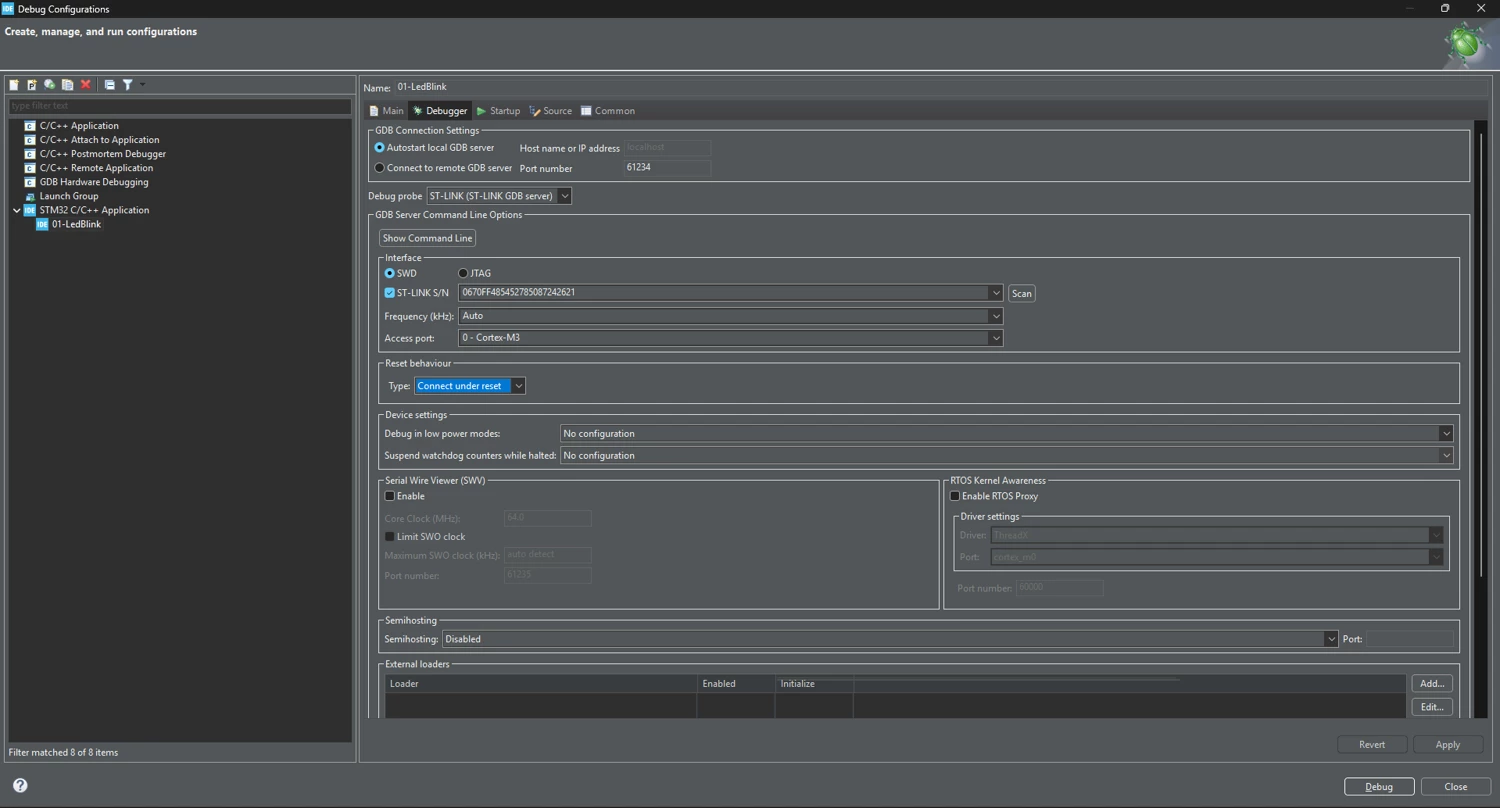
But as can be seen from the below screenshot the ST-Link is detected.

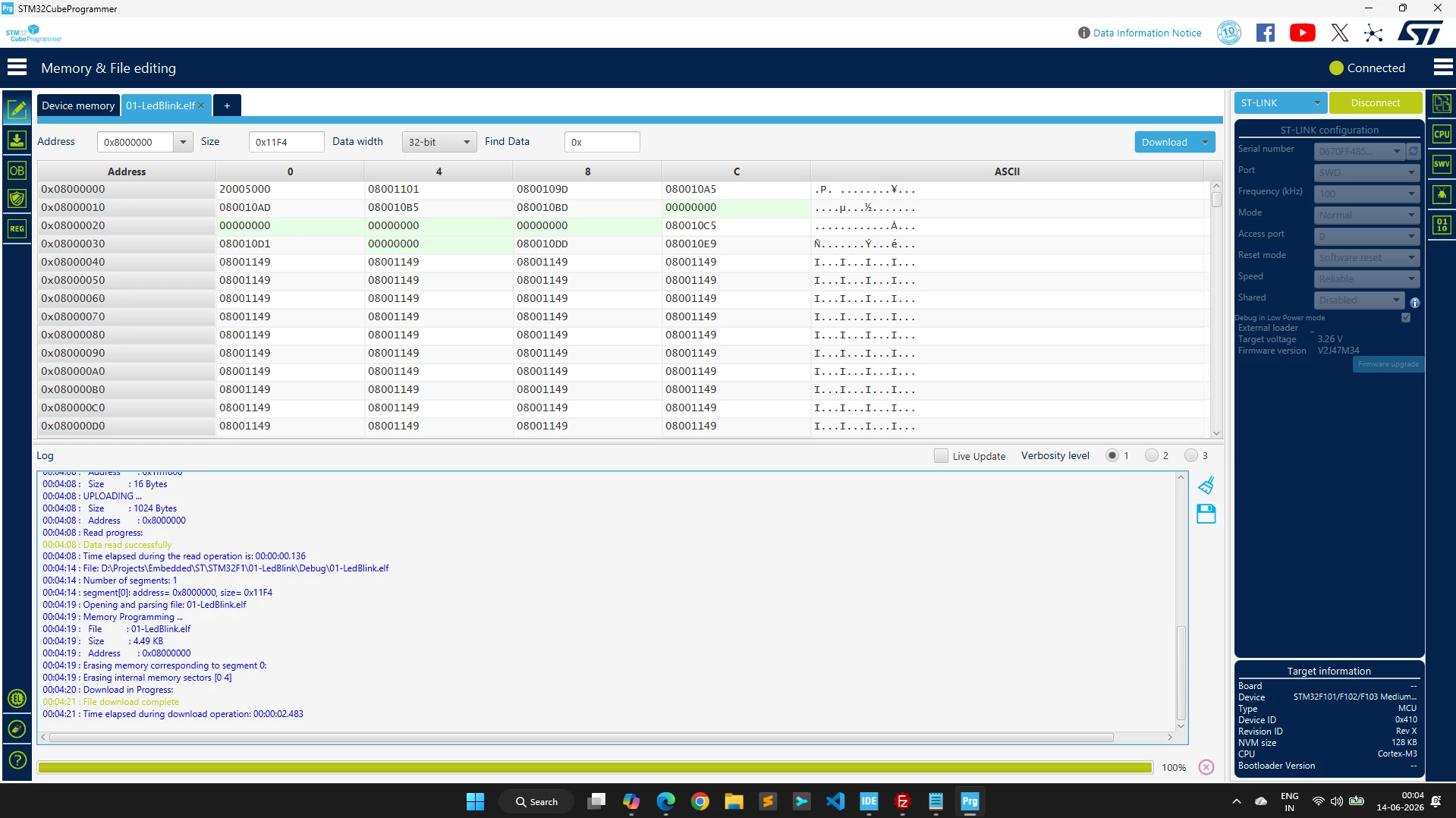
But when I used the STM32CubeProgrammer, and programmed the same binary generated by STM32CubeIDE, it works fine, i.e. programming works fine, as can be seen below.
 

I am also learning in parallel the Zephyr, and there also with command `west flash` st-link is able to program the binary but not with STM32CubeIDE, which is very strange.

Apart from this I used the tool from segger to convert the st-link to jlink, and after converting this to jlink, and then selecting jlink in debug configuration of STM32CubeIDE, it works fine.

Can someone please help me that why on-board st-link is not working with STM32CubeIDE?

Summary:

  • ST-Link not working with STM32CubeIDE using the latest version 2.1.1
  • ST-Link when converted to JLink works fine with the STM32CubeIDE
  • ST-Link works fine with STM32CubeProgrammer
  • ST-Link works fine with zephyr west flash command also
  • I already uninstalled and did a clean install of the STM32CubeIDE, but nothing changed

5 replies

AScha.3
Super User
June 13, 2026

Just try :

  • deselect the fix “st-link SN” .
  • connect with : software reset
  • select debug mode : openOCD , not ST-GDB
"If you feel a post has answered your question, please click ""Accept as Solution""."
xpress_embedo
Associate III
June 14, 2026

When I selected the OpenOCD, the other two options disappeared, and it is still not working, with same message.


AScha.3
Super User
June 14, 2026

Did you adjust the -> generator options?


"If you feel a post has answered your question, please click ""Accept as Solution""."
xpress_embedo
Associate III
June 20, 2026

Yes, I adjusted and still the same impact.

The strange thing is that when converting st-link to jlink it works fine.

I have another board STM32F429I-DISCO and it is also showing the same behavior with STM32CubeIDE

AScha.3
Super User
June 20, 2026

I use IDE V. 1.18.1 and 1.19 , working fine (on Win and Linux).

So if you dont need the V2.xx , try ...

"If you feel a post has answered your question, please click ""Accept as Solution""."
Ghofrane GSOURI
ST Technical Moderator
July 1, 2026

Hello ​@xpress_embedo 

Could you please try to use the latest version of STM32CubeIDE 2.2.0 and check whether the issue still occurs.

Download STM32CubeIDE2.2.0  from here 

I will be waiting for your feedback.

THX

Ghofrane

To give better visibility on the answered topics, please click on Accept as Solution on the reply which solved your issue or answered your question.
xpress_embedo
Associate III
July 1, 2026

I don’t know what is the issue, I updated to latest version i.e. 2.2.0 but still same error “No ST Link Detected”.

I remember when I used older version of the IDE in the past everything worked fine.

Andrew Neil
Super User
July 1, 2026

Did you try unchecking the option for the fixed serial number - as ​@AScha.3 suggested ?


Your first screenshot says “ST-Link firmware verification” - so have you tried updating the ST-Link firmware ?

A complex system that works is invariably found to have evolved from a simple system that worked.A complex system designed from scratch never works and cannot be patched up to make it work.