Associate
July 27, 2026
Solved

"No ST-LINK Detected" on win11 based on NUCLEO-F446RE hardware.

  • July 27, 2026
  • 3 replies
  • 94 views

Hello, I bought a NUCLEO-F446RE Evaluation board last month. But it doesn’t work when I “RUN” or “DEBUG” in STM32CubeIDE2.1.1 environment . To solve this problem, I tried several methods supplied by GPT, I can list more information below:

Firstly, my computer is a  lenovo notebook with win11, the STM32CubeIDE version is 2.1.1, and STM32CubeProgrammer version is 2.23.0;

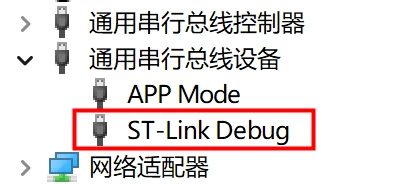
Secondly, the device management can list the key information showed below when I connect NUCLEO-F446RE:

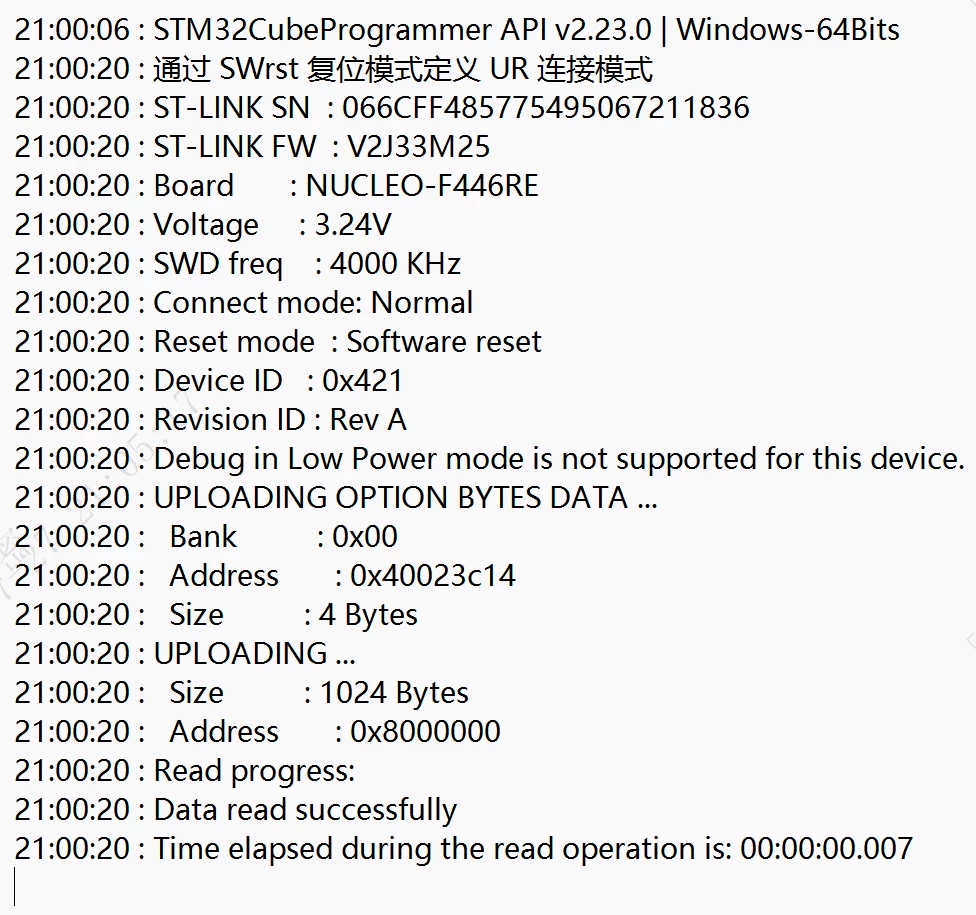
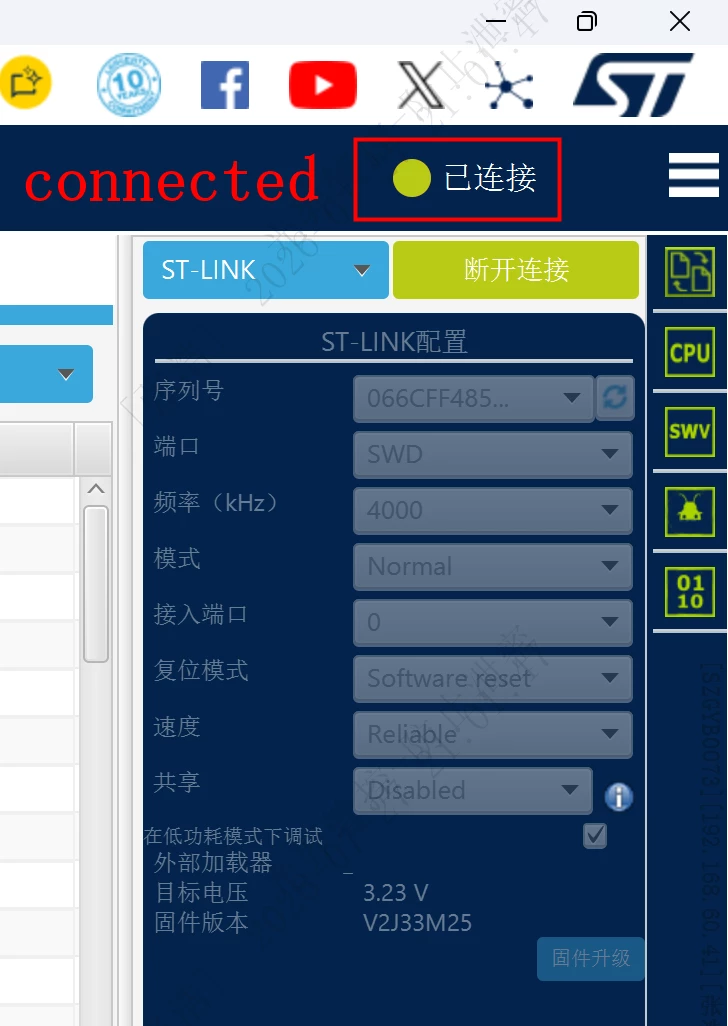
Thirdly, the STM32CubeProgrammer can easily connect NUCLEO-F446RE, the figure of connecting status and log are showed below:
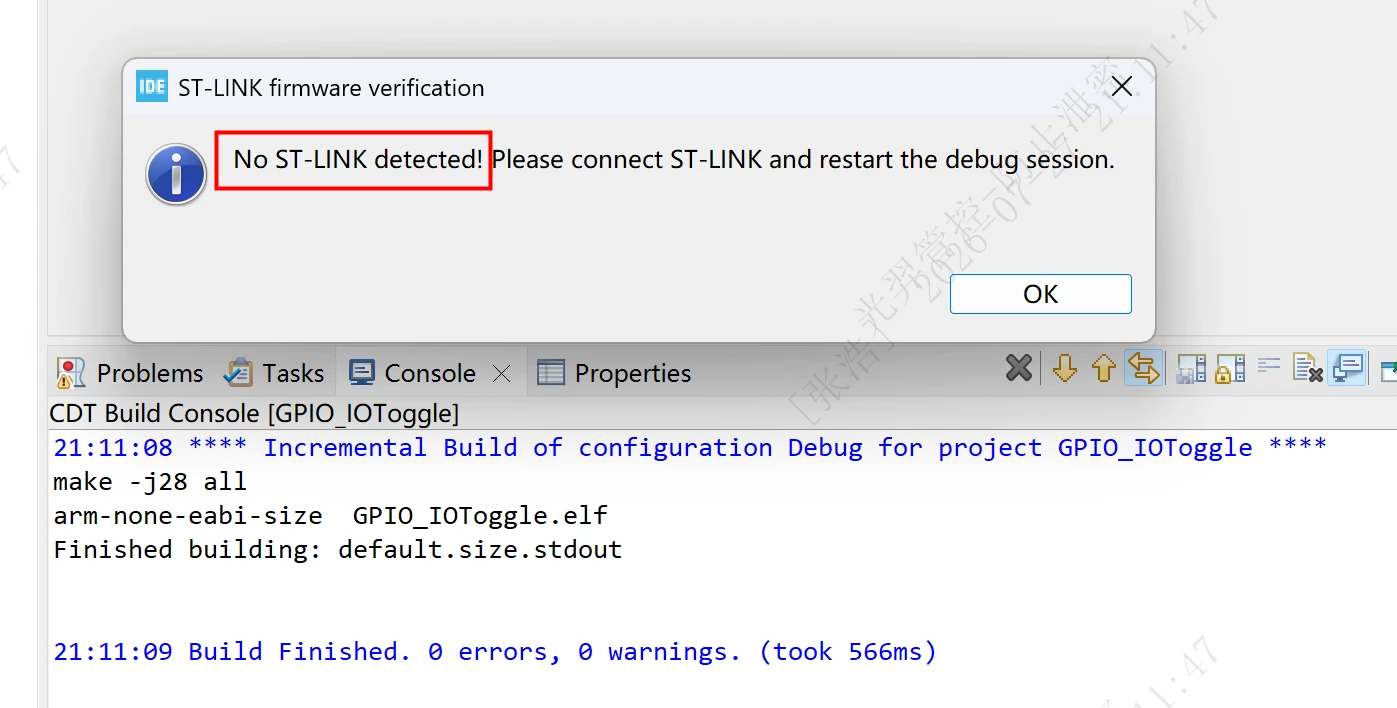
 However, after I closed STM32CubeProgrammer and open  STM32CubeIDE, when I click “run” or “debug”, IDE cannot connect NUCLEO-F446RE, the problem figure showed as below:
 

I feel puzzled on this issue, can you give some advice? Thanks.

Best answer by 10automation

Thanks for the reply by Andrew and Pavel. It really took me too much time on this problem.
I changed a PC and install these software again, the result is positive, ST-LINK can connect now, and also success to  erase, download fw etc…
ST website seems not stable these days, I cannot easily download softwares.
 

3 replies

Andrew Neil
Super User
July 27, 2026

Are you sure it is a genuine ST-Link? 


after I closed STM32CubeProgrammer and open  STM32CubeIDE, when I click “run” or “debug”, IDE cannot connect NUCLEO-F446RE, the problem figure showed as below:

Is Device Manager  still showing the ST-Link as present?

A complex system that works is invariably found to have evolved from a simple system that worked.A complex system designed from scratch never works and cannot be patched up to make it work.
Pavel A.
July 28, 2026

By the serial number the ST-Link looks good.

Just be sure that you fully disconnect CubeProgrammer before trying to connect CubeIDE. Only one program can connect to ST-Link at any time, and will not find the ST-LINK if it still in use by other app. Unless you use “shared” method, which is complicated.


10automationAuthorBest answer
Associate
August 8, 2026

Thanks for the reply by Andrew and Pavel. It really took me too much time on this problem.
I changed a PC and install these software again, the result is positive, ST-LINK can connect now, and also success to  erase, download fw etc…
ST website seems not stable these days, I cannot easily download softwares.