NRatz.2
Associate II
September 26, 2022
Solved

New to STM32CubeIDE. How can I add a new folder containing new .cpp files I have created to the project? I don't see an obvious way to do that in Project > Properties or other obvious places. Thanks, Noji Ratzlaff

..

This topic has been closed for replies.
TDK
TDKBest answer
September 27, 2022

Right click in the project tree to create the folder.

Drag/drop files into that folder or right click to create new ones.

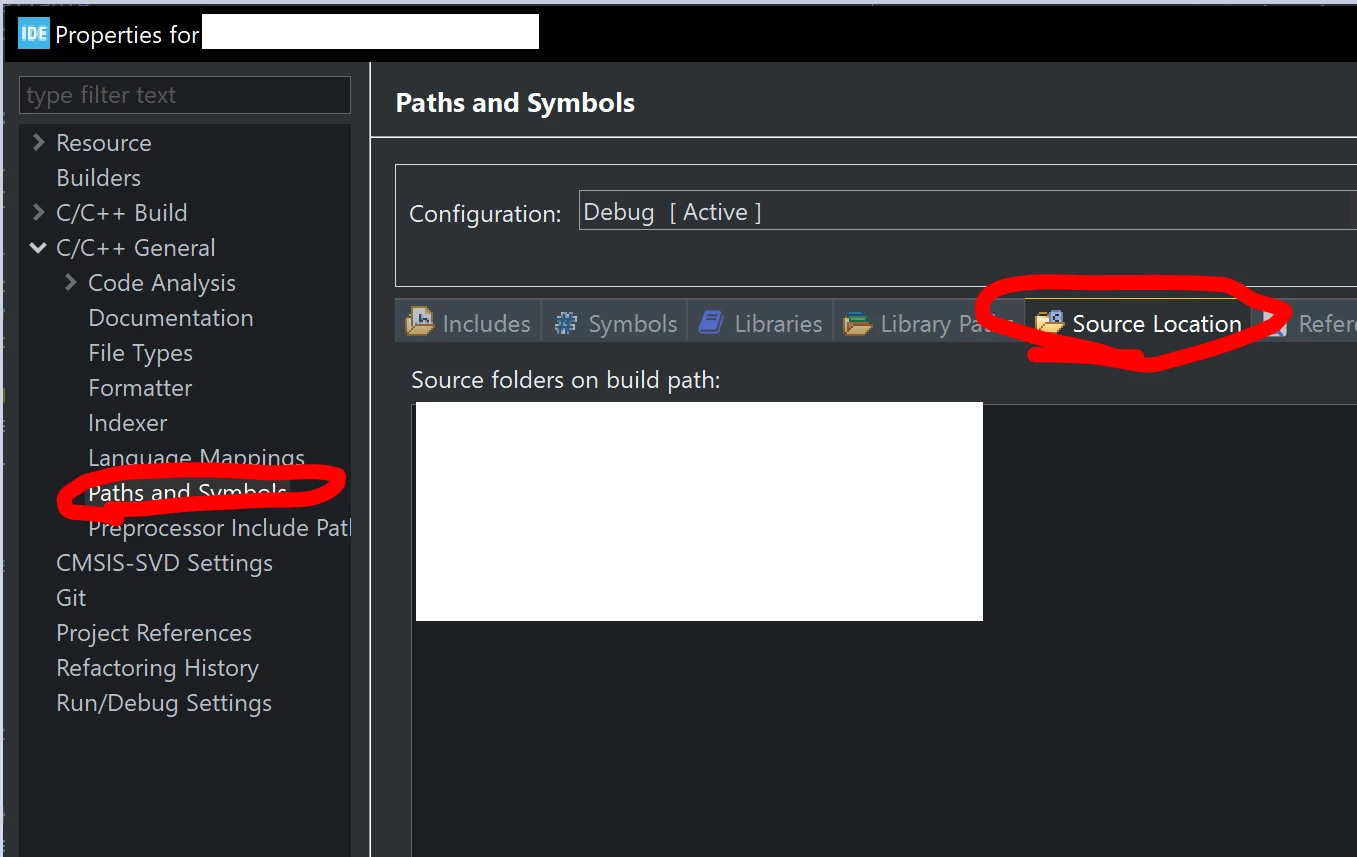
Add a new source folder from project properties -> C/C++ General -> Paths and Symbols -> Source Location.

After that, it will build the source files from within that folder.

0693W00000SwIrfQAF.png

"If you feel a post has answered your question, please click ""Accept as Solution""."

1 reply

TDK
TDKBest answer
September 27, 2022

Right click in the project tree to create the folder.

Drag/drop files into that folder or right click to create new ones.

Add a new source folder from project properties -> C/C++ General -> Paths and Symbols -> Source Location.

After that, it will build the source files from within that folder.

0693W00000SwIrfQAF.png

"If you feel a post has answered your question, please click ""Accept as Solution""."