

Associate
July 18, 2023
Solved

myST Login issue in STM32CubeIDE

  • July 18, 2023
  • 28 replies
  • 56502 views

Hello,


I just updated from 1.12.0 to 1.13.0 and now when i save changes it asks me to sign in to mySt to download a software package. 
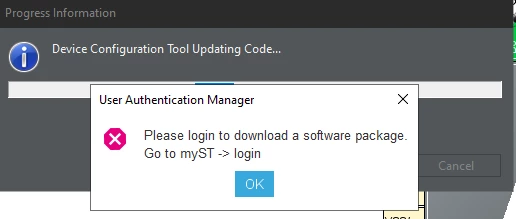
cmendi_0-1689698718278.png

When i try to login to my ST i get this error:
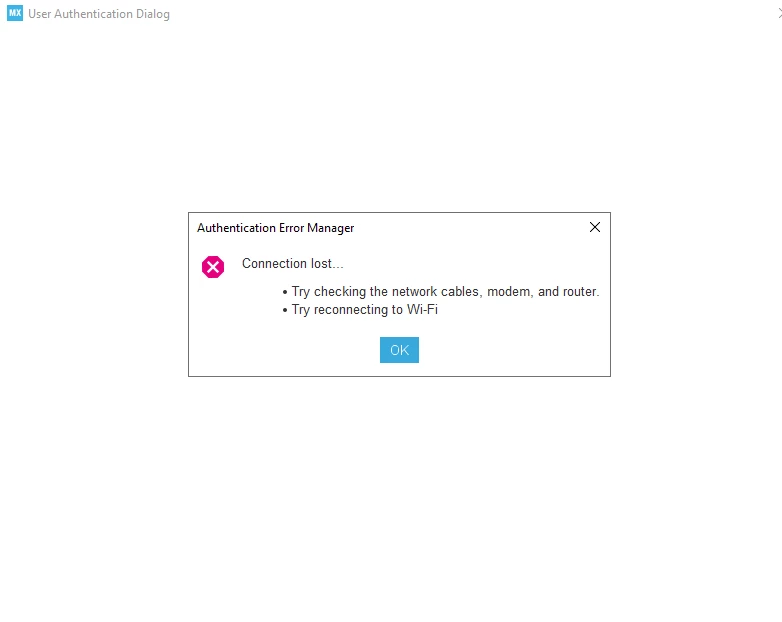
cmendi_1-1689698783053.png


I am on my work network, not sure if that matters. My internet is working fine with everything else but the STMCubeIDE

Thank you,



    This topic has been closed for replies.
    Best answer by Peter BENSCH

    Welcome @cmendi, to the community!

    STM32CubeIDE uses the network settings under Window > Preferences > Network Connections. There you can choose between:

    • Direct (without proxy)
    • Manual (uses dedicated proxy settings)
    • Native (dynamic host)

    For Manual you have to enter your credentials if you are working over a VPN or a proxy. Please try if you can get it to work with one of these settings?

    Regards
    /Peter

    28 replies

    Visitor II
    June 8, 2025

    I solved the problem. Below is what I did, not sure which part works

    1. I logged into myST. My version 1.18.1, it's located at Help -> STM32Cube updates -> Connection to myST

    JWC_0-1749393765671.png

    2. I also followed instruction from ChatGPT below:

    In "Window -> Preference -> Available Software Sites", added 

    https://www.st.com/stm32cubeide/updates
    https://www.st.com/stm32cubeide/updates/stm32cubeide-repository

    JWC_2-1749394089231.png

    3. In Help -> STM32 Cube updates -> Embedded Software Package Manager, click 'Refresh' and found the packages I need. 

    JWC_1-1749393967262.png

    Hope it helps!

    Visitor II
    June 29, 2025

    reeeeeeeee_0-1751197803298.png

    I switched to "Use System Proxy Parameters" and solved this problem