Associate II
June 18, 2026
Solved

Missing ; warning.

  • June 18, 2026
  • 9 replies
  • 103 views

Hello.

I have project for STM32U575 created in CubeIDE just before new release of separate CubeIDE and CubeMX.
I imported it into the new version of CubeIDE (2.1.1, it asked whether to “renew” project, and I clicked "yes").

Both then and now, the project has this warnings:
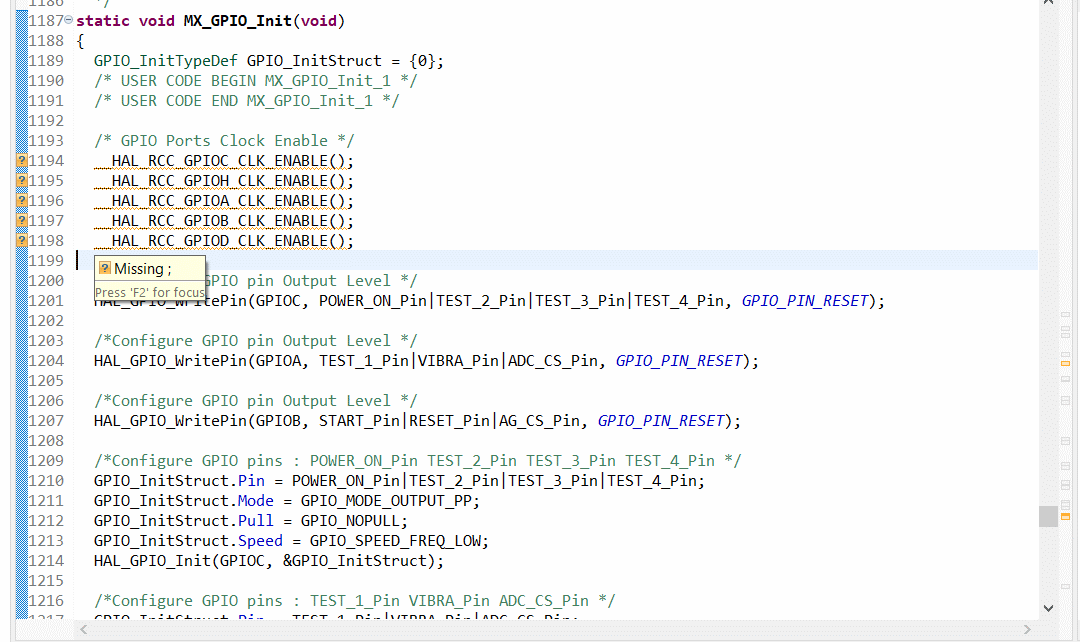
I didn't pay attention to it earlier because the project was working, but now I see that there are more and more strange problems in it. Could it be because of that?

What could cause such warnings? This part of code is not mine, but generated by CubeMX.

I didn’t have this warnings on another project for STM32H7.

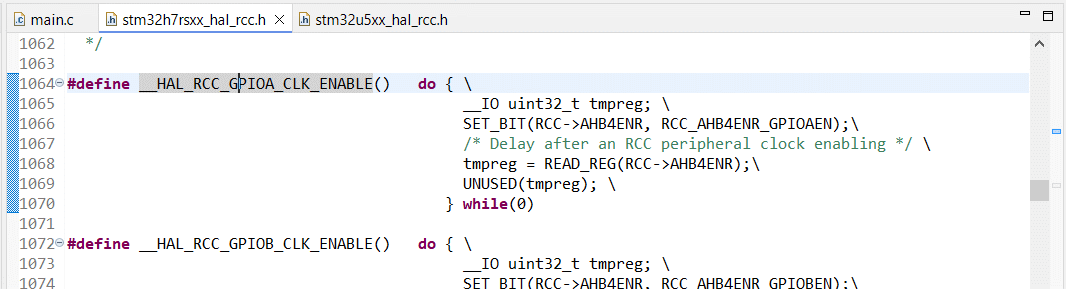
HAL code looks very similar for H7 and U5:

H7:
U5:
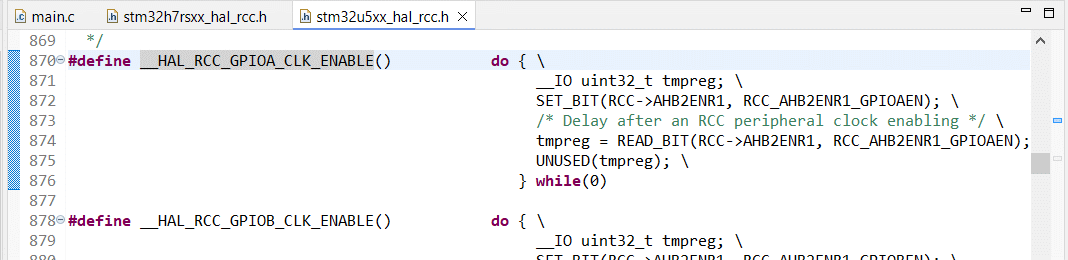

But only the one for U5 generating warnings.
Best answer by Mahmoud Ben Romdhane

Hello ​@Amida 

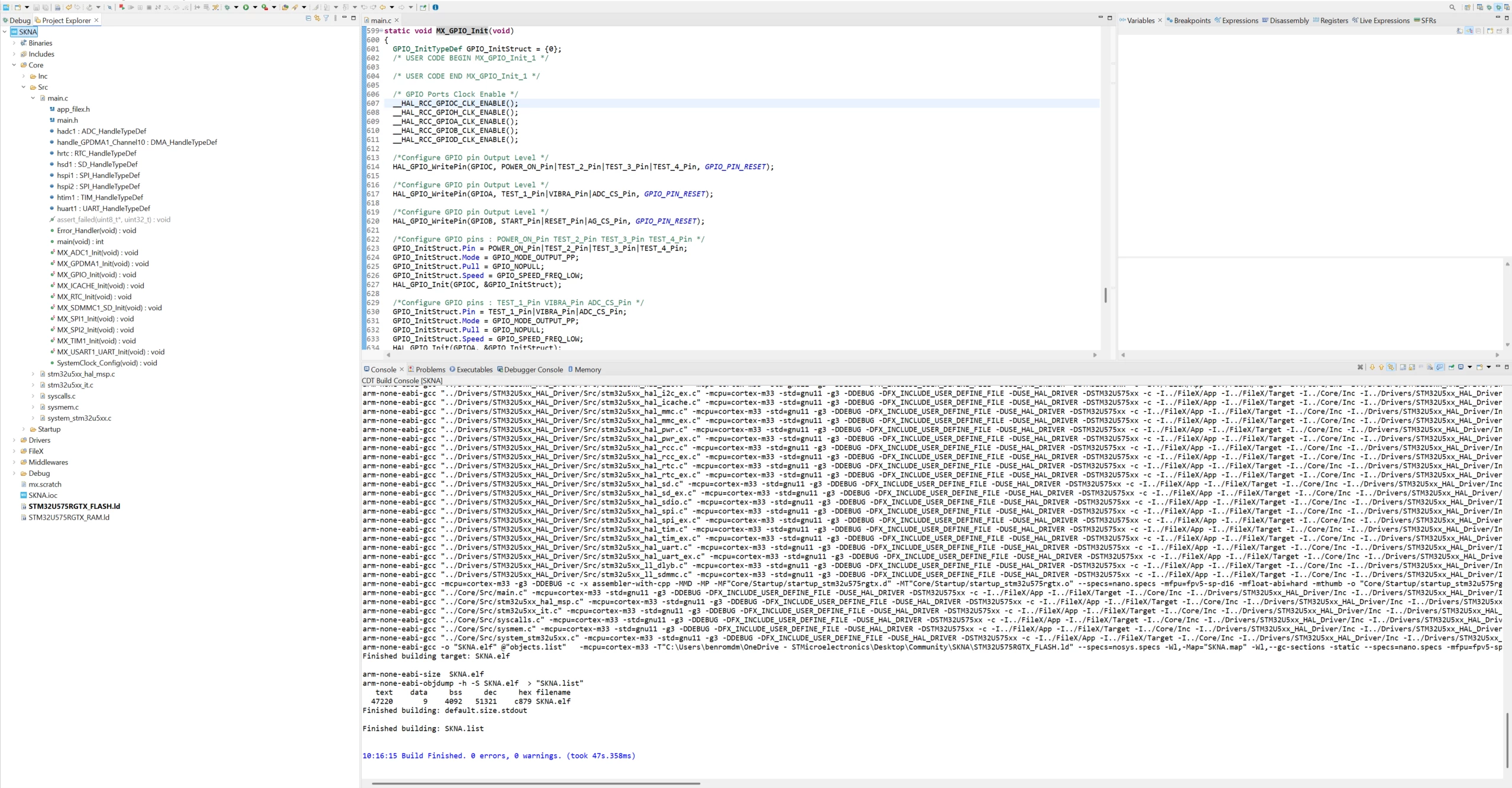
Further to your comment, I generated the code with STM32CubeMX 6.17 and the project build was finished with 0 errors and 0 warnings.


Thanks.

Mahmoud

9 replies

ST Technical Moderator
June 18, 2026

Hello ​@Amida 

Let me thank you for posting and welcome to the ST Community.

For more investigation, I recommend that you provide your Ioc.File.

Thanks.

Mahmoud

To give better visibility on the answered topics, please click on Accept as Solution on the reply which solved your issue or answered your question.
AmidaAuthor
Associate II
June 18, 2026

I can upload all project files if necessary.

But for now IOC.

ST Technical Moderator
June 18, 2026

Hello ​@Amida 

Further to your comment, I generated the code with STM32CubeMX 6.17 and the project build was finished with 0 errors and 0 warnings.


Thanks.

Mahmoud

To give better visibility on the answered topics, please click on Accept as Solution on the reply which solved your issue or answered your question.
Andrew Neil
Super User
June 18, 2026

@Amida 


The screenshot shows a warning on all 5 of those lines - are they all the same warning ?

Are there any other warnings/errors ?

Are they actual compiler warnings, or just from the IDE editor?


It says, “Press ‘F2’ for focus” - what does it show when you do that?


Have you tried looking at the Preprocessor output - to see what the compiler’s actually seeing?

A complex system that works is invariably found to have evolved from a simple system that worked.A complex system designed from scratch never works and cannot be patched up to make it work.
AmidaAuthor
Associate II
June 18, 2026

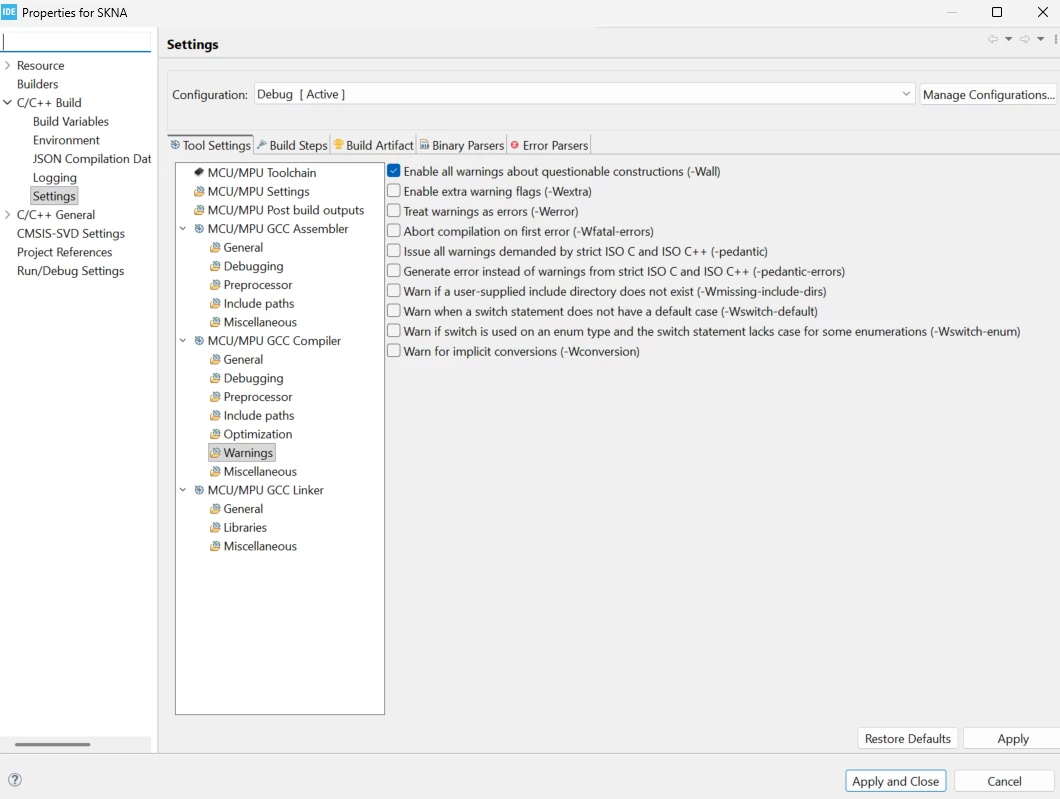
@Mahmoud Ben Romdhane: It was probably related to the Index. I couldn't find the button to manually rebuild the index. But when I opened the window with the warnings settings (the one from your screenshot), it triggered the index rebuild, and the warnings disappeared.
Along with it, several strange issues with the code also disappeared, such as it freezing or error handler after:

__HAL_PWR_VOLTAGESCALING_CONFIG(PWR_REGULATOR_VOLTAGE_SCALE1);

So, thank You, even though it wasn't direct help.


@Andrew Neil: all are the same warnings. No others type of warning along the code (only similar with CLK_ENABLE, for example in UART, SPI, etc.). I don't know if it was compiler or IDE warnings, but I suspect compiler, because it changing behavior of code.
Now I can't check it anymore because they have disappeared. From what I remember, pressing F2 didn't show anything new.

Andrew Neil
Super User
June 18, 2026

 I couldn't find the button to manually rebuild the index

It’s in the pop-up when you right-click the Project in the Project Explorer:


 I don't know if it was compiler or IDE warnings

Genuine compiler warnings would appear in the build output in the Console window, and would be included in the count at the end of the build:


A complex system that works is invariably found to have evolved from a simple system that worked.A complex system designed from scratch never works and cannot be patched up to make it work.
AmidaAuthor
Associate II
June 18, 2026

There are no such button in my test program (freshly created in new MX and IDE):

So I missed that it was in my original project.
I must doing something wrong when creating project in new version of MX and IDE. My mistake.

Andrew Neil
Super User
June 18, 2026

You need to right-click on the Project name.

In that screenshot, you have the ‘TEST1’ subfolder selected.


A complex system that works is invariably found to have evolved from a simple system that worked.A complex system designed from scratch never works and cannot be patched up to make it work.
AmidaAuthor
Associate II
June 18, 2026

In that screenshot, you have the ‘TEST1’ subfolder selected.

In purpose: using this project I discovered that there are no “rebuild index button”. So I don’t searching this button in SKNA project. But it was there. This was my mistake.