Associate II
February 19, 2024
Solved

memory dump to a file

Hello,

Using CubeIDE v1.14.1, I would like to download memory to a file, for import into a worksheet, etc.  But I've not located the ability to do that, via the IDE menus.  Is there such a capability?  I'm initially dealing with floating point values, do it'd be ideal to download to a file in that format.  But any download format would be good, and could be massaged into float format after-the-fact.

Regards,

Robert

This topic has been closed for replies.
AScha.3
AScha.3Best answer
Super User
February 19, 2024

Hi,

You could try :

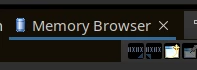
menu -> Window -> Show view -> ...other -> Debug -> Memory browser

there you get :

AScha3_0-1708376772772.png

(second icon) Export ....

(I never tried ...so up to you . :)  )

If you feel a post has answered your question, please click on " Best Answer ".

4 replies

AScha.3
AScha.3Best answer
Super User
February 19, 2024

Hi,

You could try :

menu -> Window -> Show view -> ...other -> Debug -> Memory browser

there you get :

AScha3_0-1708376772772.png

(second icon) Export ....

(I never tried ...so up to you . :)  )

If you feel a post has answered your question, please click on " Best Answer ".
R_DSPAuthor
Associate II
February 19, 2024

Thanks!  Missed that one, it's a start (or possibly an end).  I can change the rendering to floating point, in the memory browser, but when doing the export from there, it's always in hex byte format.  I'm guessing there's no way to export in float?  I also see a "Copy To Clipboard" in the floating point Memory Browser, but it is greyed out for some reason.

R_DSP_0-1708380503604.png

Robert

AScha.3
Super User
February 19, 2024

Hmmm...

in memory browser -> export    i get this :

AScha3_0-1708381980737.png

and the data - if default (the three vertical dots)

AScha3_2-1708382439634.png

is set to floating point - :

AScha3_1-1708382290787.png


If you feel a post has answered your question, please click on " Best Answer ".