


FDi L.228
Associate II
October 16, 2019
Question

Live Expression view "Failed to evaluate expression"

  • October 16, 2019
  • 2 replies
  • 8523 views

Hello,

I'm currently using STM32CubeIDE (version 1.1.0) to write and debug a c++ program on a NUCLEO F767ZI.

I'm trying to use the "Live Expression" but it either doesn't update the variables live (it updates them when I pause the program") or it says "Failed to evaluate expression".

What is the correct way to configure the debugger?

My current configuration is:

  • Nucleo connected through the on-board stlink
  • the default values as in the screenshot
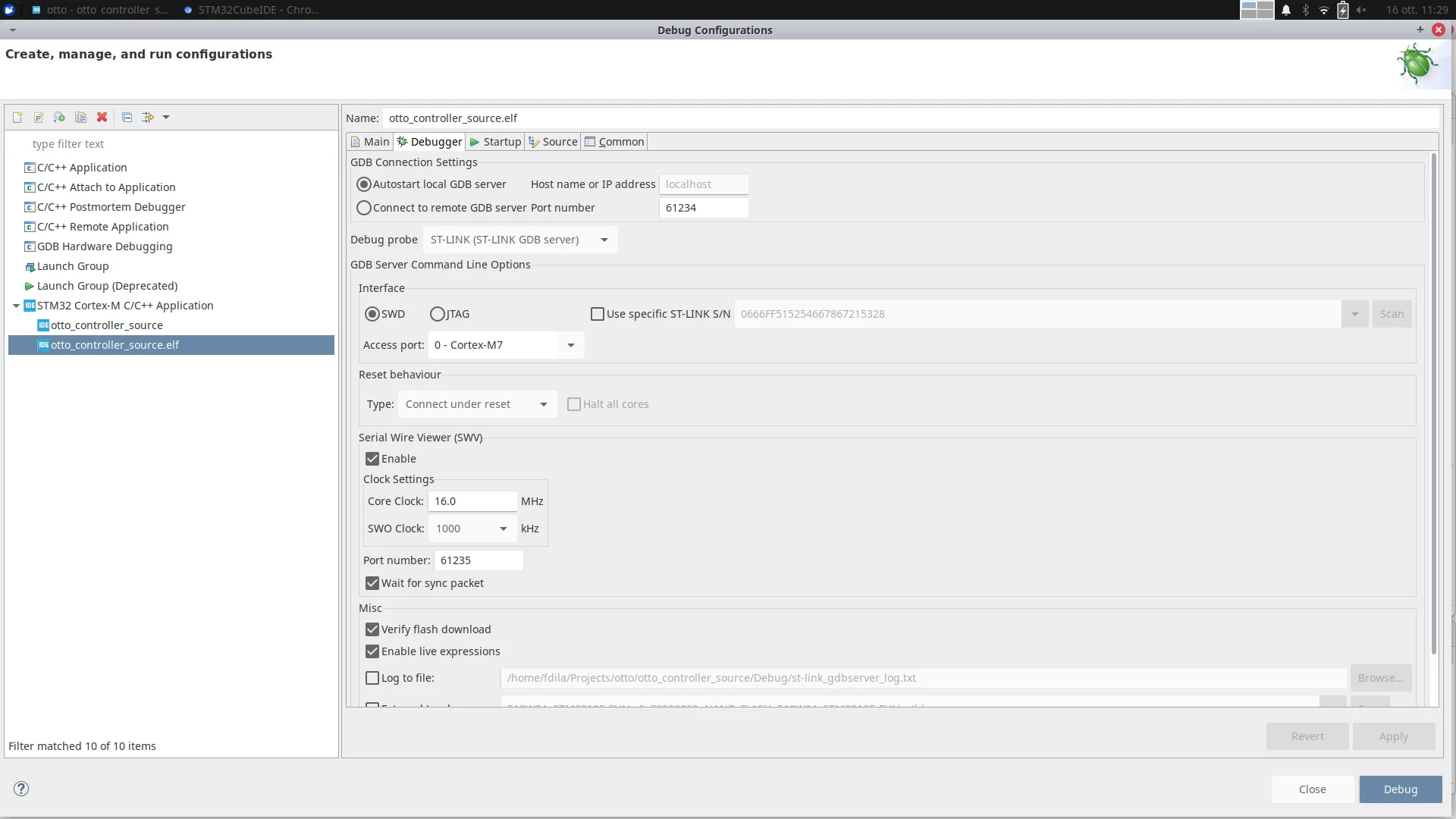
0690X00000AqPwxQAF.png

2 replies

FDi L.228
FDi L.228Author
Associate II
October 16, 2019

Update: it works with global variables. Is this the right behaviour or is this a bug? Will tracing local variables be available in the future?

Ozone
Principal
October 16, 2019

You can trace local variable ONLY in the context they exist.

Otherwise they are just stack values with a whatsoever meaning.

Try to understand the C language concepts behind variable lifetime, visibility, and related memory allocation concepts.

FDi L.228
FDi L.228Author
Associate II
October 16, 2019

Thanks, I passed programming 101.

I thought that it could maybe track variables on the stack

Visitor II
August 8, 2024

Try view the "expressions" and not the "live expressions". This worked for me 

Visitor II
August 8, 2024

nvm i misread :)