
Associate III
June 23, 2024
Question

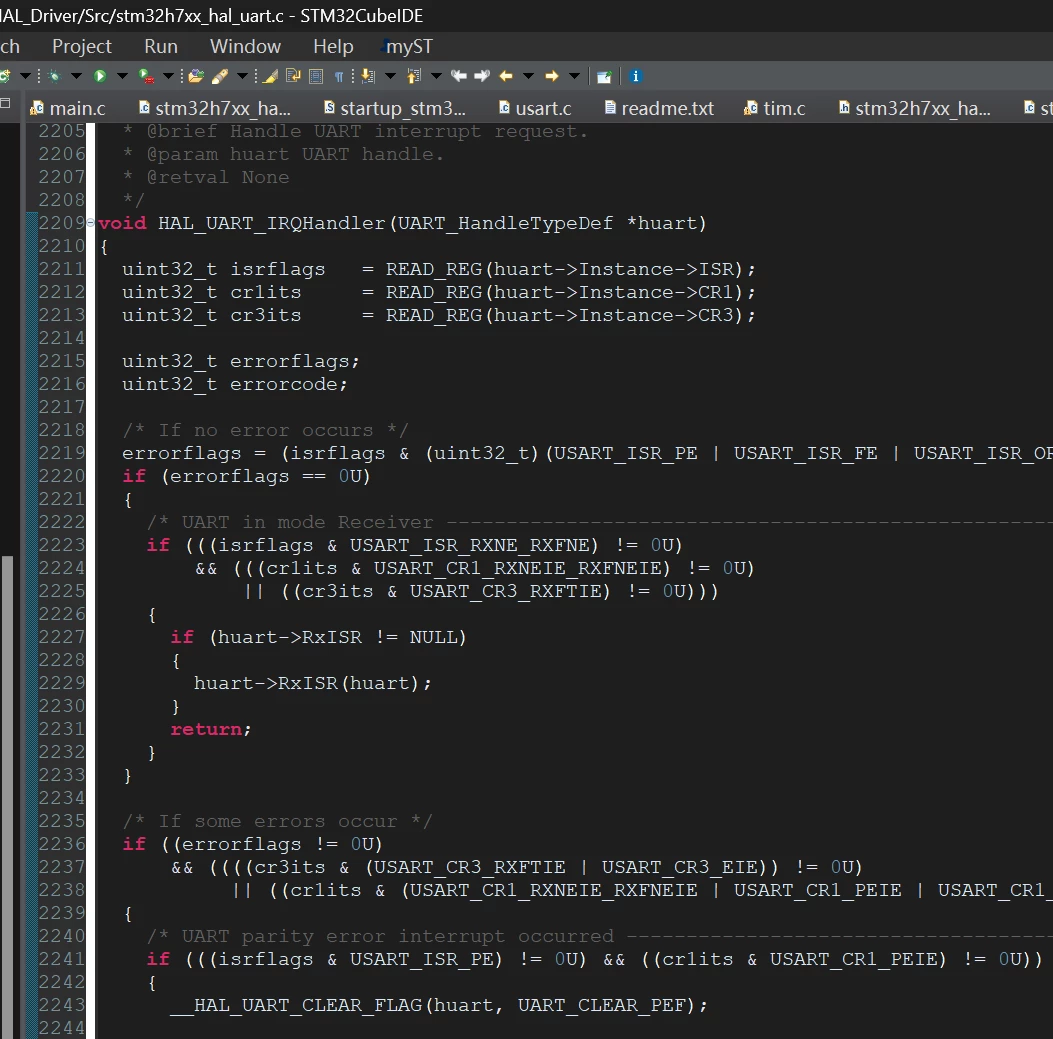
is syntax coloring not functional for long file?

  • June 23, 2024
  • 3 replies
  • 2287 views

Hi Expert, 

syntax coloring is not functional when the code is long. Is this IDE restriction? How to fix this issue?

for example, the hal_uart.c is not coloring.

Thanks

Peter
Peter3718_0-1719127361789.png


This topic has been closed for replies.

3 replies

AScha.3
Super User
June 23, 2024

Hi,

if i open hal_uart.c ->

AScha3_0-1719128685438.png

:)

Somewhere in preferences is the line number limit, you can set to any size, to get it analyzed/colored .

Maybe you got a message from eclipse IDE, on opening the file, about the file > limit...but you didnt change the limit. I cant tell you, where it is - :) - , i just dont remember...sooo many options.

ed

Ok, found a limit, i set to 8MB :  menu -> window -> Preferences

AScha3_1-1719129621738.png


If you feel a post has answered your question, please click on " Best Answer ".
AScha.3
Super User
June 23, 2024

I just looked: hal_uart.c is only 160KB , so this some MB limit is not the reason for your coloring-or-not .

AScha3_2-1719130205486.png

(from your pic)

AND there is a coloring, red, grey, light-grey, so its about your adjustment of syntax colors , editors, etc. ,

you can modify .

There is a lot, you can adjust, in Eclipse !

btw

Look, what you have set/preset here ->

AScha3_0-1719130728013.png


If you feel a post has answered your question, please click on " Best Answer ".
Peter3718Author
Associate III
June 23, 2024

Hi, 

i found the problem. We are developing a dual-core project. You have to choose the file under project folder, although it is linked from a common Drivers directory. 

Peter3718_0-1719166880836.png
