


RrW1
Associate III
June 23, 2021
Question

Is it possible to check which line of code resides on a particular address on STM32CubeIDE?

  • June 23, 2021
  • 4 replies
  • 7367 views

Hi,

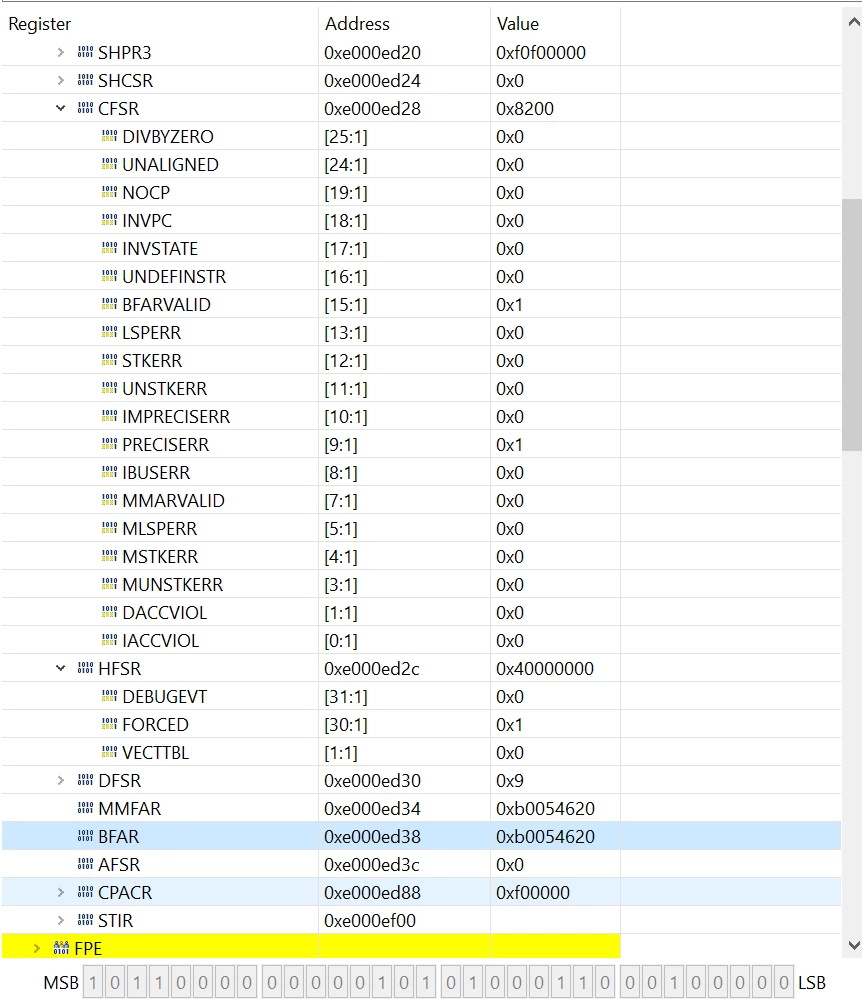
I came across a HardFault in my code while in debug mode on STM32CubeIDE, and I checked the SFRs register viewer and noticed that I ran into a PRECISERR, and the BFAR field shows which address triggered the data bus error. I have attached a screenshot of what my SFR window is showing, including the address stored in BFAR:
0693W00000BbjsaQAB.png 

Knowing that the BFARVALID bit is set, and my BFAR points to 0xB005_4620, is there a way to check which line of code resides in this address on the STM32CubeIDE?

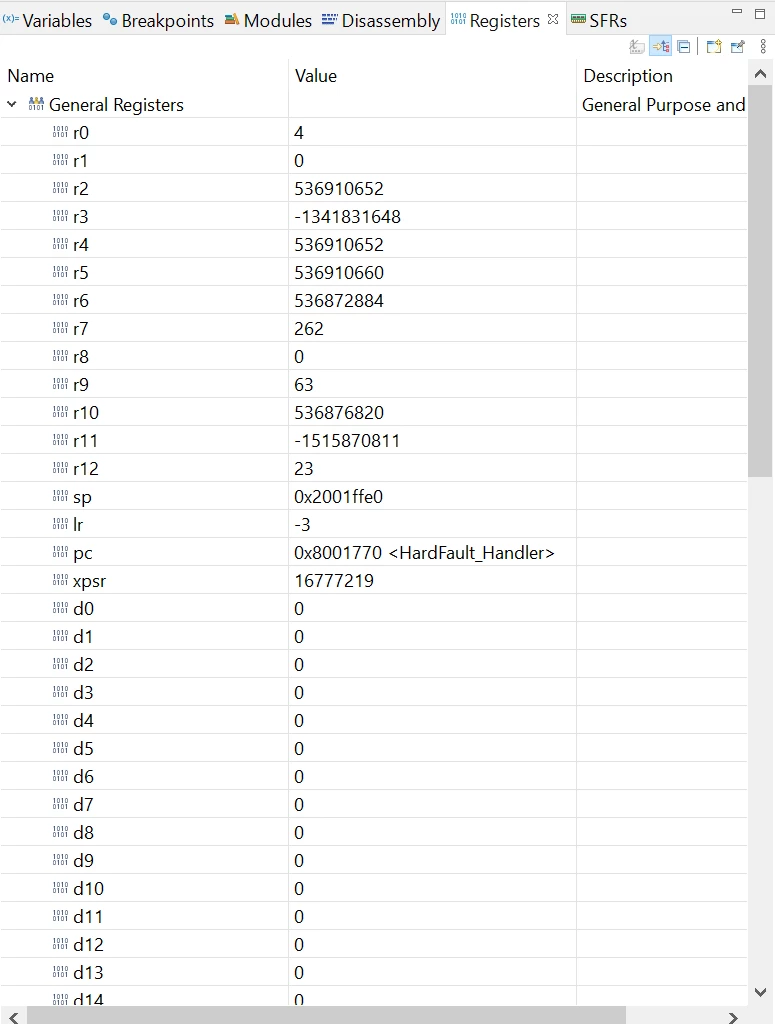
I know that if I pause the Debug mode on STM32CubeIDE, and I place my mouse cursor on the functions/routines like, for example, HardFault_Handler(void), it shows me that the HardFault_Handler resides in 0x800_1770. Even the pc register in Registers window tells me that 0x800_1770 points to HardFault_Handler(void) as shown below:
0693W00000BbjszQAB.png 

Thanks!

This topic has been closed for replies.

4 replies

TDK
June 23, 2021

I don't think there is a way to do this directly, but you could examine the map file to find out fairly quickly.

However, 0xB005_4620 isn't in FLASH and probably doesn't have code.

"If you feel a post has answered your question, please click ""Accept as Solution""."
RrW1
RrW1Author
Associate III
June 23, 2021

Thanks for the response! It did not occur to me that 0xB005_4620 isn't in FLASH or SRAM. Since this is the case, why would the BFARVALID bit be set and why would BFAR point to that address?

Do you also have any tips or pointers on why a PRECISERR occurs, and how to identify the source of the issue?

TDK
June 23, 2021

Nothing other than basic debugging. Look at the call stack from within the handler to see where it crashed, if available, and examine that for problems. Barring that, step through the program to narrow down where it crashes.

BFAR is not necessarily the address of the instruction, it could also be the memory an instruction tried to access. Try reading from 0xB005_4620 and see if you get the same result.

"If you feel a post has answered your question, please click ""Accept as Solution""."
RrW1
RrW1Author
Associate III
June 24, 2021

I observed the contents of 0xB005_4620 on my STM32CubeIDE's Memory Window and it displayed question marks only ('?'). When you mentioned call stack, did you mean observing LR, PC, R0, ..., R13 too?

Tesla DeLorean
Guru
June 23, 2021

Perhaps start looking at the PC, LR and stack to understand where exactly it died and how it got there.

Get a Hard Fault Handler that outputs actionable data, I've provided several, look at the context of the fault, not what the debugger breakpoints on within the handler itself.

It's flagging the memory that got touched, not who was touching it.

Tips, Buy me a coffee, or three.. PayPal Venmo (See Profile) Up vote any posts that you find helpful, it shows what's working..
RrW1
RrW1Author
Associate III
June 24, 2021

Thanks for the response! I did examine the PC and LR registers after the HardFault_Handler() got executed, and the PC pointed to the HardFault_Handler() function, while the LR register contained a value of -3 (based on the second picture posted in the question).

I assume that the method above is incorrect, and I should include the code available from the zip file found in Arm's Application Note 209? Was that what you meant in your suggestions?

Tesla DeLorean
Guru
June 30, 2021

The method I'd posted before pulls more registers, the forum search is so broken/dismal here..

https://github.com/cturvey/RandomNinjaChef/blob/main/KeilHardFault.c

An LR of 0xFFFFFFF9 or 0xFFFFFFFD is indicative of the return call-gate which pops the context stack from the appropriate MSP/PSP

Tips, Buy me a coffee, or three.. PayPal Venmo (See Profile) Up vote any posts that you find helpful, it shows what's working..
mattias norlander
ST Employee
June 30, 2021

To add to the topic.

There is a view called the "Fault Analyzer". Give it a try next time. Depending on the exception firing in your application it may be able to jump to the offending code line and print the exception stack frame.

Also when doing FreeRTOS app development it is possible to toggle on task stack checking to see a watermark to see the "historic max stack consumption" during this debug session. Toggle this feature on as soon as you spot weird behavior. Then turn it off again to have a faster debug experience... Check the User Guide on FreeRTOS debug for more info.