Solved
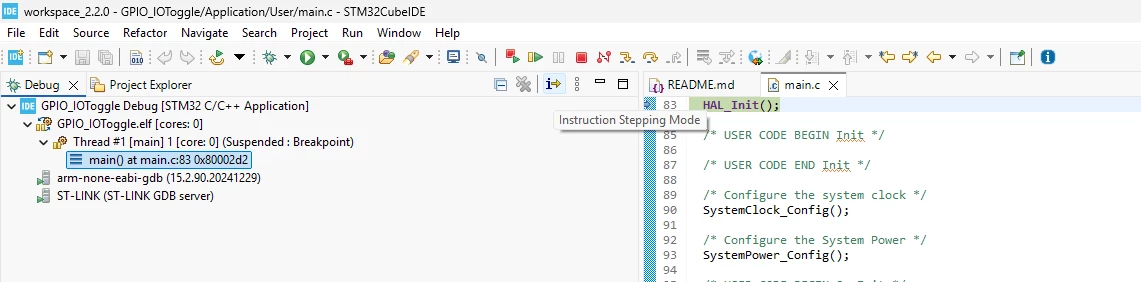
Instruction Stepping Mode" command missing after fresh install of STM32CubeIDE 2.2.0
Hello,
After updating (and later performing a full uninstall/reinstall) to STM32CubeIDE 2.2.0, the "Instruction Stepping Mode" toggle command has completely disappeared, and it appears the underlying command is no longer registered at all — not just hidden from the toolbar.
Version:
STM32CubeIDE Version: 2.2.0
Build: 29186_20260626_0934 (UTC)
OS: Windows
Steps to reproduce:
- Start a debug session on an STM32H7 target
- Open the Disassembly view
- Try to enable "Instruction Stepping Mode" to step at the assembly instruction level
Observed behavior:
- The icon is no longer present in the Debug toolbar
- Giving focus to the Disassembly view does not automatically enable instruction-level stepping (F5/F6 still step at C source line level only)
- Going to
Window > Perspective > Customize Perspective > Toolbar Visibility, the command "Instruction Stepping Mode" is listed in the Debug toolbar structure, but checking its checkbox and clicking "Make Item Visible" throws the error: "'Instruction Stepping Mode' command cannot be made visible in this dialog." - Checking
Window > Preferences > General > Keysto manually assign a keyboard shortcut: the command does not appear in the list at all, suggesting the command contribution itself is not being registered by the plugin in this build.
Could you confirm whether this is a known regression in 2.2.0, and if a fix is planned?
Thanks,
Philippe