Byede.1
Associate II
November 13, 2020
Question

In STM32 Cube IDE code is not generated for my board(whatever board i select). But same installation works perfectly in other system.

Dear Sir/Mam,

Iam facing problem with stm32 cube IDE.

In STM32 Cube IDE code is not generated for my board(whatever board i select). But same installation works perfectly in other system. Other projects which are downloaded from internet are also perfectly debugging.

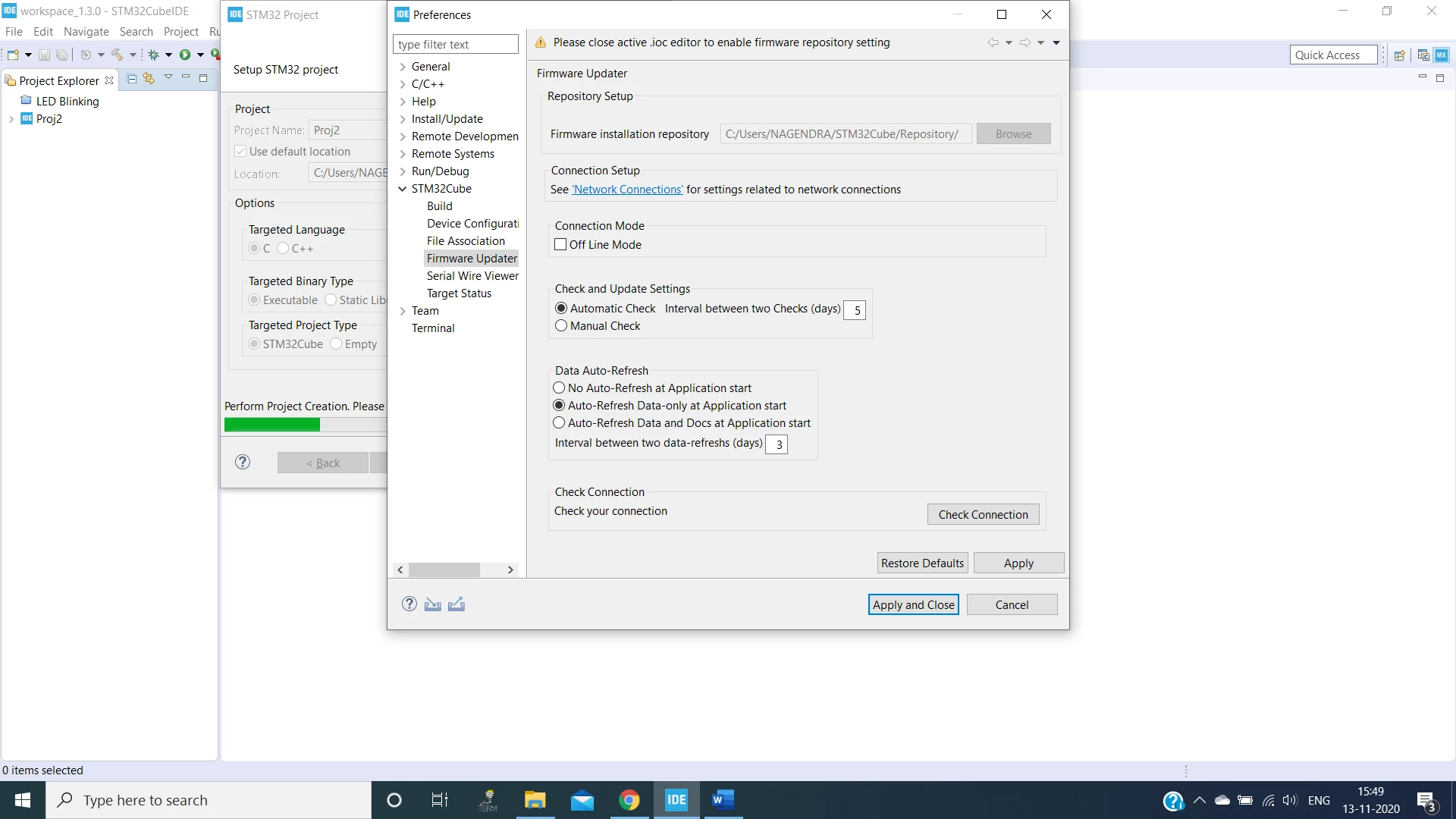
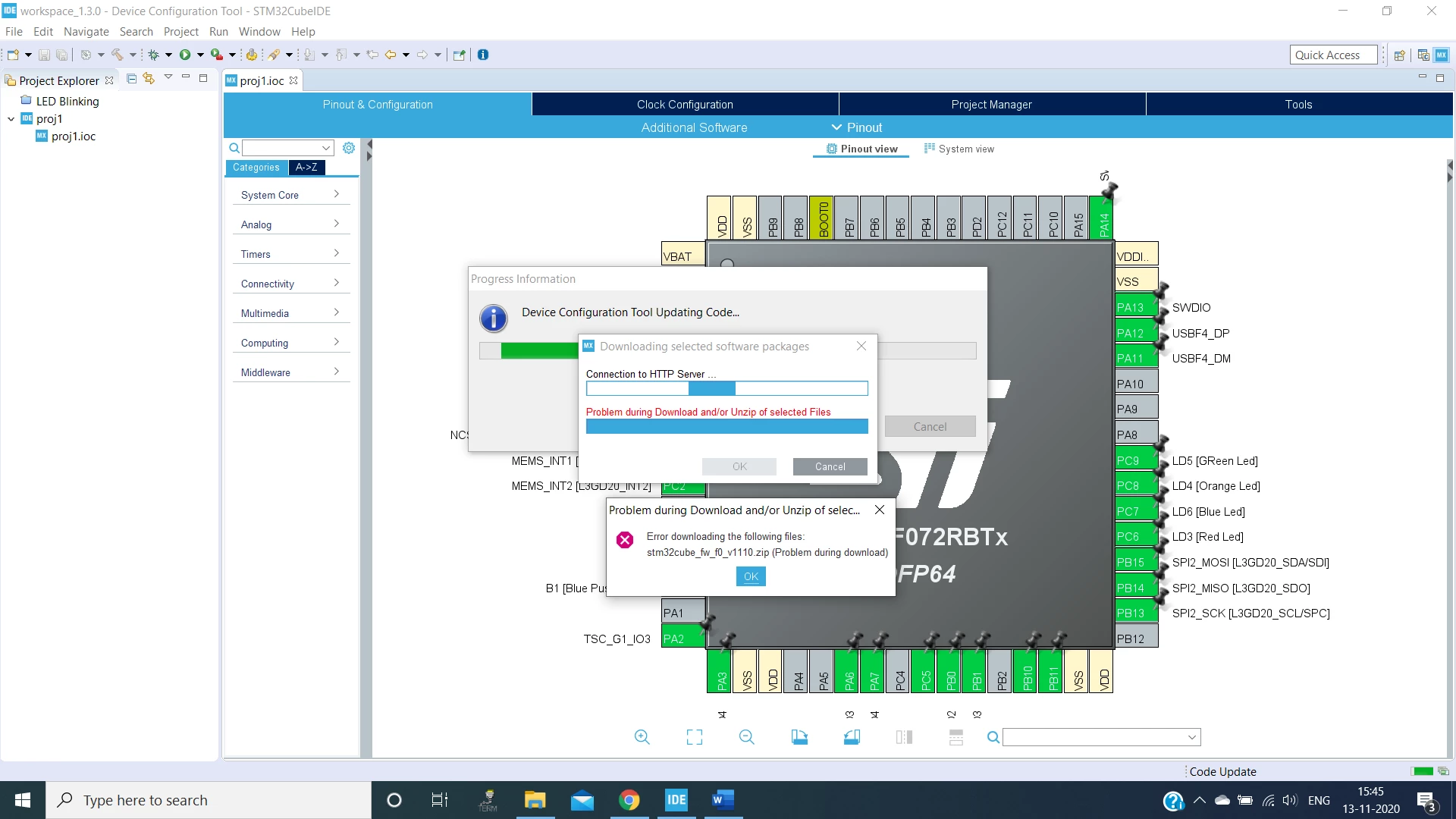
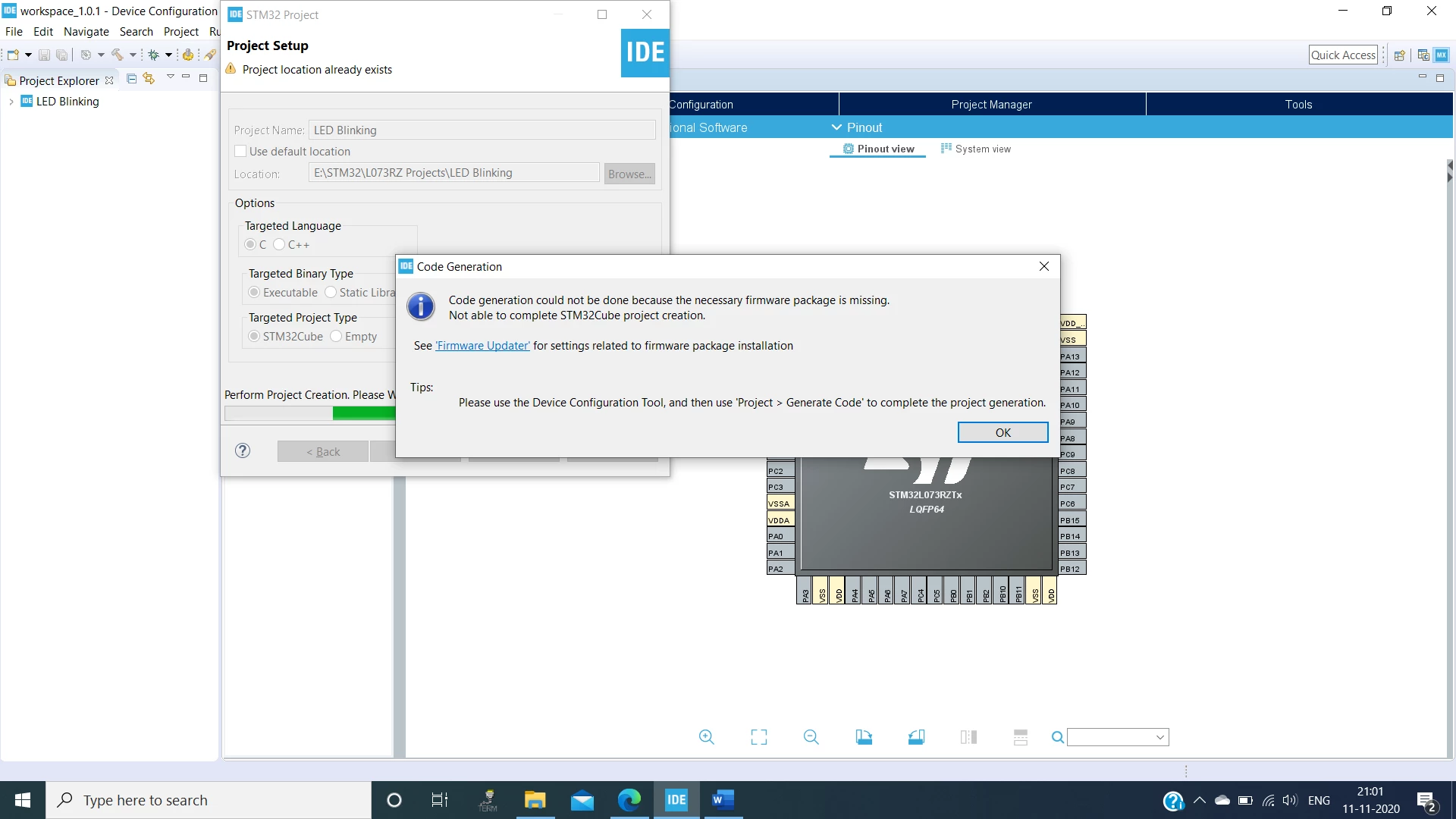
Iam facing problem in automatic code generation. Here are the screenshots of errors.

After giving Project name.
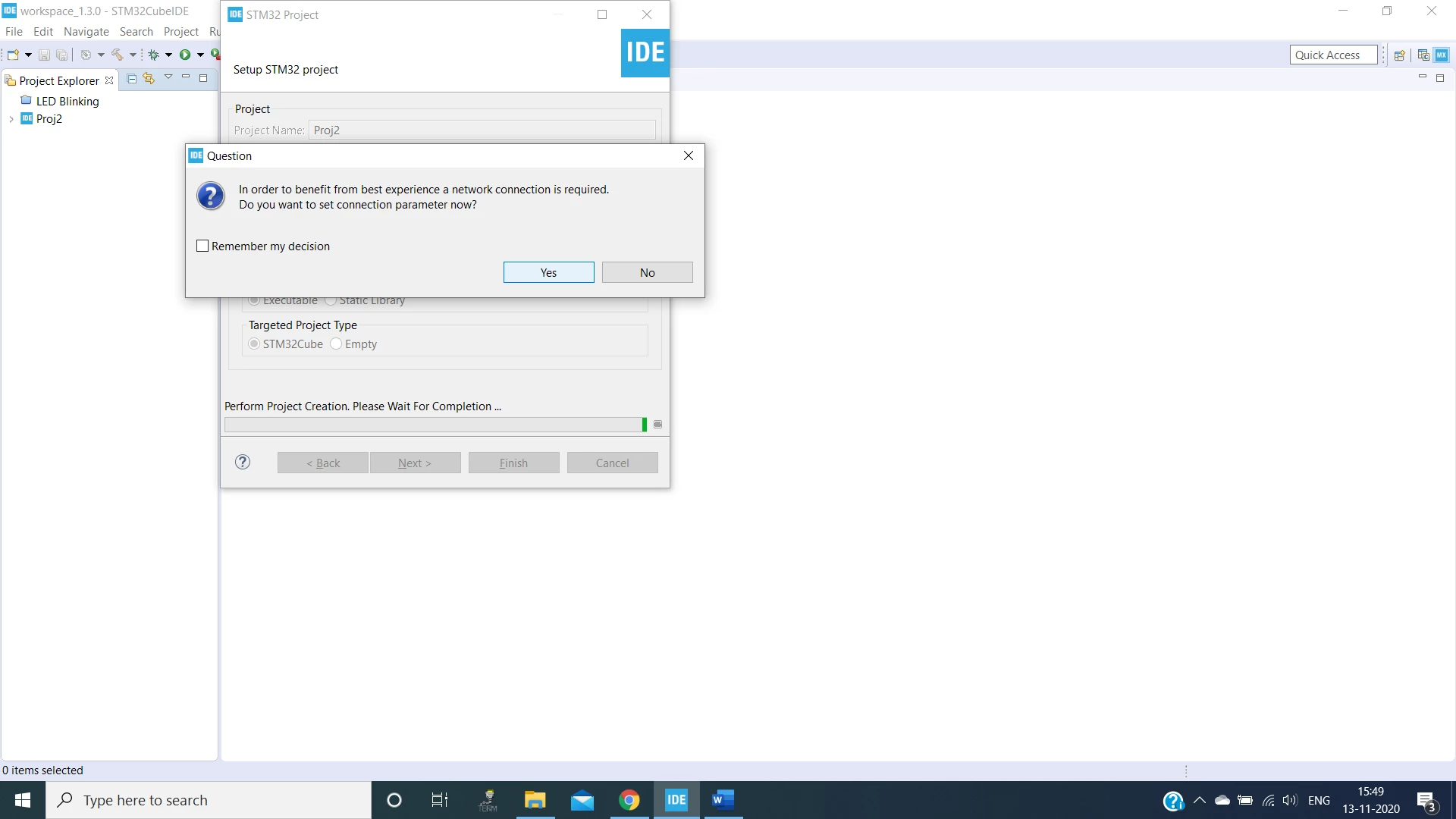
0693W000005BI9PQAW.png 

0693W000005BIDKQA4.png 

0693W000005BIEIQA4.png0693W000005BIE3QAO.png 

Please help me to resolve.

Please find attachment for screenshots

This topic has been closed for replies.

7 replies

Cartu38 OpenDev
Graduate II
November 13, 2020

Most probably you're lacking network connection.

Relying on following UI pushing "Check Connection" is providing you a verdict. If not ok click on "Network Connection" hyperlink to perform required setup (passing a proxy or ...)

0693W000005BIo6QAG.jpg

Byede.1
Byede.1Author
Associate II
November 13, 2020

Dear Sir,

when i click Network connection below one is the screen shot. Which permissions i have to give to solve this problem.

Byede.1
Byede.1Author
Associate II
November 13, 2020

Dear Sir,

when i click Network connection below one is the screen shot. Which permissions i have to give to solve this problem.

0693W000005BJ86QAG.png

Cartu38 OpenDev
Graduate II
November 13, 2020

Have a try first to update following combo to "Direct" then apply and move back to "Check Connection" button.

If still not OK have a try to update following combo to "Manual" then if HTTP (only is ok, could add HTTPS if you want but not required here) let's edit settings adding proxy / port / credentials. Same then apply and move back to "Check Connection" button.

0693W000005BJGjQAO.jpg 

You have to get a "Check Connection" button positive verdict.

0693W000005BJGtQAO.jpg 

Byede.1
Byede.1Author
Associate II
November 13, 2020

Dear Sir,

After Trying Manual and added host name & port no. 80 in HTTP.

You can see Core folder in that Inc and Src sub folders are created. But Debug and Driver folders are not created.

Debug symbol in Menu tab is also not highlighted to build the project.

On check Connection it shows X symbol or check connection it didn’t show any tick symbol.

0693W000005BJaKQAW.png 

0693W000005BJegQAG.png0693W000005BJaZQAW.png 

Thank you

Cartu38 OpenDev
Graduate II
November 13, 2020

Common result if not able to get access to firmware pack. You're getting partial project generation not allowing neither project compliation nor debug of course.

Having red cross as part of "Check Connection" means Eclipse is not able to reach as required any remote server beacuse your network settings are still not ok.

Is 8080 as port setting instead 80 is helping ?

Get a look to your internet web browser settings ... same setup has to be applied to Eclipse.

Byede.1
Byede.1Author
Associate II
November 13, 2020

Dear Sir,

After Changing port number to 8080 still facing the same problem.

0693W000005BK6VQAW.png