CDyer.1
Associate III
April 19, 2022
Solved

Huge number errors when building my project, that suggests it to be a include/path issue. What can I try to fix it?

  • April 19, 2022
  • 4 replies
  • 2188 views

Hi,

I have a project in stm32cubeide that I have been using and updating for a while and have not had any issues. Now however, I get

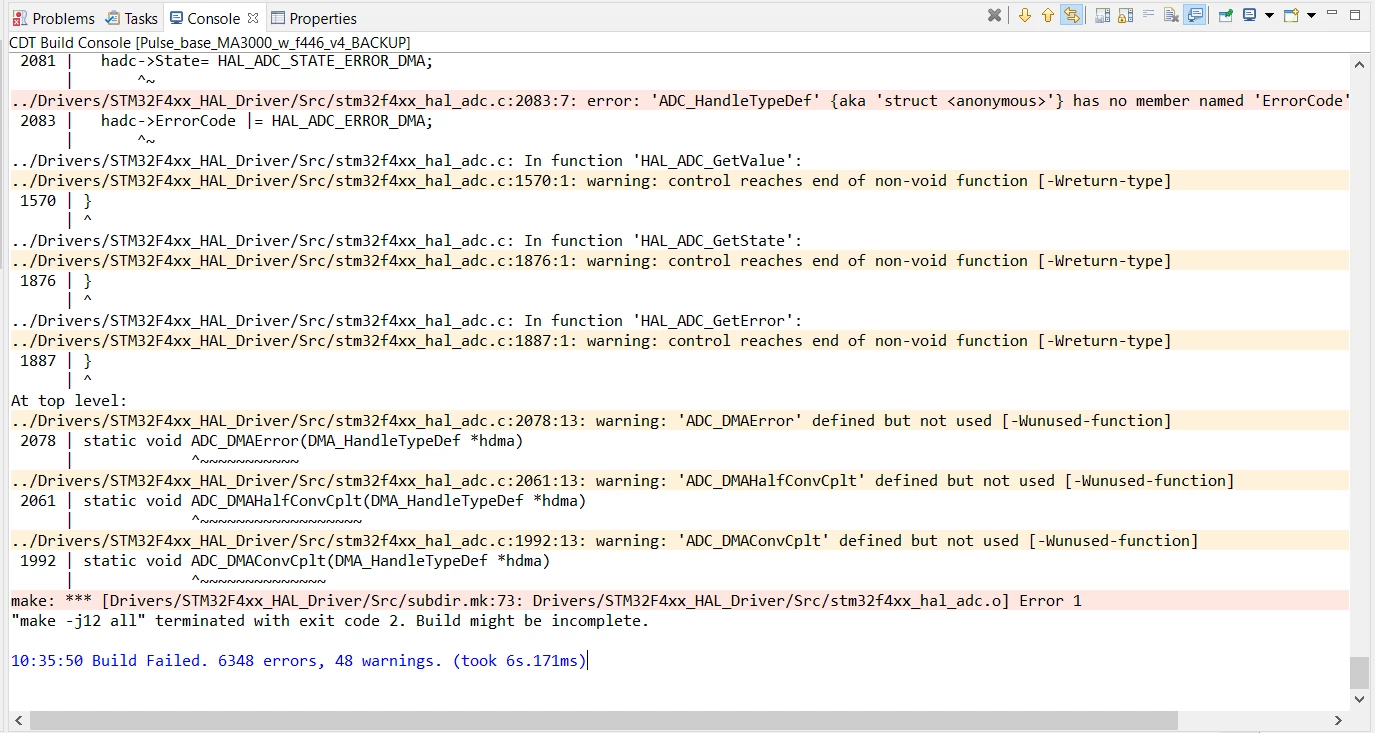
10:35:50 Build Failed. 6348 errors, 48 warnings. (took 6s.171ms)

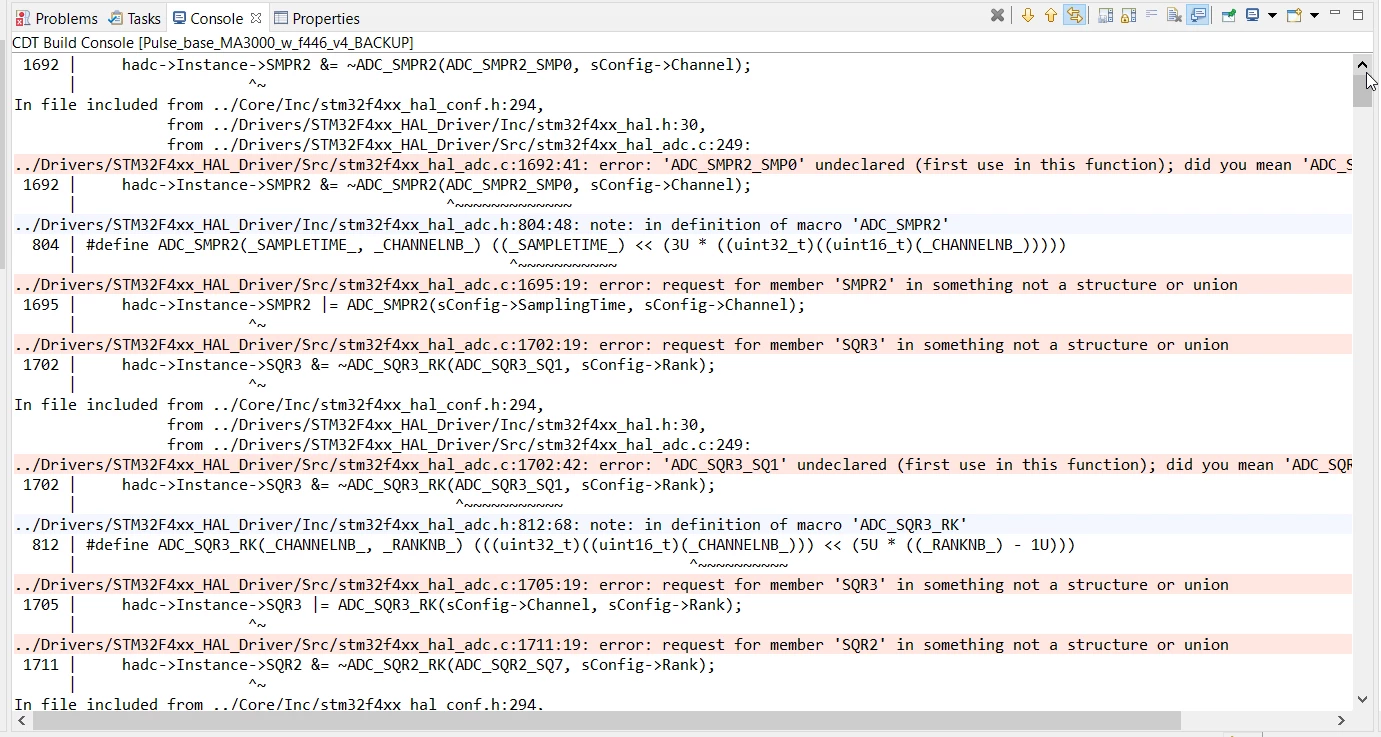
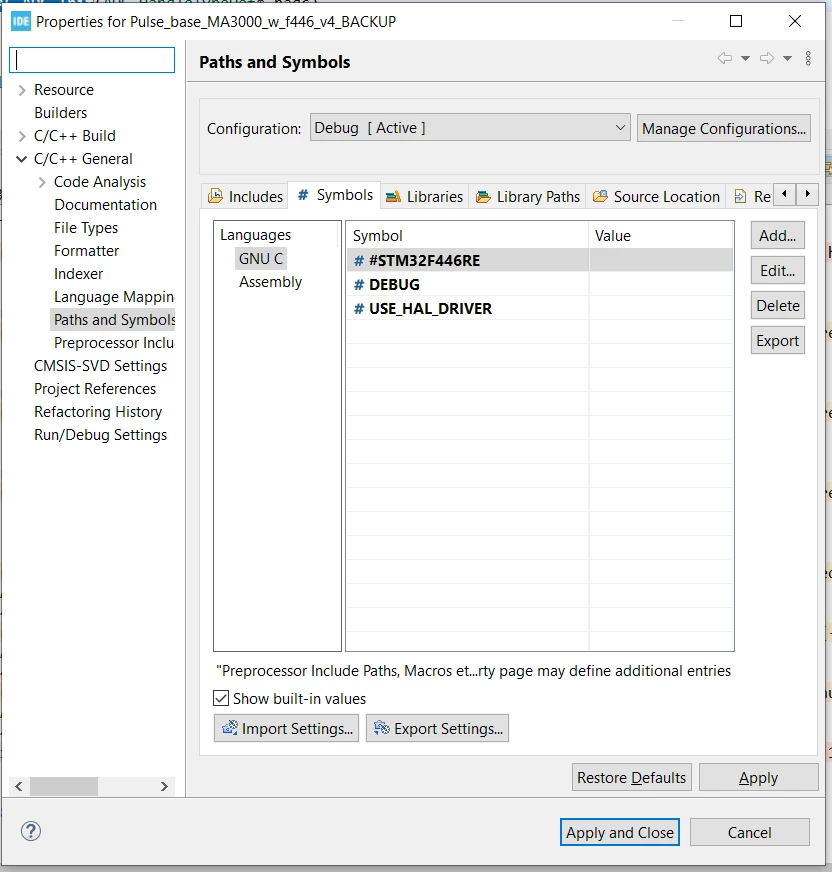
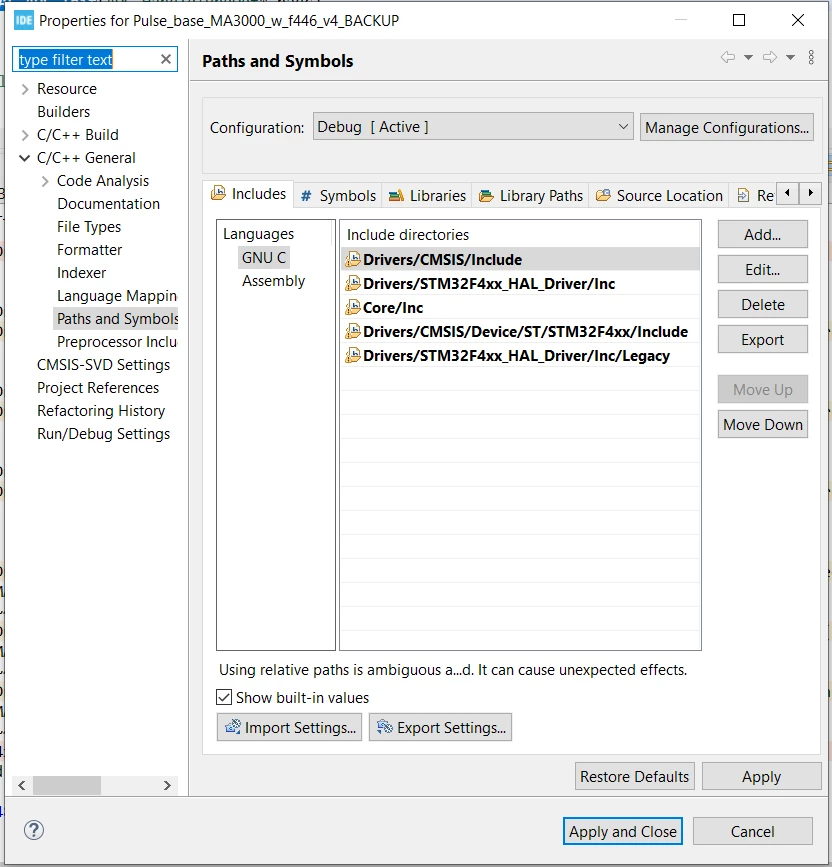
Looking at some of the errors, it ranges from undeclared variables, to not recognising number formats. It looks like a driver or path issue but the paths look OK to me. Cleaning the the project and rebuilding does nothing. Here is a screenshot of some of the errors and the path:
0693W00000LyJGgQAN.png0693W00000LyJGRQA3.png0693W00000LyJG2QAN.png 

0693W00000LyJCkQAN.png 

Any suggestions as to what I could try next would be appreciated.

This topic has been closed for replies.
Best answer by Nikita91

In your path there is STM32F767 but the screenshots shows STM32F446...

In the 1st screenshot there is #STM32F446RE., Try STM32F446xx

Without # and without RE

4 replies

KnarfB
Super User
April 19, 2022

Take care that the project root folder is on a short simple path, not containing spaces, non-ASCII chars or other difficulties.

hth

KnarfB

CDyer.1
CDyer.1Author
Associate III
April 19, 2022

HI, thanks for the suggestion but the project root is the same as it has always been (and it has been working until recently - no idea what has changed overnight). It is a

D:\Engineering_Software\STMicroelectronics\STM32F767\Pulse_base_MA3000_w_f446_v4_BACKUP

Nikita91
Nikita91Best answer
Lead II
April 19, 2022

In your path there is STM32F767 but the screenshots shows STM32F446...

In the 1st screenshot there is #STM32F446RE., Try STM32F446xx

Without # and without RE

CDyer.1
CDyer.1Author
Associate III
April 19, 2022

I knew it was going to be something simple. Good eye, it was indeed an incorrect symbol. Thanks!