

Senior
Nov 4, 2025 10:22 PM UTC
Solved

How to use trace tools from example [N6 USBPD_SNK]

* board - STM32N6570-DK

*  using STM Cube 1.19.0

* Example - USBPD_SNK


In the example USBPD_SNK it tell you to view the traces like this. 

* Run CubeMx Monitor and open trace tools


I'm guessing this is something inside of STM32Cube ide.  Not STM32CubeMonitoring app

* https://www.st.com/en/development-tools/stm32cubemonitor.html


So i started the trace's like i normally would in STM32CubeIde but it doesn't seem to show anything in the trace output when i run the application.
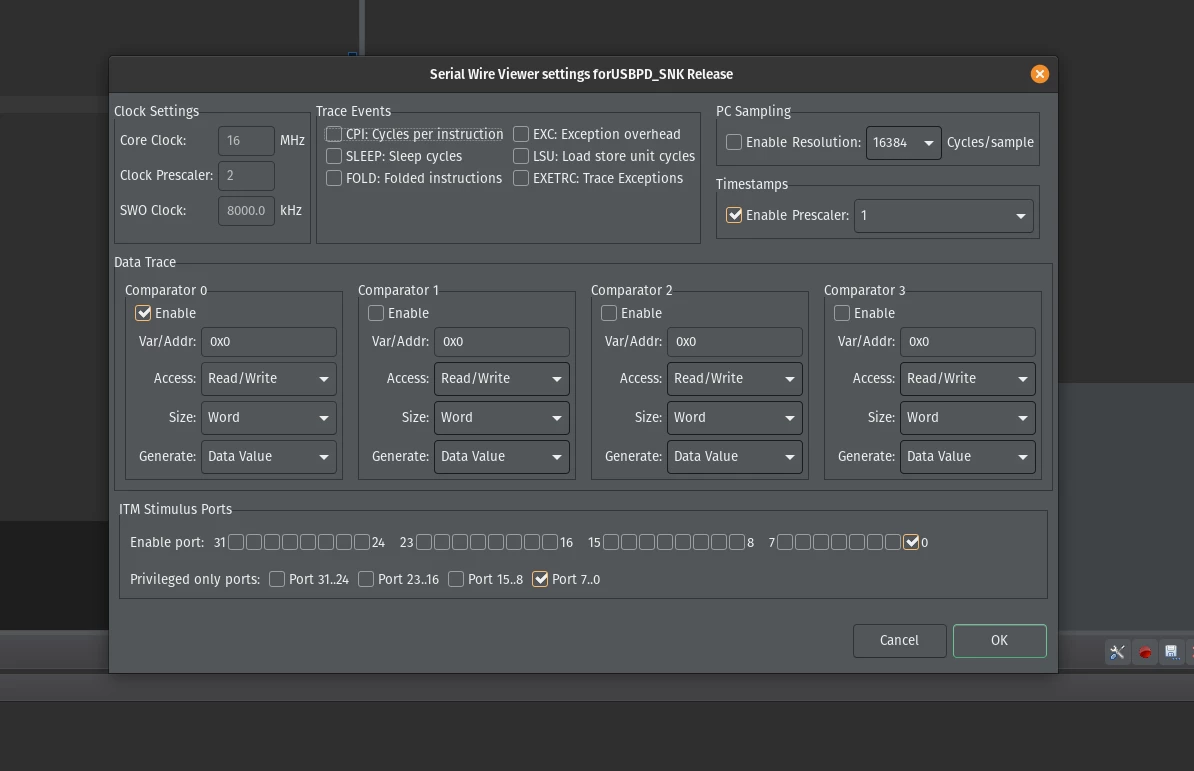
StartTrace.png


They say to use STM32CubeMonitor but when i connect both ends to my computer i don't see any com's to select.  


Currently i'm not entirely sure how to enable the traces, so any help would be greatly appreciate.
 

Brenden_PLUSBest answer
Senior
Nov 5, 2025 4:07 PM UTC

The library there using is

* https://github.com/STMicroelectronics/stm32-util-usbpd-tracer-emb/tree/main

Problem

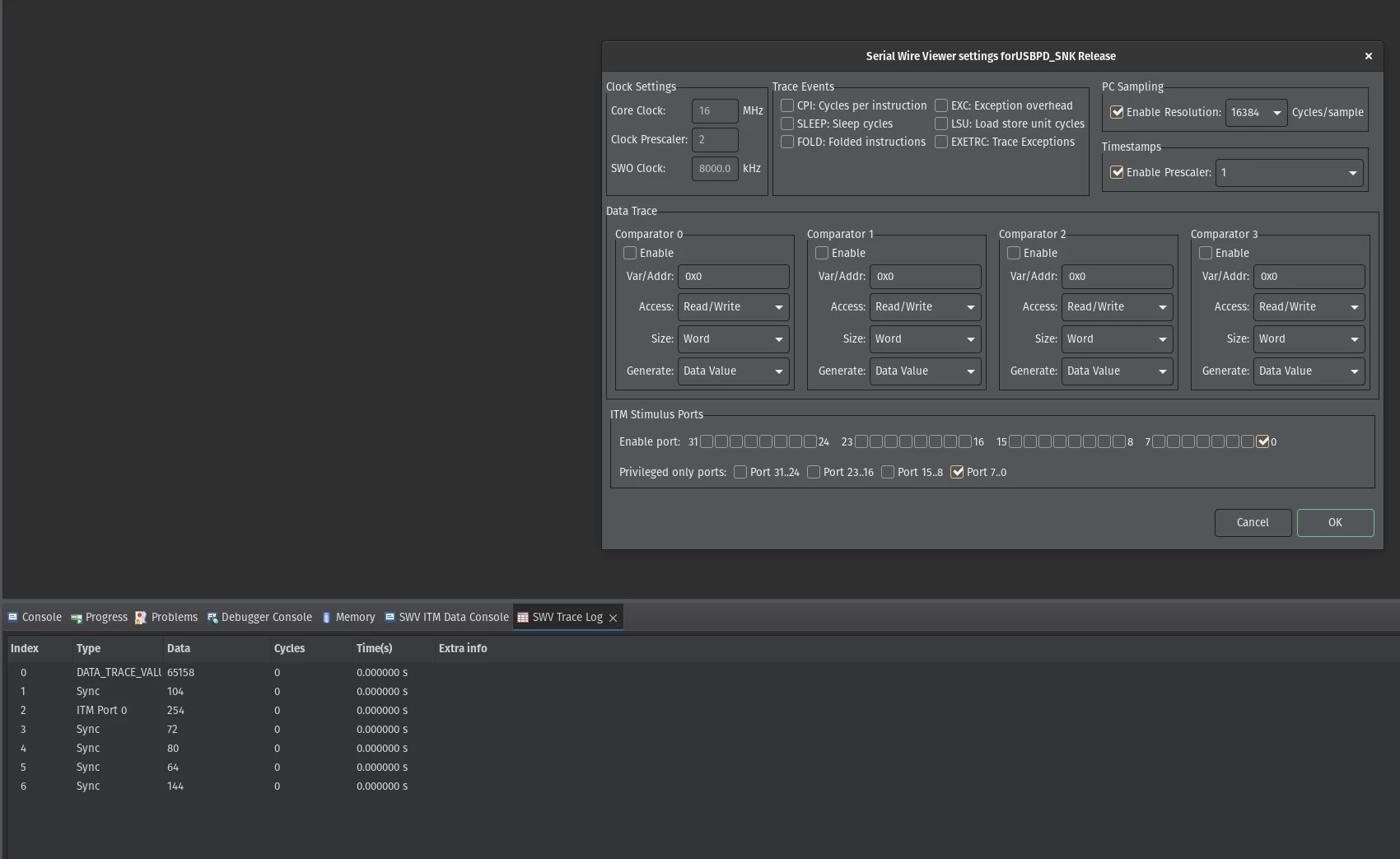
* I needed the SWV Trace Log window

* PC Sampling enabled

TraceLogWorking.png

Thanks for the info

2 replies

ST Technical Moderator
Nov 5, 2025 8:36 AM UTC

Hello @Brenden_PLUS 

Can you take a look at this tutorial STM32CubeIDE - SWV trace

It might be helpful.

BR, Souhaib

To give better visibility on the answered topics, please click on 'Best answer' on the reply which solved your issue or answered your question.
Brenden_PLUSAuthorBest answer
Senior
Nov 5, 2025 4:07 PM UTC

The library there using is

* https://github.com/STMicroelectronics/stm32-util-usbpd-tracer-emb/tree/main

Problem

* I needed the SWV Trace Log window

* PC Sampling enabled

TraceLogWorking.png

Thanks for the info