Associate III
Apr 28, 2025 5:22 PM UTC
Solved

How to include a downloaded library into STM32CubeIDE?

Hello,


I have downloaded a library containing two files: the .h file and the .c  file:
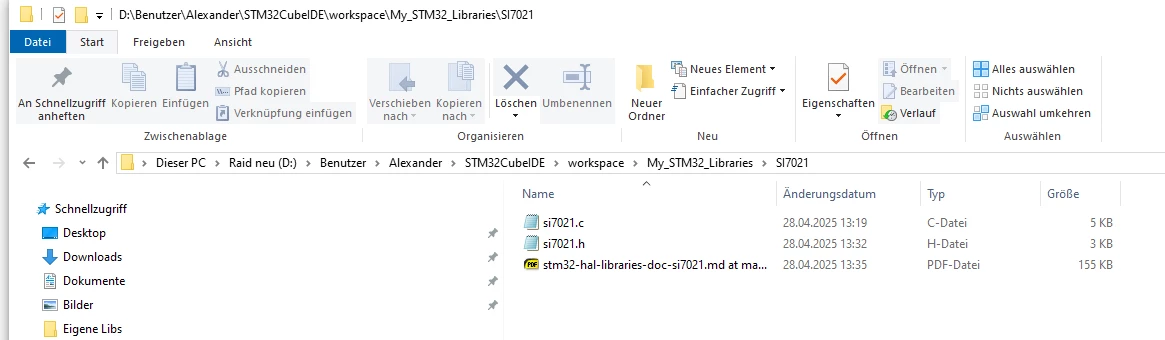
 

Lib.png

I used drag and drop and dropped the folder into the driver folder of my project. I selected them to be a reference and a relative path.
includeProblem.png


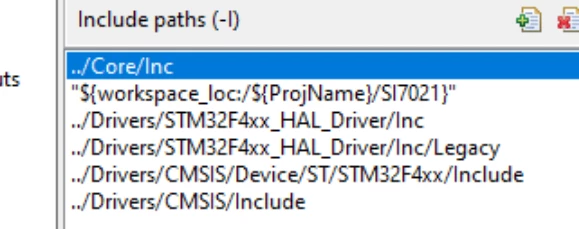
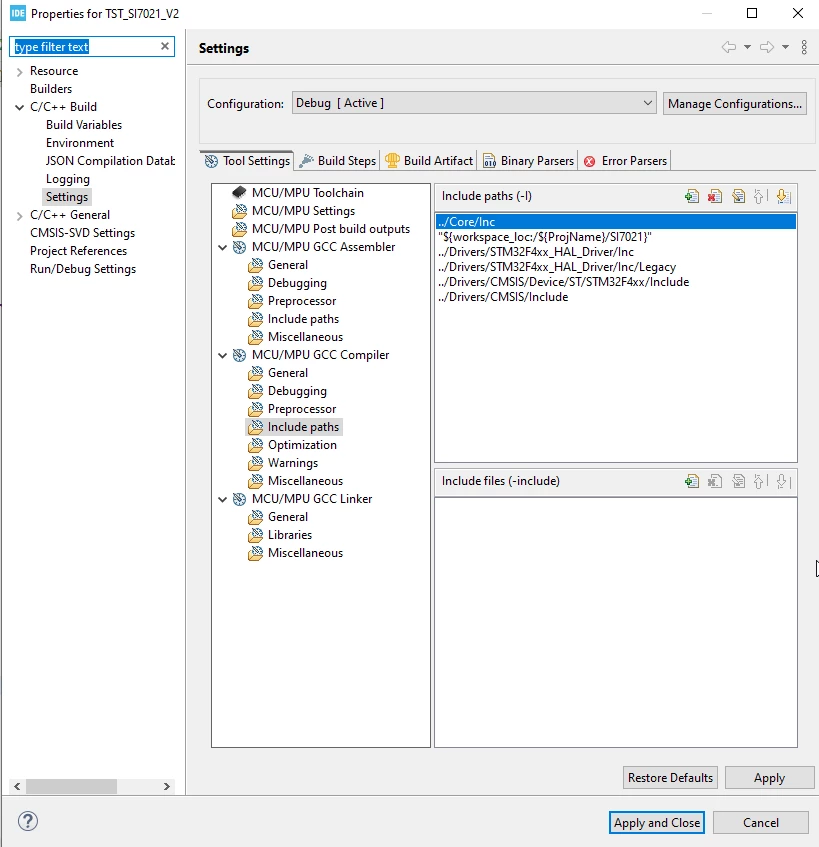
Then I selected the compiler include path:
 

includeProblem2.png

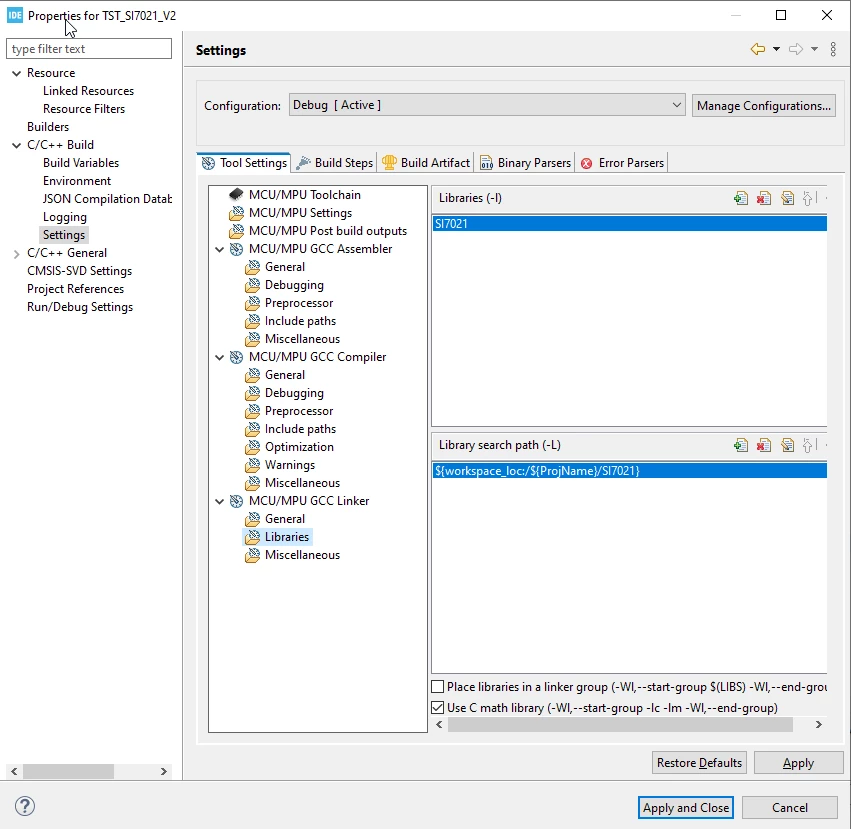
and the linker path

includeProblem4.png

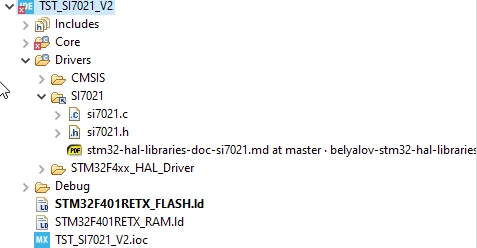
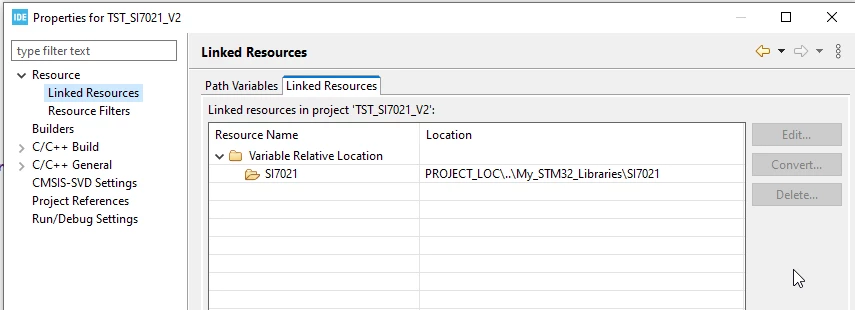
The IDE is showing the resource correctly linked to the project:
includeProblem3.png

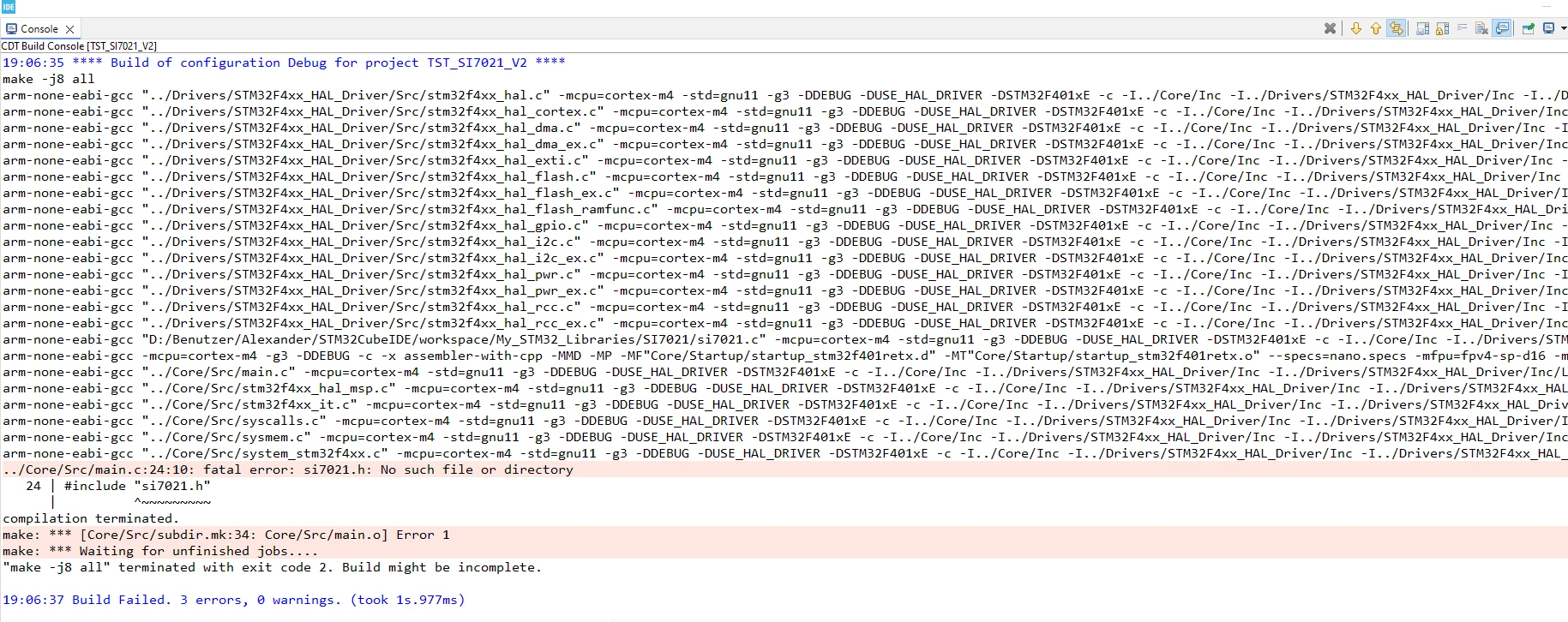
when I build the project I still get the error message:
includeProblem0.png

What is wrong with my approach?

How do I set the paths correctly?

As a suggestion: I have found many users struggling with this. I would like to recommend a dialog for dropping a folder into the project with predefined links to the new folder.

Regards


Alexander

 

This topic has been closed for replies.
TDK
TDKBest answer
Apr 28, 2025 5:41 PM UTC

It's in "<project>/Drivers/Si7021". Your paths assume it's in "<project>/Si7021".

TDK_0-1745862059709.png


To keep consistency, you could add "../Drivers/Si7021" as the path.

"If you feel a post has answered your question, please click ""Accept as Solution""."

3 replies

TDK
TDKBest answer
Apr 28, 2025 5:41 PM UTC

It's in "<project>/Drivers/Si7021". Your paths assume it's in "<project>/Si7021".

TDK_0-1745862059709.png


To keep consistency, you could add "../Drivers/Si7021" as the path.

"If you feel a post has answered your question, please click ""Accept as Solution""."
DocAlexAuthor
Associate III
Apr 28, 2025 6:16 PM UTC

Thank you very much!

Another issue was that I had an include "-l" which was expecting an archive.

Regards


Alexander

Pavel A.
Apr 28, 2025 5:45 PM UTC

Unfortunately Eclipse is too complicated for beginners. 

What you want here is "Build variables", not "linked resources".

Also, what you call a library is just an additional source file for the purpose of the project. So you don't add it to the libraries & library search path. Libraries are ".a" files.