OMarc.1
Associate II
April 4, 2022
Solved

How to collapse text (code) in CUBEIDE?

  • April 4, 2022
  • 1 reply
  • 4911 views

Hi all.

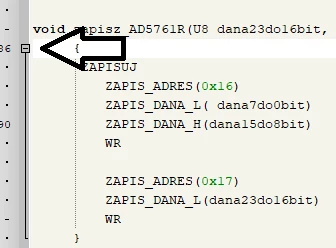
How to enable the function to collapse text like in the picture below:
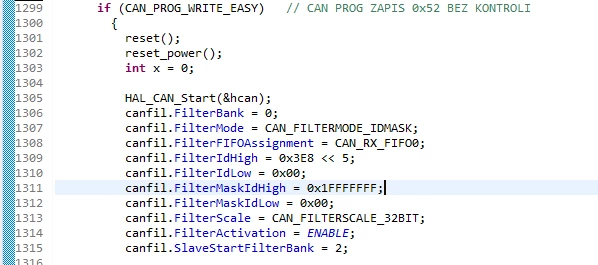
0693W00000LwlJoQAJ.pngIn CUBEIDE I don't have this function.

0693W00000LwlK8QAJ.pngThank you for your answer.

Kind regards,

Oleksii

This topic has been closed for replies.
Best answer by Peter BENSCH

The STM32CubeIDE is based on an original, only slightly adapted Eclipse and therefore behaves largely the same. For the editor, Eclipse uses a default folding for C, which does not provide for folding for various elements, e.g. IF statements.

To activate it nevertheless, all you need to do in the menu is to activate the option Enable Folding of control flow statements (if/else ...) and make further settings if necessary in:

Windows > C/C++ > Editor > Folding

Please close existing editor windows and open them again to see the effect.

Good luck!

If the problem is resolved, please mark this topic as answered by selecting Select as best. This will help other users find that answer faster.

/Peter

1 reply

Peter BENSCH
Peter BENSCHBest answer
Technical Moderator
April 4, 2022

The STM32CubeIDE is based on an original, only slightly adapted Eclipse and therefore behaves largely the same. For the editor, Eclipse uses a default folding for C, which does not provide for folding for various elements, e.g. IF statements.

To activate it nevertheless, all you need to do in the menu is to activate the option Enable Folding of control flow statements (if/else ...) and make further settings if necessary in:

Windows > C/C++ > Editor > Folding

Please close existing editor windows and open them again to see the effect.

Good luck!

If the problem is resolved, please mark this topic as answered by selecting Select as best. This will help other users find that answer faster.

/Peter

In order to give better visibility on the answered topics, please click on Accept as Solution on the reply which solved your issue or answered your question.