

RafaelJoseph
Associate II
August 1, 2019
Solved

How to add preprocessor symbol in STM32Cube IDE

  • August 1, 2019
  • 2 replies
  • 6660 views
#error "Define according the used Cortex core ARM_MATH_CM7, ARM_MATH_CM4, ARM_MATH_CM3, ARM_MATH_CM0PLUS or ARM_MATH_CM0"

Based from this Topic https://community.st.com/s/question/0D50X00009XkXPtSAN/need-help-in-dsp-library-for-keil-

The problem is solve by adding the preprocess symbol in Keil Uvision, What is the equivalent of this in STM32CubeIDE?

This topic has been closed for replies.
Best answer by Yuk117

To add preprocessor symbol is...

  • Right click on your project -> click Properties.
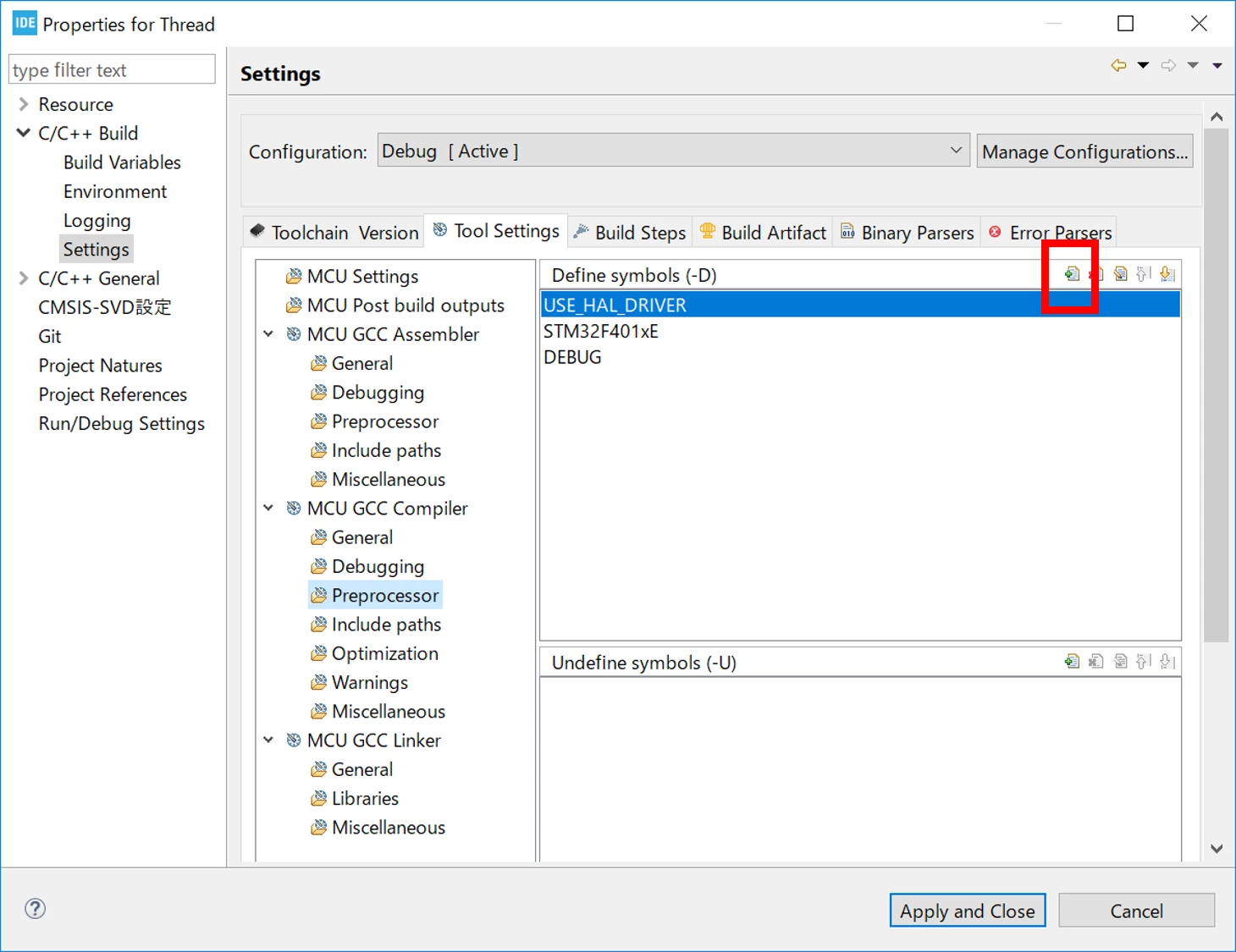
  • Select C/C++ Build -> Settings -> Tool Settings tab -> MCU GCC Compiler -> Preprocessor.
  • Click Add Button and input your symbol.

0690X00000980VBQAY.png

2 replies

Yuk117
Yuk117Best answer
Associate II
August 3, 2019

To add preprocessor symbol is...

  • Right click on your project -> click Properties.
  • Select C/C++ Build -> Settings -> Tool Settings tab -> MCU GCC Compiler -> Preprocessor.
  • Click Add Button and input your symbol.

0690X00000980VBQAY.png

scottSD
Senior III
January 31, 2022

What is the best way to use these symbols in your code? I am having trouble with compiling my code when referencing symbols defined this way.
