LHuan.4
Associate II
February 8, 2023
Solved

Hi, can anyone tell me how I can make HAL functions highlighted in bold purple?

  • February 8, 2023
  • 1 reply
  • 2122 views

I checked syntax coloring and it will highlight external SDK function in bold purple. But when I created my own project, these HAL functions are not highlighted in bold purple as shown in ST example projects. You may see the difference below.
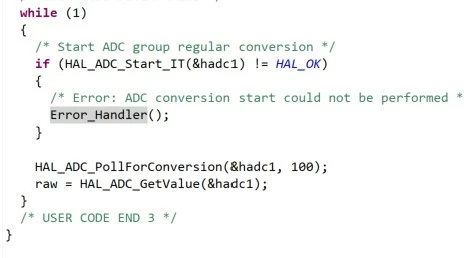
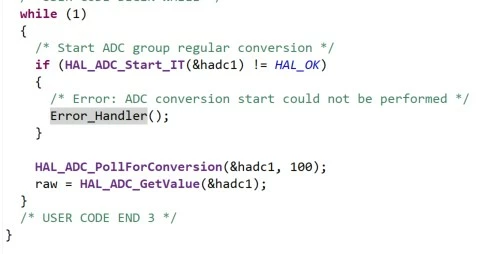
0693W00000YADd7QAH.jpg0693W00000YADdHQAX.jpgMany thanks if detailed steps are provided. I searched and found similar questions, but the answer is quite general regarding syntax coloring but didn't show how to make HAL functions in my own project highlighted.

Best,

Leon

This topic has been closed for replies.
Best answer by mattias norlander

Hi Leon,

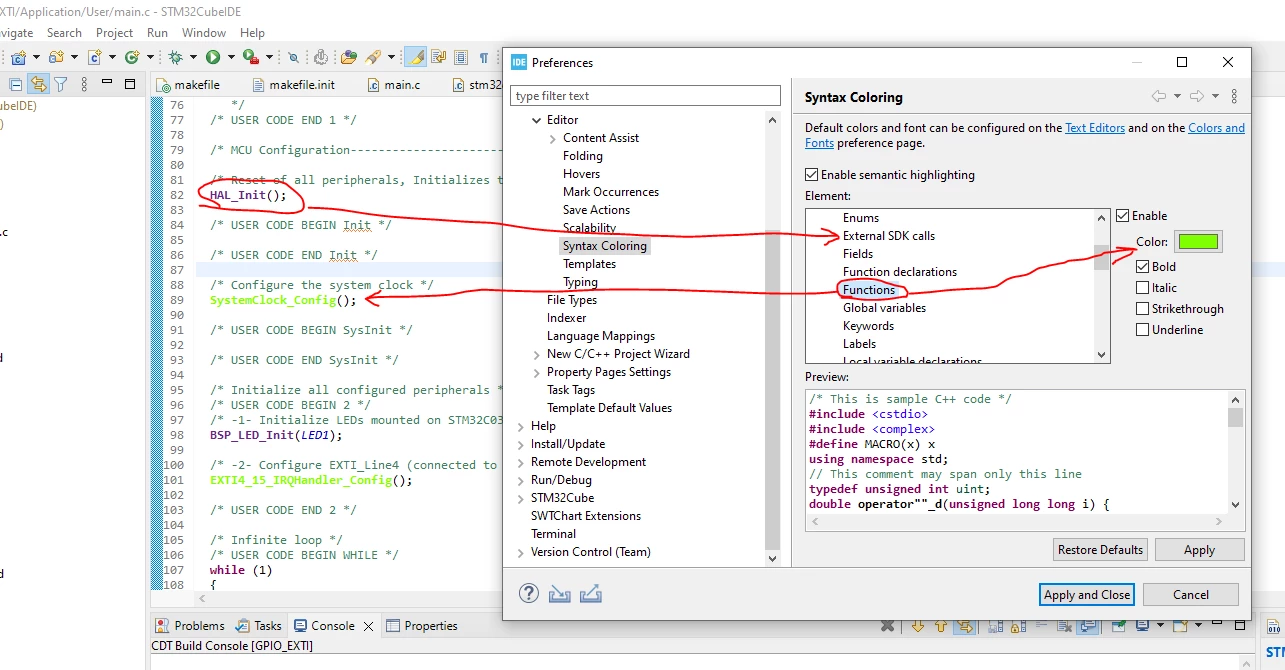
Your observation is correct. Below is a screenshot that explains the work-around:

0693W00000YAFi9QAH.pngNotice that you are able to customize the color and style syntaxing for different "elements".

There is a difference between Functions and External SDK calls elements...

  • When you create a new projects: All code (HAL included) is copied into the project. Making a call to an HAL function means the syntax coloring will rely on the Functions element.

  • When you import a project: Most of the code (HAL for example) is linked into the project. HAL is thereby treated as an External SDK calls element.

Root-cause of the difference: Project structure difference in examples vs created projects.

1 reply

mattias norlander
ST Employee
February 8, 2023

Hi Leon,

Your observation is correct. Below is a screenshot that explains the work-around:

0693W00000YAFi9QAH.pngNotice that you are able to customize the color and style syntaxing for different "elements".

There is a difference between Functions and External SDK calls elements...

  • When you create a new projects: All code (HAL included) is copied into the project. Making a call to an HAL function means the syntax coloring will rely on the Functions element.

  • When you import a project: Most of the code (HAL for example) is linked into the project. HAL is thereby treated as an External SDK calls element.

Root-cause of the difference: Project structure difference in examples vs created projects.

LHuan.4
LHuan.4Author
Associate II
February 9, 2023

Thanks a lot for the detailed explanation, Mattias. Finally can get the thing off my head :D