

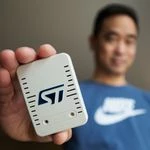
Here is a fix for ST-Link/V2 on Windows on Arm
I recently purchased a new Windows on ARM laptop—a Snapdragon X2 Elite, to be exact. Like many others, I ran into issues getting the ST-LINK/V2 to work because of driver compatibility.
I ended up working on a fix that allows STM32CubeProgrammer to connect to the ST-LINK/V2 using the Windows WinUSB driver. Simply changing the driver to WinUSB isn’t enough—the ST-LINK device interface GUID also needs to be added/updated so that STM32CubeProgrammer can properly detect and communicate with the probe.
Updating the ST-LINK/V2 firmware presented another problem. When the ST-LINK enters firmware-update mode, it enumerates as a different USB device. This means the firmware-update/DFU interface also needs to be configured to use WinUSB.
With this fix, you can now update the ST-LINK/V2 firmware directly from a Windows on ARM computer. There is no longer a need to connect the ST-LINK/V2 to an Intel/AMD Windows computer just to perform a firmware update.
The next issue was STM32CubeIDE. Even though STM32CubeProgrammer could see and communicate with the ST-LINK/V2, STM32CubeIDE still reported that it could not find the probe.
STM32CubeIDE performs its own ST-LINK validation before starting the debugger, and that validation fails in this configuration. The workaround modifies the applicable STM32CubeIDE JAR so that the failing validate(String) check does not prevent the debug session from continuing. STM32CubeIDE can then proceed with the normal ST-LINK GDB Server, which works correctly with the probe.
Another minor issue is the ST-LINK Virtual COM Port. With the Microsoft USB serial driver, the normal STMicroelectronics-friendly COM-port name is no longer displayed, and applications may show a generic name such as USB Serial Device (COM6).
I created a small Python GUI that searches the connected USB devices and lets you assign a friendly name to the ST-LINK Virtual COM Port. There is also an option specifically for applications such as Docklight that use a different Windows device-description property when displaying COM ports. With that option enabled, Docklight can display something like COM6 (STLink Virtual COM Port) instead of the generic USB serial-device name.
So far, I have verified this behavior with Docklight. I have not yet tested how other serial-terminal applications obtain their COM-port descriptions.
The friendly-name utility also works with my J-Link Plus using WinUSB, and it should be applicable to other USB devices where Windows exposes the same device properties.
The BAT and Python utilities, along with installation and recovery instructions, are available on my GitHub repository:
https://github.com/karlyamashita/ST-LINK-V2-on-Windows-11-ARM64-using-WinUSB