Associate III
January 21, 2024
Solved

Frustrated at the staring post

  • January 21, 2024
  • 4 replies
  • 2646 views

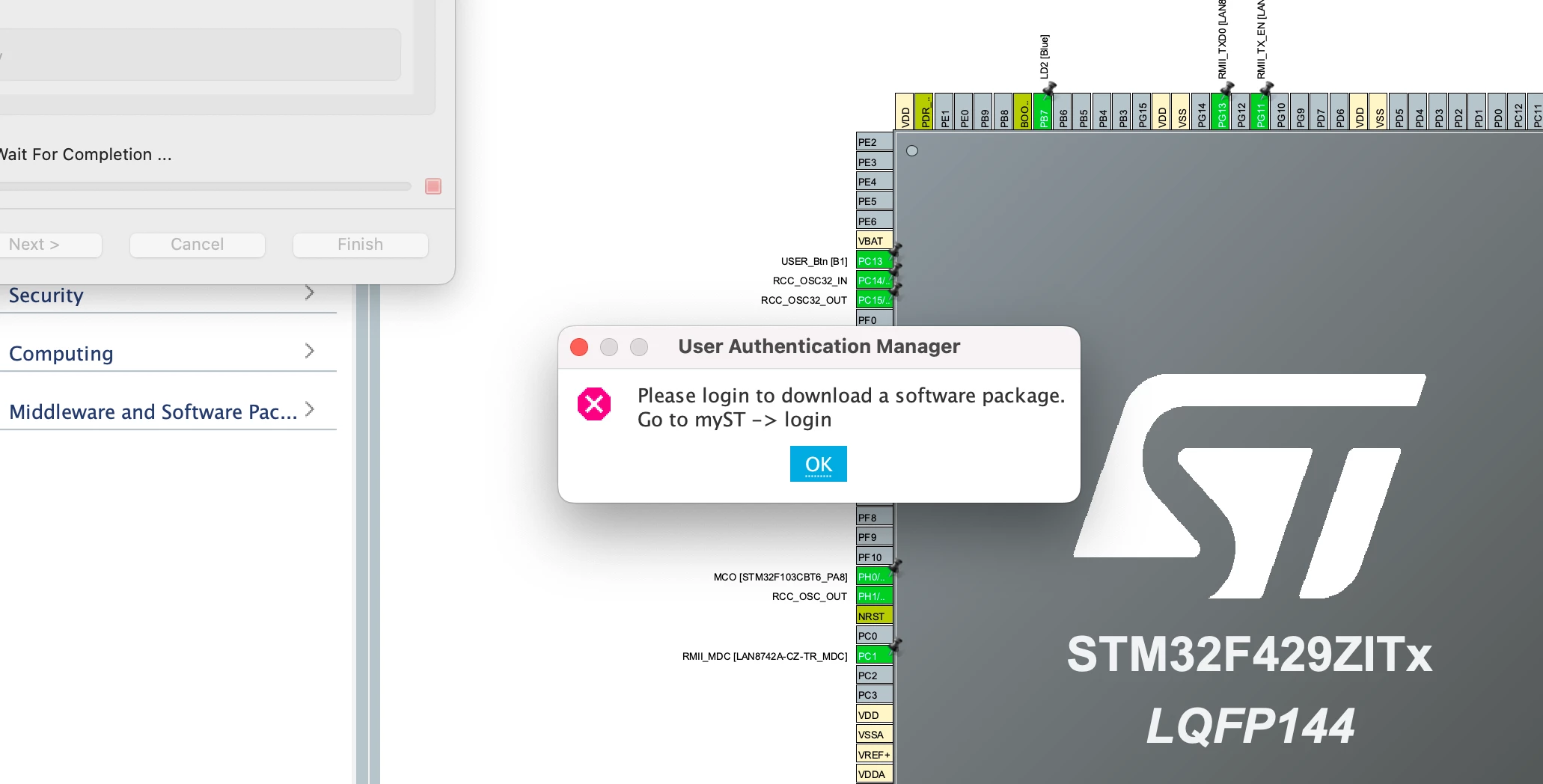
Today, I tried installing CubeIDE so I could get a sample project up and running to evaluate against a Nucleo 144 board.  This is my second attempt, and both times I get this error.  Nothing in the manual, cannot find nothing on Google either.  

The IDE is *so* heavy, my mac struggles like notihng I have seen before, closing a window (like the product selector) takes more than 10 seconds where you are locked waiting for it.  Not to be deterred I am hoping the experience gets better... although based on past work I will probably end up trying Platform.io which seems far better than the Eclipse based IDEs'

Anyway, frustrations aside, any idea what this error means and how I get past it?

Thanks in advance..
Gerry


gerrysweeney_0-1705870789996.png


    This topic has been closed for replies.
    Best answer by STTwo-32

    Hello @gerrysweeney and welcome to the ST Community :smiling_face_with_smiling_eyes:.

    This message means that you should login to STM32CUBEIDE to be able to download the software packages that you are going to use on your project.

    Best Regards.

    STTwo-32 

    4 replies

    STTwo-32
    STTwo-32Best answer
    Technical Moderator
    January 21, 2024

    Hello @gerrysweeney and welcome to the ST Community :smiling_face_with_smiling_eyes:.

    This message means that you should login to STM32CUBEIDE to be able to download the software packages that you are going to use on your project.

    Best Regards.

    STTwo-32 

    To give better visibility on the answered topics, please click on Accept as Solution on the reply which solved your issue or answered your question.
    Associate III
    January 21, 2024

    Thank you for your reply, appreciate that. Sorry for the noob question

    Gerry

    Tesla DeLorean
    Guru
    January 21, 2024

    It means you're not logged into the ST support site. Need to log in using the credentials you used to log in here to the forum.

    Should be a "MyST" icon in the mid-right tool bar, top of screen. Should bring up browser for you to log in.

    Tips, Buy me a coffee, or three.. PayPal VenmoUp vote any posts that you find helpful, it shows what's working..
    Associate III
    January 21, 2024

    Thank you, I managed to find that, but appreciate the response.  I seem to be having a real battle though, solved that problem and immediately run into the next.  I don't want to bother the community though with a load of dumb noob questions... would be lovely if the CubeMX/Nucleo boards just worked, but I tell you, its not obvious :(

    Associate III
    January 21, 2024

    Ok don't worrk, I eventually found the My ST menu and logged in, that got me past that problem, now I seem to need to find some more tutorials, the ones I found so far show one thing which does not seem to work when I do it. 

    Sigh.... no wonder arduino had such good takeup..! The barrier to entry with STM32's/ARM is so very high

    Associate III
    January 21, 2024

    Ok so finally after installing the ST-Link Server I managed to program a blinky test program on the green LED of my board and get it programmed and blinking.