

Debugging with BIN files or how to add CRC and other data to HEX files
Hello everybody,
I am making a project with a custom bootloader + application combo.
I want to make the bootloader check for the CRC, length, and some other data that I already inserted into a .BIN file with a post-build python script.
All the checking works when I update the device using the custom process I made over UART but I cannot have those checking by default when debugging because the ELF file is unaltered.
I first wanted to just download the bin file after the ELF with the needed offset file but CubeIDE won't let me do that.
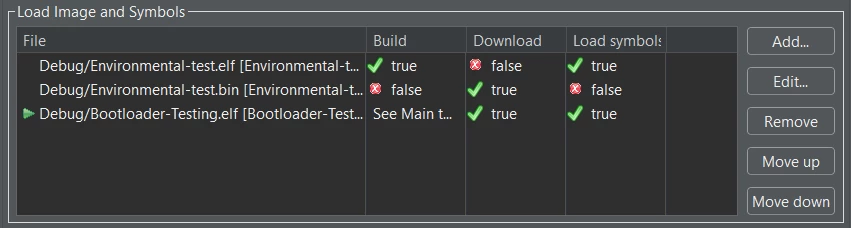
From what I read I can only flash a .HEXfile or an ELF file but is there another way to just automatically flash the BIN file before the debugging starts?
If not, how do I modify the HEX file to insert my 256 bytes of data? (the ELF file seems like a nightmare to modify)
In my BIN file I have all the 256 bytes at the start of the file(and I have a 256 offset in the start address) and I would prefer to stick with this way as I do not have a fixed app address.