


GWang.6
Visitor II
April 13, 2023
Question

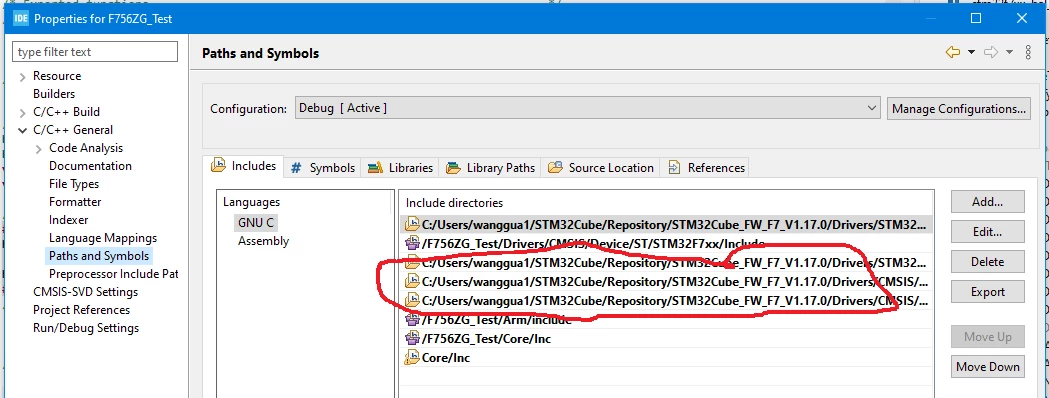
Current STM32Cube IDE always install STM32Cube repository to the Windows 10 user folder. How can I install the repository to a different location or move or copy to workspace so the project properties can be shared with other developers?

Here is a screen shot for repository include paths.

_legacyfs_online_stmicro_images_0693W00000bi3OgQAI.png

This topic has been closed for replies.

2 replies

WQ_it
Associate III
April 14, 2023

Window->Preferences->STM32Cube->Firmware Updater...

Foued_KH
ST Employee
April 14, 2023

Hello @GWang.6​ ,

In STM32CubeIDE, look at the menu bar at the top, and go to Window, Preferences, STM32Cube, Firmware Updater. In the upper portion of the window you should find a field named Firmware installation repository.

Foued

To give better visibility on the answered topics, please click on Accept as Solution on the reply which solved your issue or answered your question.