ferro
Lead
April 30, 2026
Question

CubeIDE: show version of the IDE

  • April 30, 2026
  • 13 replies
  • 412 views

Dear ST Team,

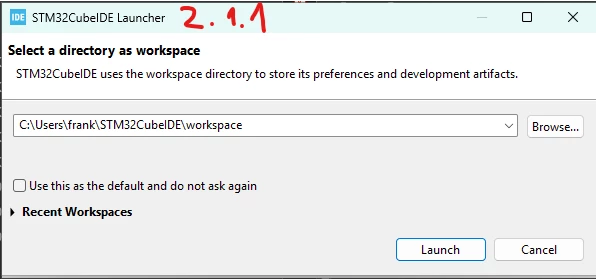
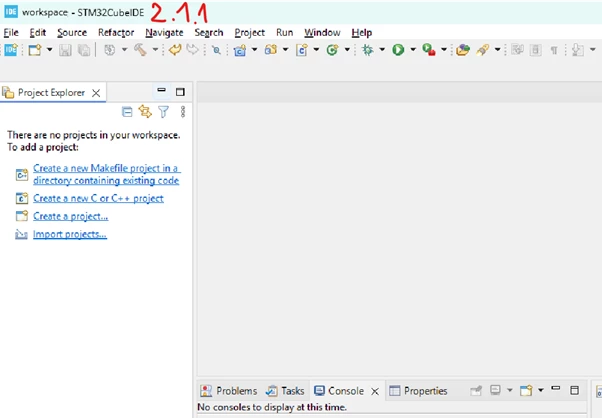
I use multiple versions of CubeIDE and would appreciate it if the currently running IDE version could be displayed in the following screens (somewhere).

Thank you

cubeIDE version 0.png

cubeIDE version 1.png

cubeIDE version 2.png

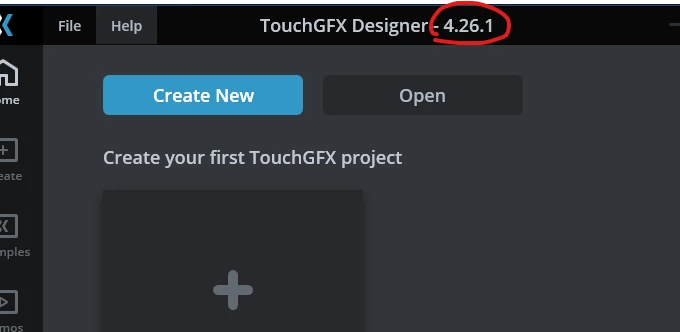
Like its done in GfxDesigner

ferro_1-1777656051778.png

ferro_0-1777656336996.png


13 replies

Andrew Neil
Super User
April 30, 2026

Yes, this would be really useful!


@ferro wrote:

cubeIDE version 0.png


That one appears before the prompt to choose a workspace (if enabled).

After choosing the workspace, I get this:

AndrewNeil_0-1777567958840.png

which does show the version (bottom right).


But it would, indeed, be useful to have the version in the first one!

A complex system that works is invariably found to have evolved from a simple system that worked.A complex system designed from scratch never works and cannot be patched up to make it work.
Pavel A.
May 1, 2026

On the splash screen the version already displays, but only when the progress bar shows up:

PavelA_0-1777640529741.png


Andrew Neil
Super User
May 1, 2026

@Pavel A. wrote:

but only when the progress bar shows up:


Indeed - but I think it would be better if the version was always shown

A complex system that works is invariably found to have evolved from a simple system that worked.A complex system designed from scratch never works and cannot be patched up to make it work.
Andrew Neil
Super User
May 1, 2026

@ferro  As a workaround, it always shows the workspace name in the title bar:

AndrewNeil_0-1777643974409.png

You shouldn't be sharing workspaces between different versions, so you could include the version in the workspace name; eg:

AndrewNeil_1-1777644203104.png


A complex system that works is invariably found to have evolved from a simple system that worked.A complex system designed from scratch never works and cannot be patched up to make it work.
ferro
ferroAuthor
Lead
May 1, 2026

Thanks for the hint @Andrew Neil .

But 1st, to select Workspace, I need to know what IDE version has actually started i.e. splash screen and Launcher.

Andrew Neil
Super User
May 1, 2026

That's true!

I put the version in the desktop shortcut name:

AndrewNeil_0-1777646923122.png

and install into a folder with the version name:

C:\ST\STM32CubeIDE_1.13.0\STM32CubeIDE

A complex system that works is invariably found to have evolved from a simple system that worked.A complex system designed from scratch never works and cannot be patched up to make it work.