

Visitor
June 23, 2026
Question

CubeIDE loading project issue on MacOSX

  • June 23, 2026
  • 3 replies
  • 51 views

Hi all, 

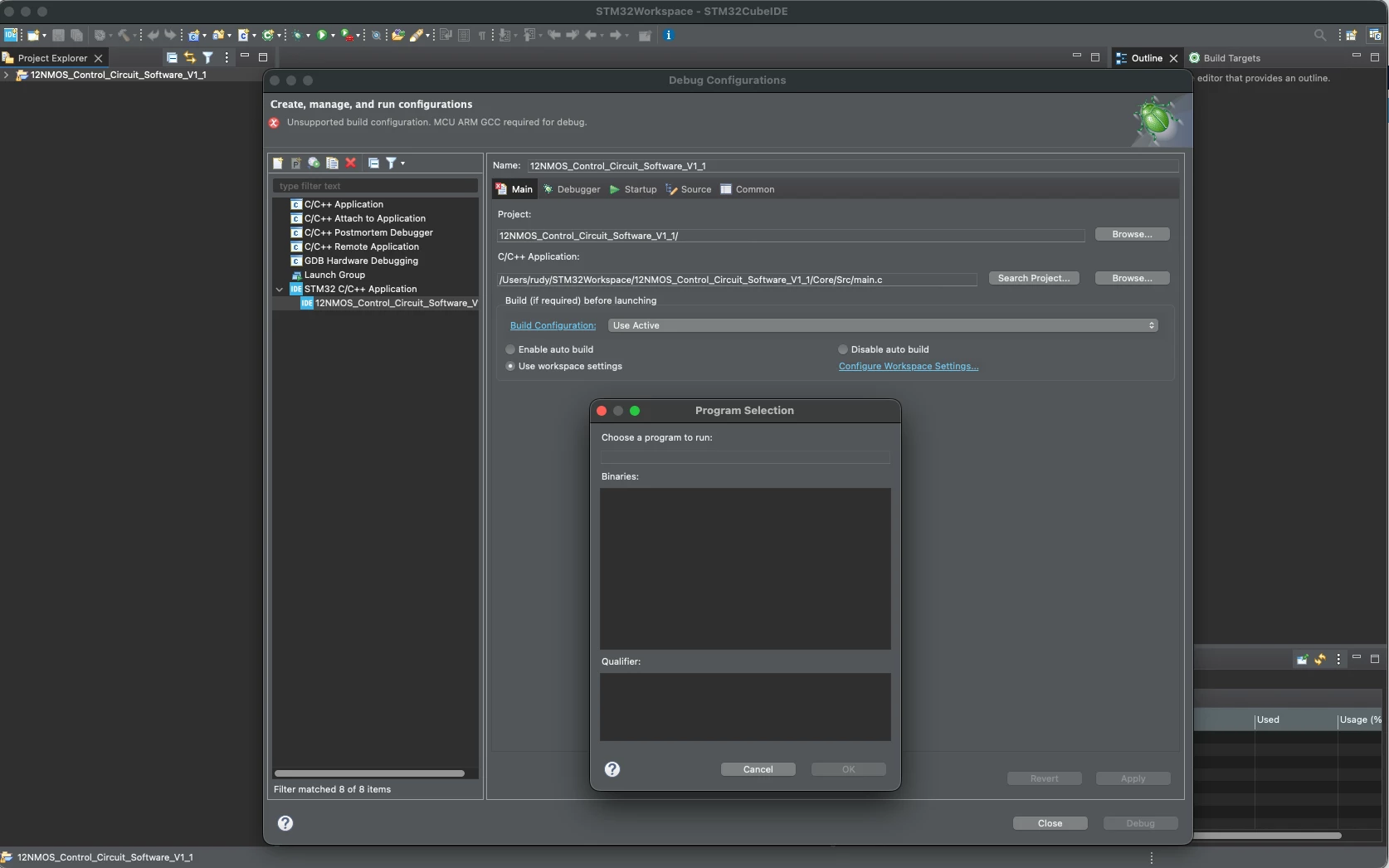
I would like to load an STM32CUBEMX program in STM32CUBE IDE on my MacOSX but I can’t set the debug configurations. I simply can’t see the project that I am loading. Is this a known issue? See below the screenshot from CubeIDE:


3 replies

ST Technical Moderator
June 23, 2026

Hello ​@Rudy93 

What MacOS version are using? please note that the supported operating systems and architectures required by STM32CubeIDE are:

  • Windows® 10 and 11, 64 bits (x64)
  • Linux®: Ubuntu® LTS 22.04 and LTS 24.04, and Fedora® 43
  • macOS® 15 (Sequoia), macOS® 26 (Tahoe)

BR, Souhaib

To give better visibility on the answered topics, please click on 'Best answer' on the reply which solved your issue or answered your question.
Rudy93Author
Visitor
June 24, 2026

Dear Souhaib, 

Thank you for your quick response. I am using a macbook M1 pro with Tahoe 26.4 and STM32CubeIDE 2.1.1.

Hope this is helping. 

ST Technical Moderator
June 25, 2026

Hello ​@Rudy93 

You have to build project first in order to set debug configuration.

To give better visibility on the answered topics, please click on 'Best answer' on the reply which solved your issue or answered your question.