Associate
November 8, 2023
Solved

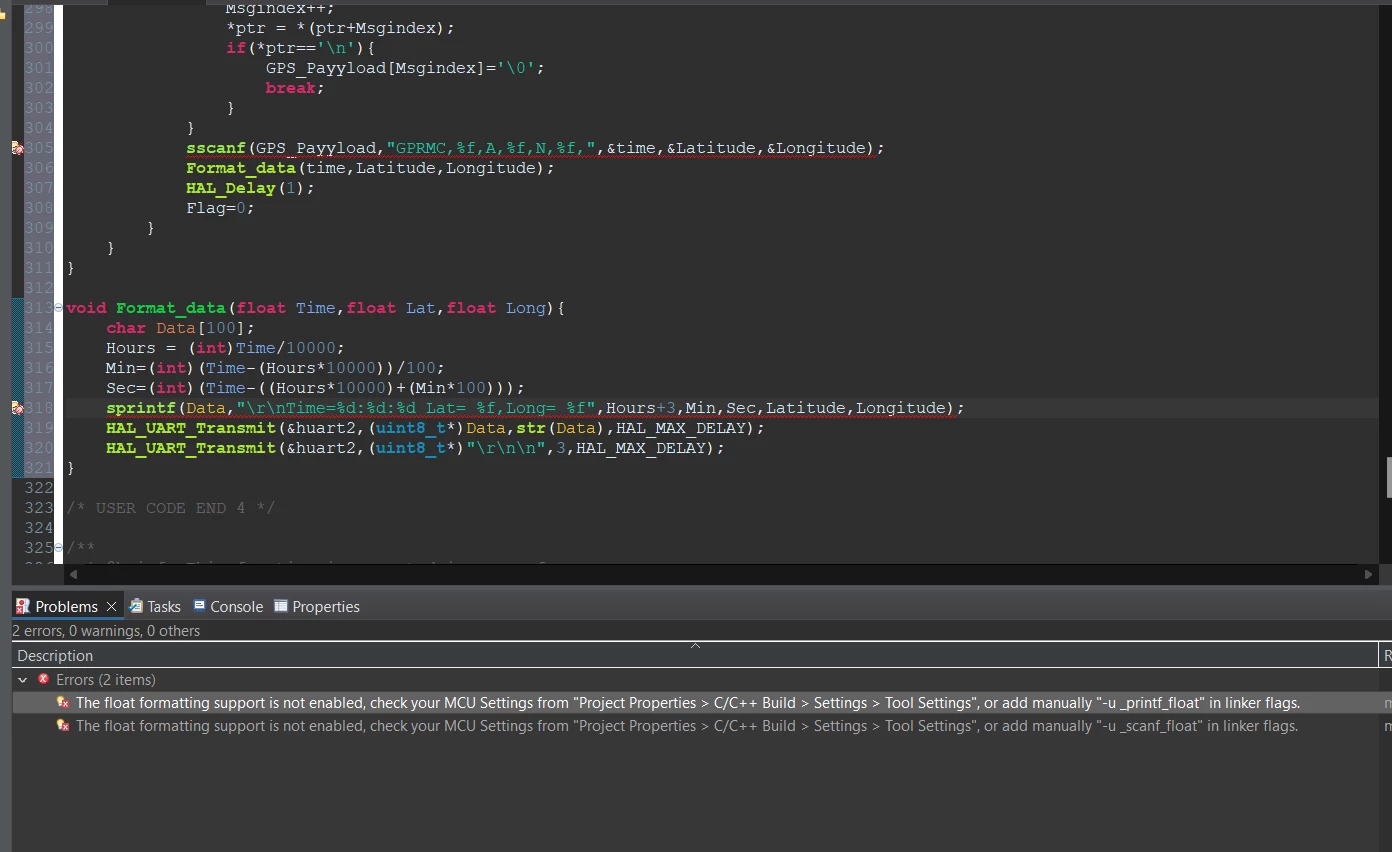
couldn't use sprintf

how to solve this problem

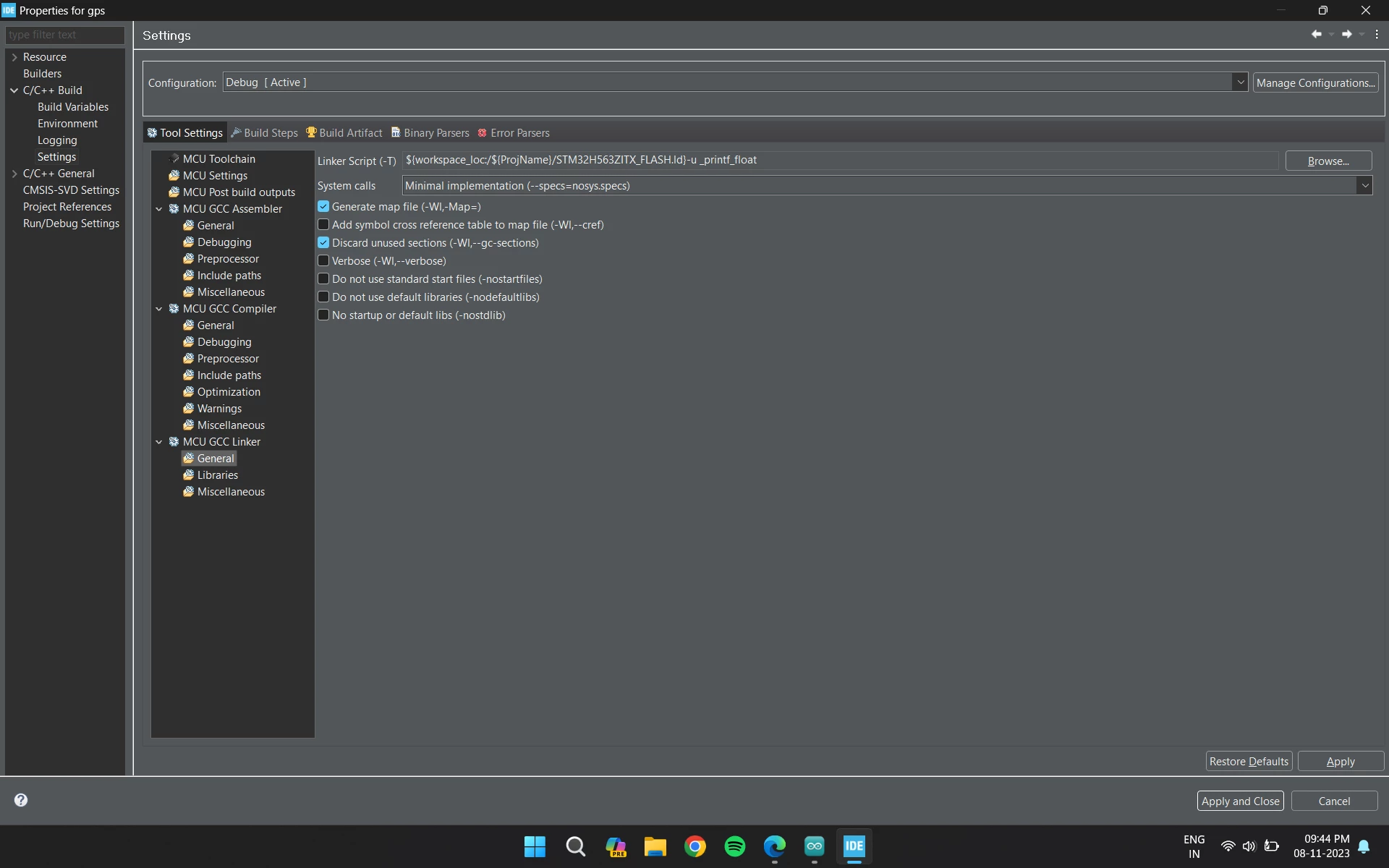
Priyaa_0-1699460232008.pngPriyaa_1-1699460241856.png


    This topic has been closed for replies.
    gbm
    gbmBest answer
    Super User
    November 8, 2023

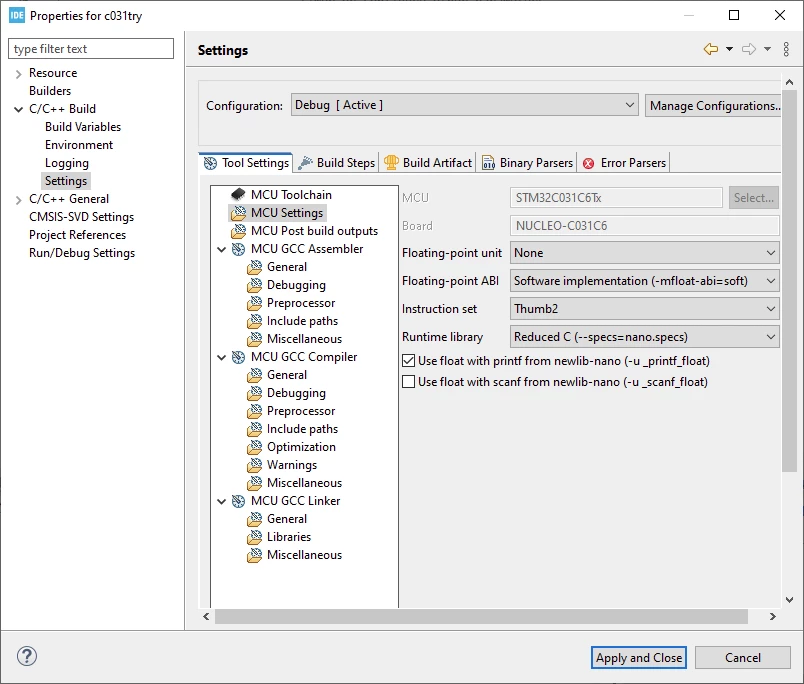
    Simply do what's written in the message - MCU settings:

    gbm_1-1699462087302.png


    My STM32 stuff on github - compact USB device stack and more: https://github.com/gbm-ii/gbmUSBdevice

    2 replies

    gbm
    gbmBest answer
    Super User
    November 8, 2023

    Simply do what's written in the message - MCU settings:

    gbm_1-1699462087302.png


    My STM32 stuff on github - compact USB device stack and more: https://github.com/gbm-ii/gbmUSBdevice
    Tesla DeLorean
    Guru
    November 8, 2023

    This topic's been covered several times, you might have to fight if it keeps pulling the wrong libraries, not a fan of CubeIDE

    Watch you have enough spaces separating parameters, and that compiler and linker accept them

    https://community.st.com/t5/stm32cubeide-mcus/how-to-use-float-in-printf/m-p/323872

    Also DON'T use 32-bit float's for global level lat/lon positioning, there aren't enough digits to carry the low order precision consistently or adequately. Use 64-bit doubles

    Tips, Buy me a coffee, or three.. PayPal Venmo (See Profile) Up vote any posts that you find helpful, it shows what's working..