Associate
May 9, 2024
Question

Could not determine GDB version

  • May 9, 2024
  • 4 replies
  • 2886 views

I am receiving this message 3 out of 4 times (approximately) after I just "upgraded" the IDE to 1.15.1 while using a Nucleo STM32H563 board.
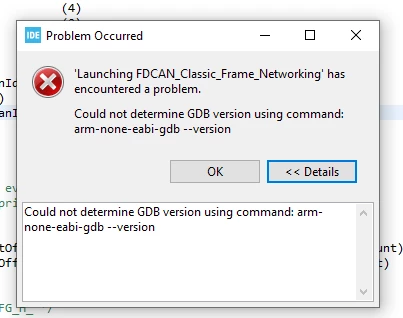
Capture.PNG


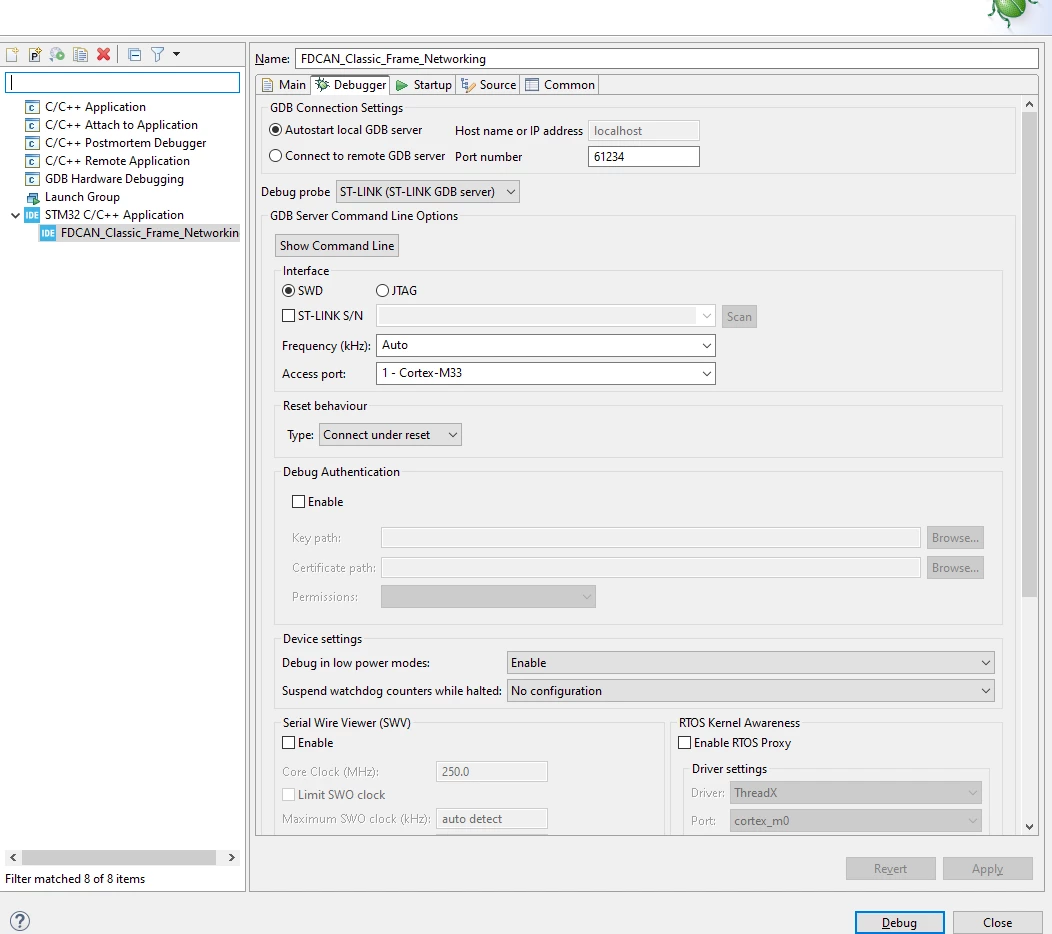
My debugger config screen looks like


Capture2.PNG

    This topic has been closed for replies.

    4 replies

    mƎALLEm
    ST Technical Moderator
    May 9, 2024

    Hello,

    By noticing this :

    SofLit_0-1715263527750.png

    This example is not available for H5 product. I have a doubt you're using a project not intended to be used for H5.

    Could you please check?

    To give better visibility on the answered topics, please click "Best answer" on the reply which solved your issue or answered your question.
    Associate
    May 9, 2024

    Is the package downloaded from https://www.st.com/en/embedded-software/stm32cubeh5.html not meant for the STM32H5 family of parts?  My apologies.  I just assumed that since the path below

    Capture4.PNG

    literally contained the Nucleo board I was using that it was intended for that board.


    BTW - how does the name of the project alter the GDB error I was receiving?  Can you tell me how I can fix the GDB problem or not, I'll be glad to change the project name or load another example if you prefer.

    mƎALLEm
    ST Technical Moderator
    May 9, 2024

    You're correct. 

    Seems the board has that FDCAN examples that I'm not aware of :)!: https://github.com/STMicroelectronics/STM32CubeH5/tree/main/Projects/NUCLEO-H563ZI/Examples/FDCAN/FDCAN_Classic_Frame_Networking 

    It have been added in newest version of the CubeH5. Was not available in V1.0.0. 

    Meanwhile I didn't reproduce the issue on a Nucleo STM32H563 with STM32CubeIDE V1.15.1.

    Did you update the STLINK firmware?


    To give better visibility on the answered topics, please click "Best answer" on the reply which solved your issue or answered your question.