JLemi
Associate III
July 16, 2024
Solved

Can't find linker flags settings in STM32CubeIDE 1.15.1

  • July 16, 2024
  • 6 replies
  • 6747 views

Hello,

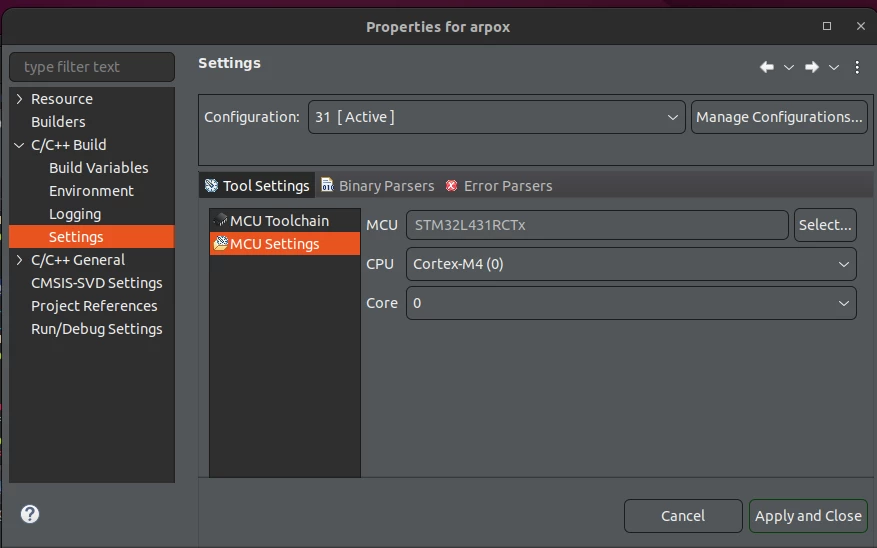
I get this compilation warning: The float formatting support is not enabled, check your MCU Settings from "Project Properties > C/C++ Build > Settings > Tool Settings", or add manually "-u _printf_float" in linker flags.

The stated "recipe" to fix the issue does not work because there is no "linker flags" edit box in the mentionned dialog.

Hence, what is the way to add linker flags in the IDE version I'm using, 1.15.1 ?

Many thanks!
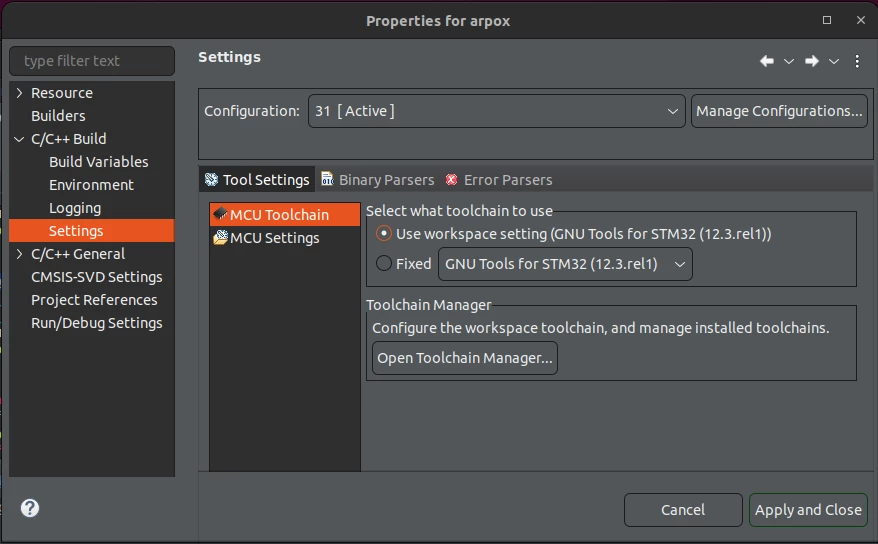
1.png

2.png


This topic has been closed for replies.
Best answer by Radosław

Only automaticaly generated makefile will get linker flags from settinngs that you are searching,  As this is makefile, build commend should be make? Agree?


AVR is long past for me, but thay also uses make for build?

6 replies

Radosław
Associate II
July 16, 2024

show as C/C++ Build  setting (1 level up)

JLemi
JLemiAuthor
Associate III
July 16, 2024

"One level up", there is no such setting for the linker flags.

What did you mean?

Thanks!


3.png


Radosław
Associate II
July 16, 2024

generate makefile automaticalyy is unchecked. you have strange build command why?


JLemi
JLemiAuthor
Associate III
July 16, 2024

We have our own build. Because our firmware is an evolution of a product originally developed on an AVR Atmega chip, etc.

What is the relationship between the build command and the linker flags specifications?

Thanks.

Radosław
RadosławBest answer
Associate II
July 16, 2024

Only automaticaly generated makefile will get linker flags from settinngs that you are searching,  As this is makefile, build commend should be make? Agree?


AVR is long past for me, but thay also uses make for build?

JLemi
JLemiAuthor
Associate III
July 18, 2024

You are right, when I select the standard build, more options appear.

Interestingly, the values I specify for the flags are used by the IDE when analyzing my code, even tough I revert to my custom build method.I thus no longer get the warning.

So the recipe was: use standard build, change the parameters that are now available, revert to my own custom build method.

Many thanks for your kind help !