

Can't debug using ST-LINK V3 and STM32CubeIDE 1.6.1
Using STM32CubeIDE 1.6.1 and an ST-LINK V3, I'm trying to debug an application flashed onto an STM32H747I-DISCO board. The application/binary is built "outside" STM32CubeIDE from command line, and I can upload it to the board with STM32CubeProgrammer, which I have also downloaded separately to try out. Then, I try to import/create a new project in IDE, and import the binary as the executable file. When I click "Finish", a pop-up appears:

, which doesn't sound promising. And sure enough, when I try to set up the debug configurations, it looks like this: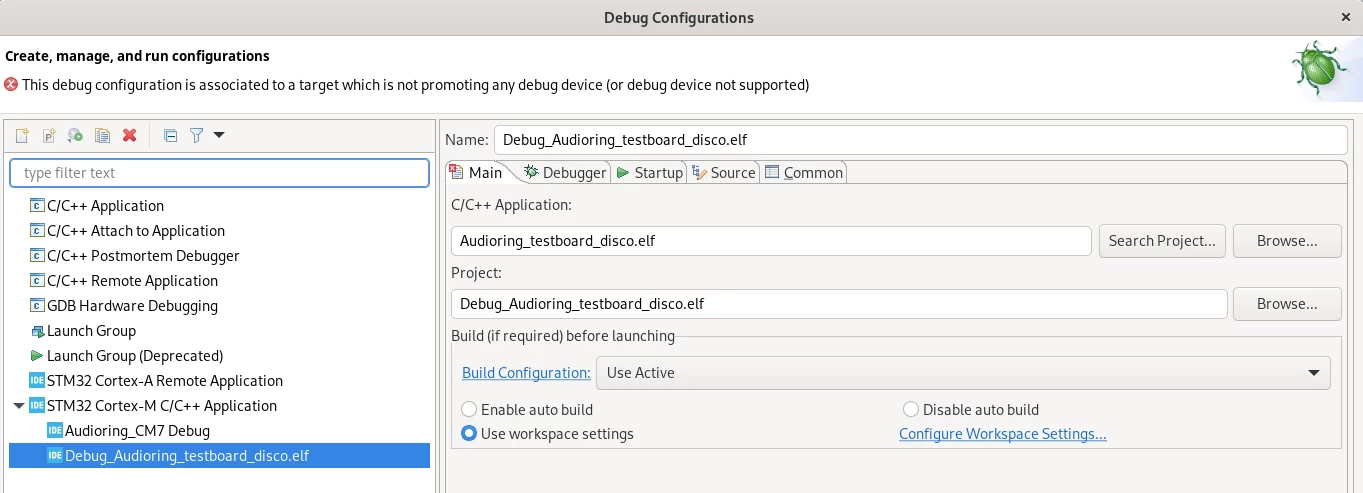
What does "This debug configuration is associated to a target which is not promoting any debug device (or debug device not supported)" mean? I have searched for hour on similar topics, but can't seem to find a solution that fixes my issues. As I said, it seems that I can upload this binary with STM32CubeProgrammer, but of course, something might go wrong there and I just don't notice.
I can provide more details, but I guess this is a good starting point at least.