

Autocomplete (Ctrl+Space) and Indexing Not Working
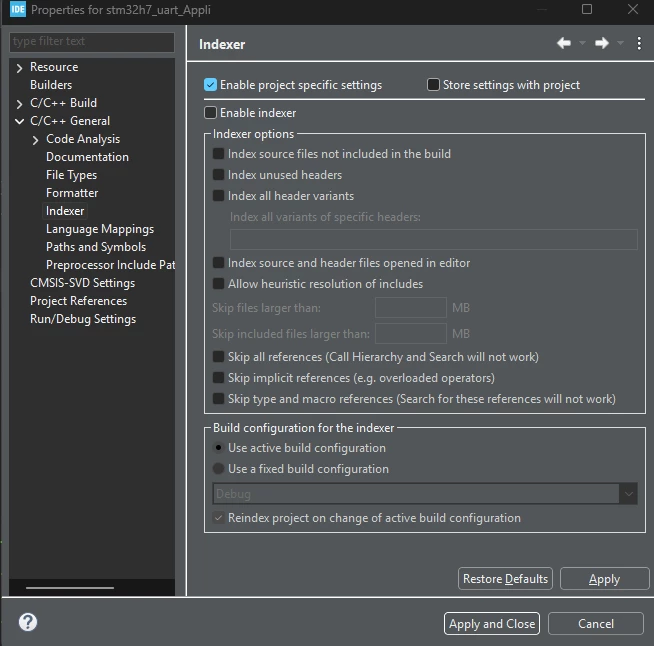
TL;DR: Right click your project in Project Explorer, click Properties > C/C++ General > Indexer > Enable Indexer if option is not checked.
Hi all,
I have seen other posts in the community about Autocomplete not working with their projects, with fixing the indexing being a possible solution that does not work for many. I have seen that some go to Window > Preferences > C/C++ > Editor > Content Assist > Advanced and enabled “Parsing-based Proposals”. For me, that did not work either, and I could not get any Autocomplete results for the HAL library or any imported APIs/libraries.
However, I finally found a possible culprit when Right-Clicking a HAL_Init( ) call within my code and clicking References > Workspace/Project.
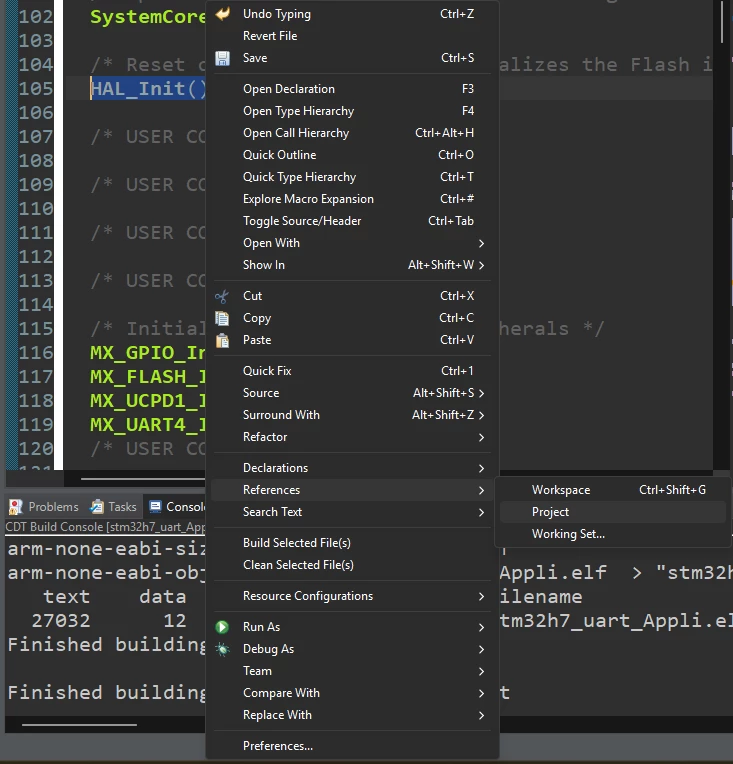
A window should pop up and may relay the message “unknown results: indexer is not enabled”).
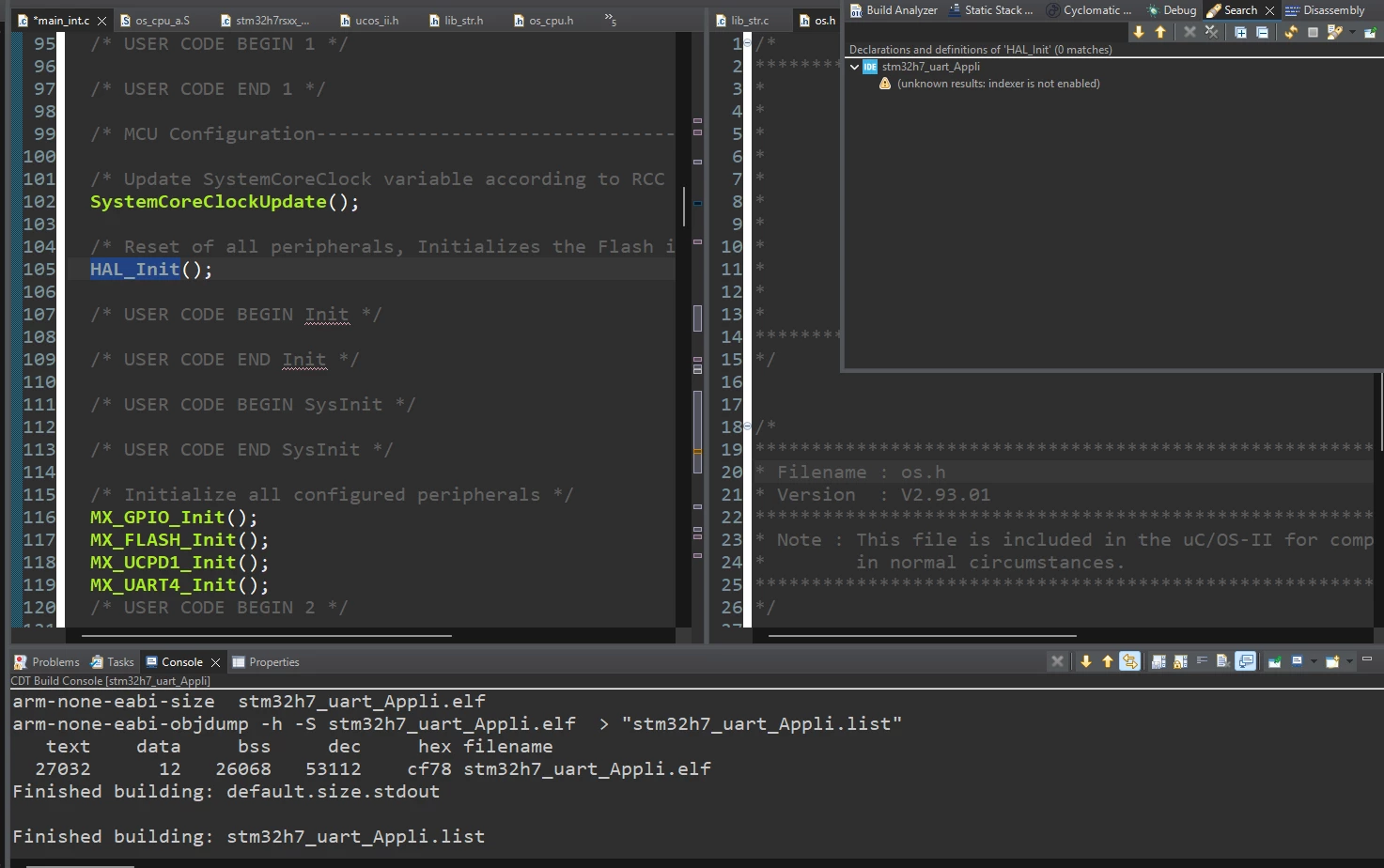
The solution for this lies in right clicking your project in Project Explorer and clicking Properties > C/C++ General > Indexer > Enable Indexer if the option is not checked. Applying this resolved the issue for me.
I copied and pasted my project from another one I made and am not sure if it disabled this option in the process, but it was a sneaky one since the project still compiles, executes, and lets you rebuild the index when you need to. Should be something ST should check out.