Explorer
October 13, 2025
Solved

STM32 VS Code Extension Disappear in VS Code

Hi


I previously used STM32 VS Code Extension to import cmake project and tried to build and Debug using ST-Link.
But due to some update in the extension, the STM32 VS Code Extension got removed and replaced by STM32Cube and now i can't able to debug with existing project. 
If i click debug still loading and some time it is showing 
"command: STM32VSCodeExtension.bootFlashBootTarget is not found"
Can you tell me how to get back the STM32 VS Code Extension.
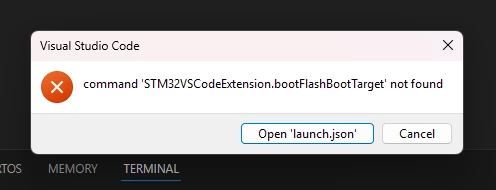
Screenshot 2025-10-13 154137.png

No STM32 VS Code showing (i installed and used previously).
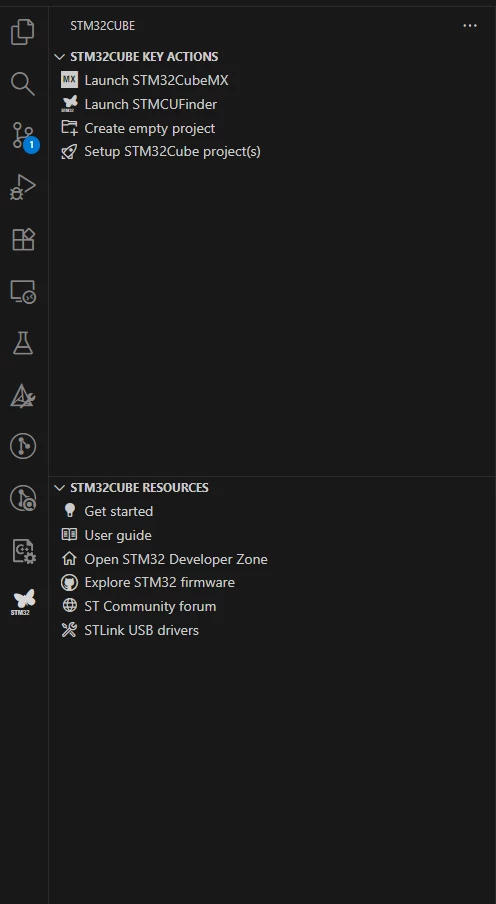
Screenshot 2025-10-13 183948.png

Not showing in Extension browser too.
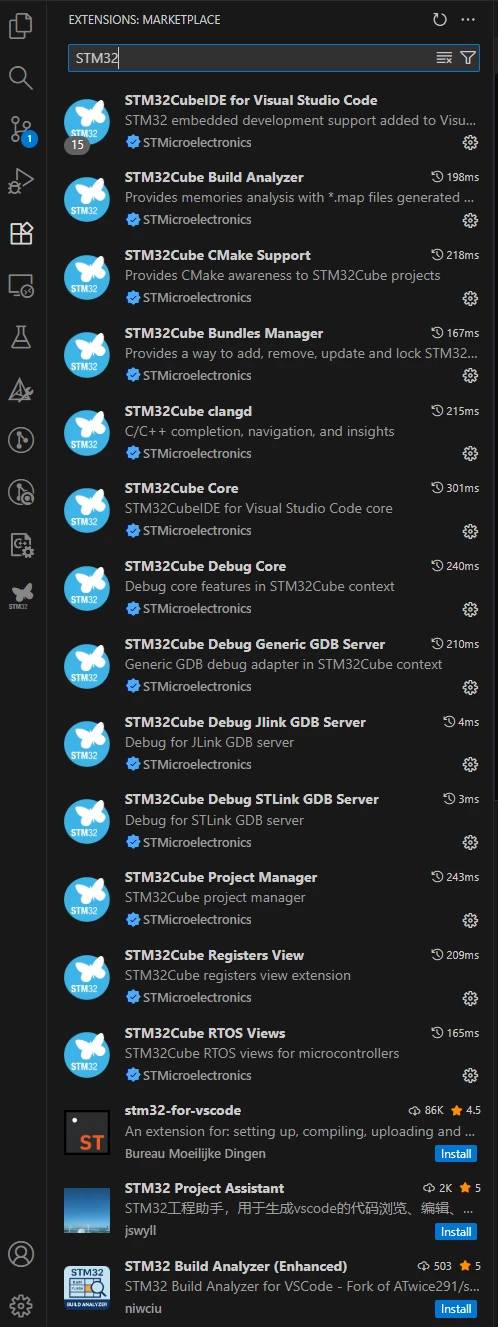
Screenshot 2025-10-13 184113.png

@B_Subramanian @Laurids_PETERSEN  Can you please support in this.

This topic has been closed for replies.
Cartu38 OpenDev
Cartu38 OpenDevBest answer
Graduate II
October 13, 2025

Brand new STM32Cube is requiring to update your launch.json and couple of extra stuff.

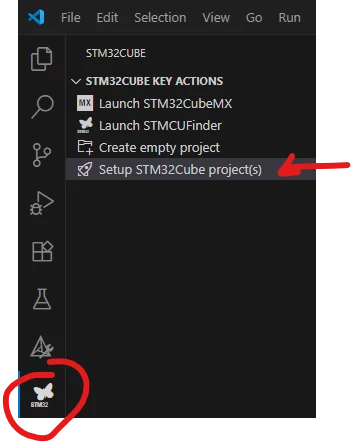
First have a chance to execute project setup what will help you later on:

Cartu38OpenDev_0-1760363371422.png

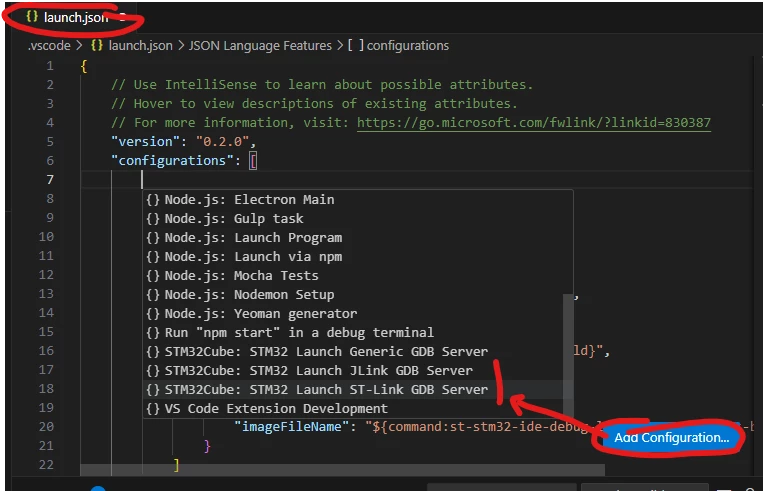
Once ok let's ask for new configuration:
Cartu38OpenDev_1-1760363443580.png
Is it helping ?

1 reply

Cartu38 OpenDev
Cartu38 OpenDevBest answer
Graduate II
October 13, 2025

Brand new STM32Cube is requiring to update your launch.json and couple of extra stuff.

First have a chance to execute project setup what will help you later on:

Cartu38OpenDev_0-1760363371422.png

Once ok let's ask for new configuration:
Cartu38OpenDev_1-1760363443580.png
Is it helping ?