Associate
July 26, 2026
Question

Map analyzer (STM32Cube Build Analyzer alternative)

  • July 26, 2026
  • 5 replies
  • 147 views

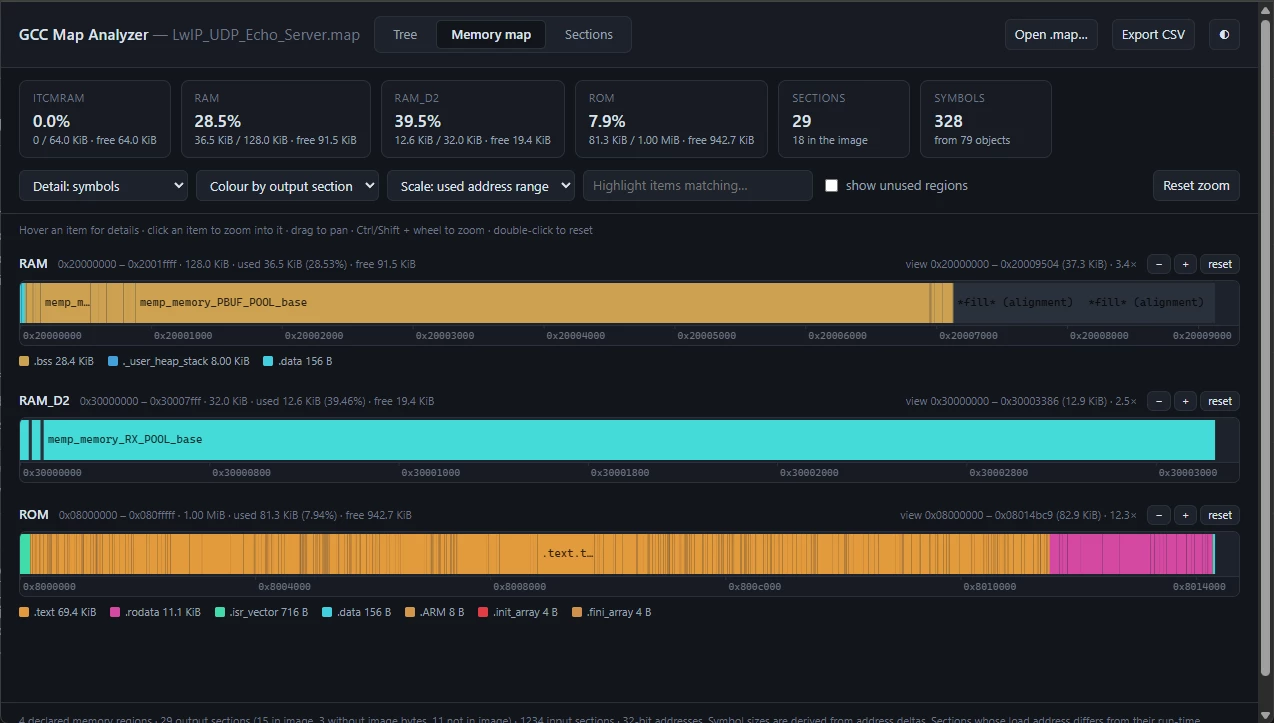
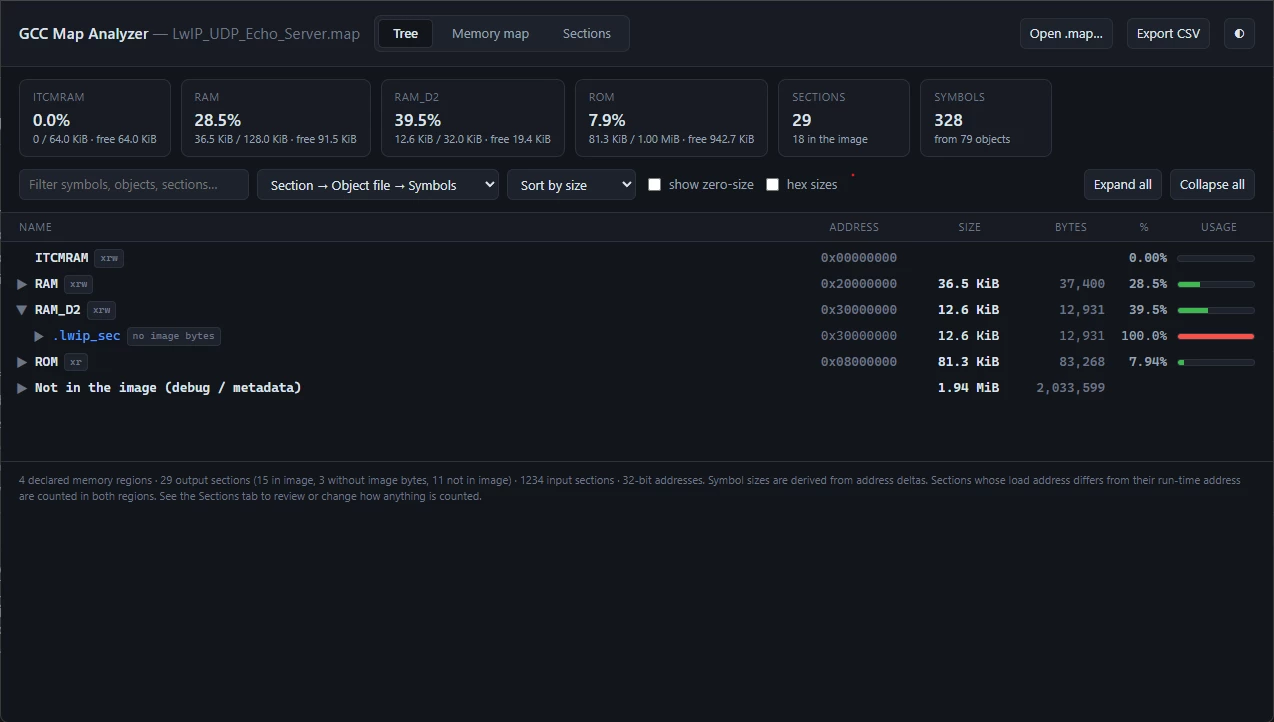
I'd like to share an open-source alternative to STM32Cube Build Analyzer, which may be useful for developers who don't use STM32CubeIDE (Eclipse or Visual Studio Code edition), or who build their projects using other tools such as Visual Studio or CMake directly.

GCCMapAnalyzer | Source.
(HTML file, hosted on GitHub Pages; click on GCCMapAnalyzer to run it in the browser.)

Functionalities

  • Tree view: Visualizes memory usage by memory region, section, and object file.
  • Memory Map: Displays symbols and sections in an address-space line diagram.
  • Section configuration: Allows customization of how sections are counted and grouped.


Note

I hope this post does not violate Community Guideline #5. I originally developed this tool to visualize an STM32H7 .map file before I knew about STM32Cube Build Analyzer, and I thought it might be useful for other community members as well.


5 replies

Cartu38 OpenDev
Graduate II
July 27, 2026

@gabor-budai 

I’m not an ST employee and I'm not here to moderate, so I can't comment on whether this initiative follows forum policies.

What I can share is that, as a member of this community and an end user of STM32CubeIDE for Visual Studio Code, I believe all feedback matters. Constructive comments are the only way we can drive progress.

Please feel free to share more—don't be shy! What is lacking in today's STM offerings that needs to be improved? Your contributions have a solid rationale behind them most probably ...

waclawek.jan
Super User
July 28, 2026

Nice, thanks!

Can the text be made less gray more blackandwhite? I care more about functionality than “modern look & feel”.

Thanks.

JW

Associate
July 29, 2026

Yes.

You can find the following section near the beginning of the file:

:root{
--bg:#12151a; --bg2:#171b22; --bg3:#1d222b; --line:#2a313c;
--fg:#dfe4ec; --fg2:#98a2b3; --fg3:#6b7585;
--acc:#4f9cf9; --ok:#3fb950; --warn:#d29922; --bad:#f85149;
--c1:#4f9cf9; --c2:#a371f7; --sym:#7ee787;
}
html[data-theme="light"]{
--bg:#ffffff; --bg2:#f6f8fa; --bg3:#eef1f5; --line:#d8dee6;
--fg:#1f2328; --fg2:#57606a; --fg3:#8c959f;
--acc:#0969da; --ok:#1a7f37; --warn:#9a6700; --bad:#cf222e;
--c1:#0969da; --c2:#8250df; --sym:#1a7f37;
}

You can adjust the --fg variables to your preference.

For example, I simply copied the primary --fg value to --fg2 and --fg3, which makes all text use the same color:

:root{
--bg:#12151a; --bg2:#171b22; --bg3:#1d222b; --line:#2a313c;
--fg:#dfe4ec; --fg2:#dfe4ec; --fg3:#dfe4ec;
--acc:#4f9cf9; --ok:#3fb950; --warn:#d29922; --bad:#f85149;
--c1:#4f9cf9; --c2:#a371f7; --sym:#7ee787;
}
html[data-theme="light"]{
--bg:#ffffff; --bg2:#f6f8fa; --bg3:#eef1f5; --line:#d8dee6;
--fg:#1f2328; --fg2:#1f2328; --fg3:#1f2328;
--acc:#0969da; --ok:#1a7f37; --warn:#9a6700; --bad:#cf222e;
--c1:#0969da; --c2:#8250df; --sym:#1a7f37;
}


waclawek.jan
Super User
July 30, 2026

much better!

AScha.3
Super User
July 28, 2026

Great !

(..and i like the colors , in dark mode : )

👍

If you feel a post has answered your question, please click on " Best Answer ".