

Associate II
October 13, 2026
Question

How to apply release 配置 in STM32Cube for vscode , rather than debug 配置
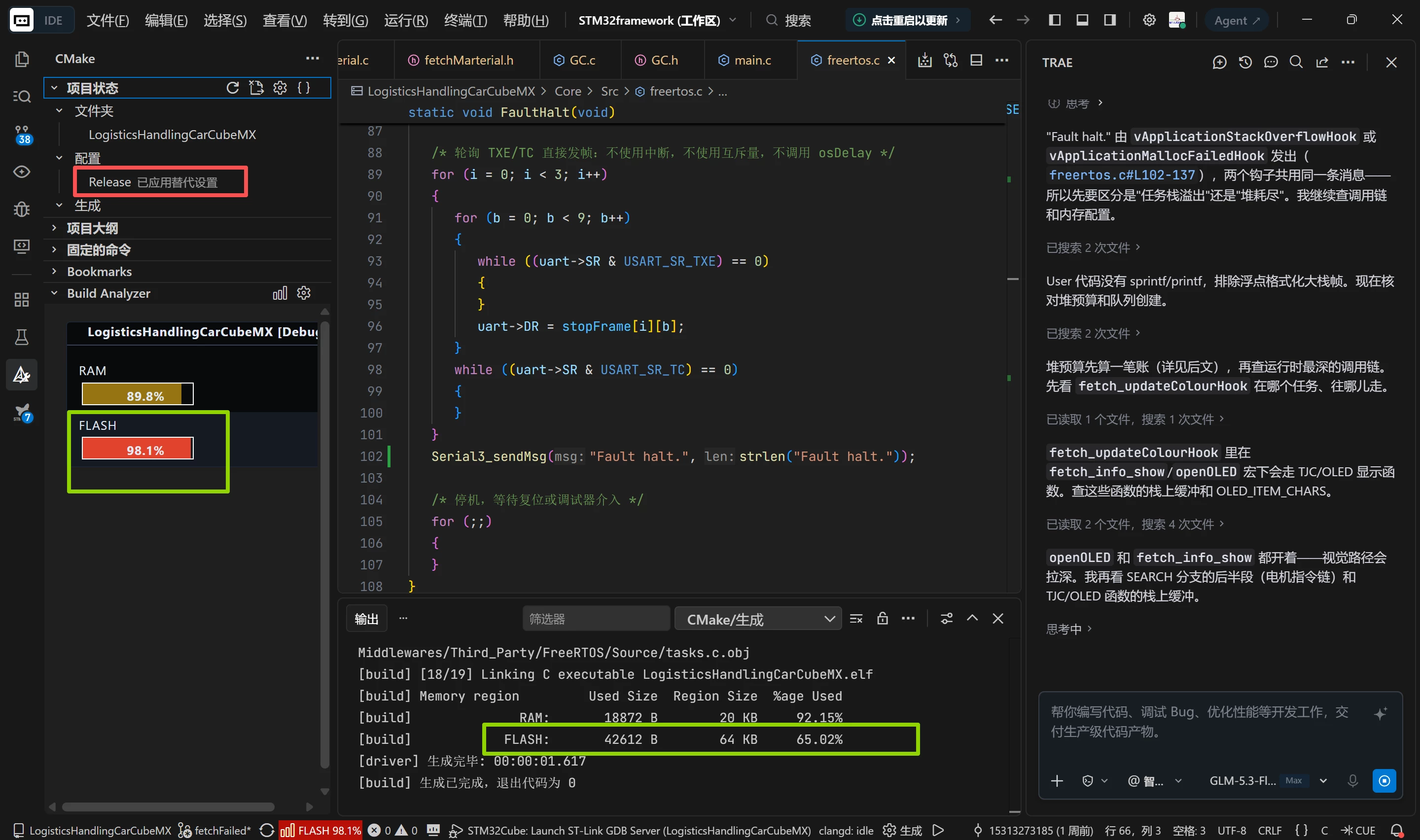
In release configuration, the flash usage is 65%,but in debug configuration, it is 98.1%. What’s more ,when i download my app to stm32f103c8t6, it will be debug configuration.

2 replies

Cartu38 OpenDev
Graduate II
October 13, 2026

​@STM_student 
Not sure to fully understand what your question / issue is.

What I can say is no surprise Debug configuration binary is larger than Release one. Rational about is Debug configuration is preventing lot of compiler optimization to ensure best debug experience ensuring a one to one match to source code.

Such said you can flash the binary you want on hardware target.
Either be explicit as part of your launch.json:


Or let’s the tool act for you:
 

it will pick the binary being the one of your active CMake context dynamically:


Andrew Neil
Super User
October 13, 2026

What I can say is no surprise Debug configuration binary is larger than Release one. Rational about is Debug configuration is preventing lot of compiler optimization to ensure best debug experience ensuring a one to one match to source code.
 

​@STM_student  You could try the -Og optimisation level; that is, “Optimise for debug” - that will give you a decent tradeoff between the amount of optimisation and the debugability.

From the GCC documentation:

“ -Og should be the optimization level of choice for the standard edit-compile-debug cycle, offering a reasonable blend of optimization, fast compilation and debugging experience”

https://gcc.gnu.org/onlinedocs/gcc/Optimize-Options.html#index-Og


PS:

I posted an example here of the code size difference between -O0 (ie, no optimisation) and -Og.

A complex system that works is invariably found to have evolved from a simple system that worked.A complex system designed from scratch never works and cannot be patched up to make it work.