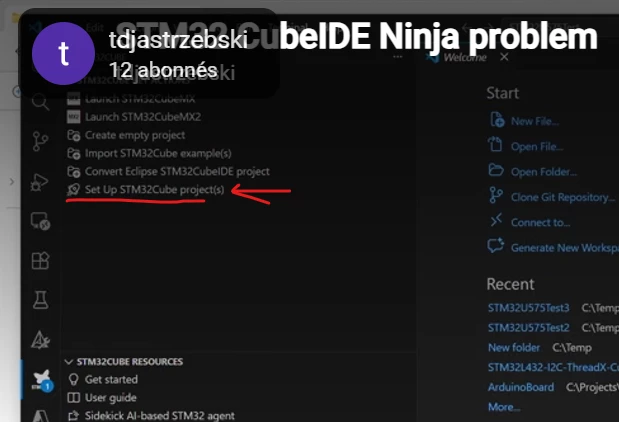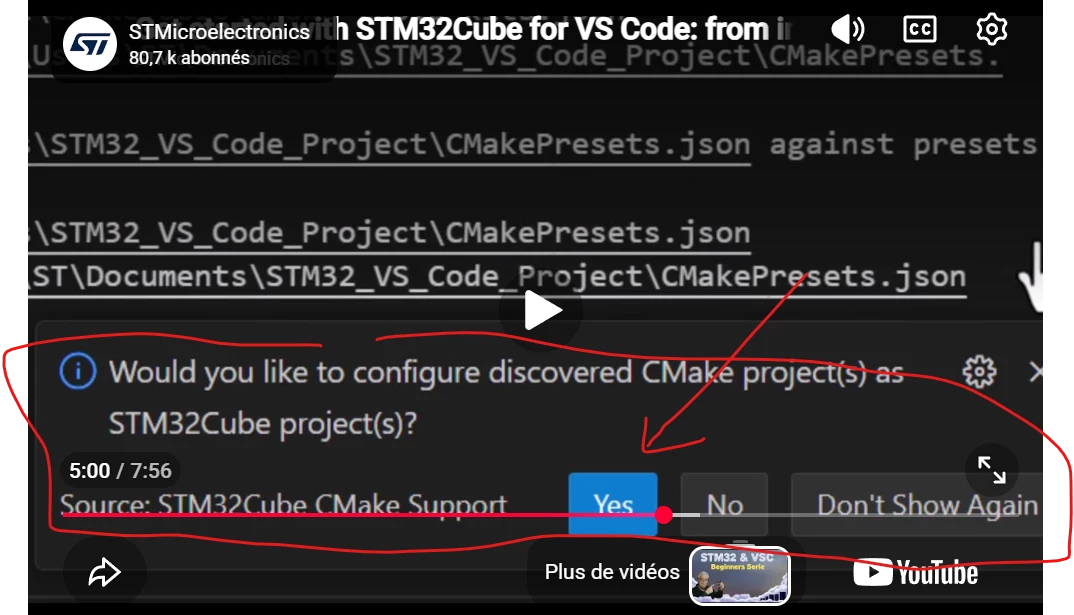
Solved
Getting started with STM32CubeIDE for VS Code (rev 3.10)
Hi ST,
Today I decided to give STM32CubeIDE for VS Code another try.
I installed all 15 latest packages (Rev. 3.10).
Using the STM32Cube Bundle Manager, I installed all required bundles, including Ninja 1.13.2.
After opening in VS Code the folder containing the code generated by STM32CubeMX (CMake option) and trying to configure CMake for the first time (Ctrl+Shift+P → CMake: Configure), I received the error below.
What am I missing? The last time I tried this several months ago, the project at least configured correctly and built successfully.
Kind regards,
Thomas
[main] Configuring project: Firmware

[driver] NOTE: You are configuring with preset Debug, but there are some overrides being applied from your VS Code settings.

[proc] Executing command: "C:\Program Files (x86)\Microsoft Visual Studio\2022\BuildTools\Common7\IDE\CommonExtensions\Microsoft\CMake\CMake\bin\cmake.exe" -DCMAKE_BUILD_TYPE=Debug -DCMAKE_TOOLCHAIN_FILE=C:/Projects/All-purpose-Micro-Controller-2/Firmware/cmake/gcc-arm-none-eabi.cmake -DCMAKE_EXPORT_COMPILE_COMMANDS:BOOL=TRUE -S C:/Projects/All-purpose-Micro-Controller-2/Firmware -B C:/Projects/All-purpose-Micro-Controller-2/Firmware/build/Debug -G Ninja

[cmake] CMake Error: CMake was unable to find a build program corresponding to "Ninja".  CMAKE_MAKE_PROGRAM is not set.  You probably need to select a different build tool.

[cmake] -- Configuring incomplete, errors occurred!

[proc] The command: "C:\Program Files (x86)\Microsoft Visual Studio\2022\BuildTools\Common7\IDE\CommonExtensions\Microsoft\CMake\CMake\bin\cmake.exe" -DCMAKE_BUILD_TYPE=Debug -DCMAKE_TOOLCHAIN_FILE=C:/Projects/All-purpose-Micro-Controller-2/Firmware/cmake/gcc-arm-none-eabi.cmake -DCMAKE_EXPORT_COMPILE_COMMANDS:BOOL=TRUE -S C:/Projects/All-purpose-Micro-Controller-2/Firmware -B C:/Projects/All-purpose-Micro-Controller-2/Firmware/build/Debug -G Ninja exited with code: 1