


skawa.1
Associate
June 14, 2022
Solved

Unable to Download FlashLayout_sdcard_stm32mp157f-dk2-trusted.tsv using STM32 CubeProgrammer on Win10 host PC
  • June 14, 2022
  • 1 reply
  • 1563 views

0693W00000Nro2FQAR.png0693W00000Nro2eQAB.png 

I'm trying to download Starter Package to microSD card on STM32MP157F-DK2 via USB.

I clicked "Open file", selected "FlashLayout_sdcard_stm32mp157f-dk2-trusted.csv", pressed RESET button, clicked "connect" and tried to download.

​

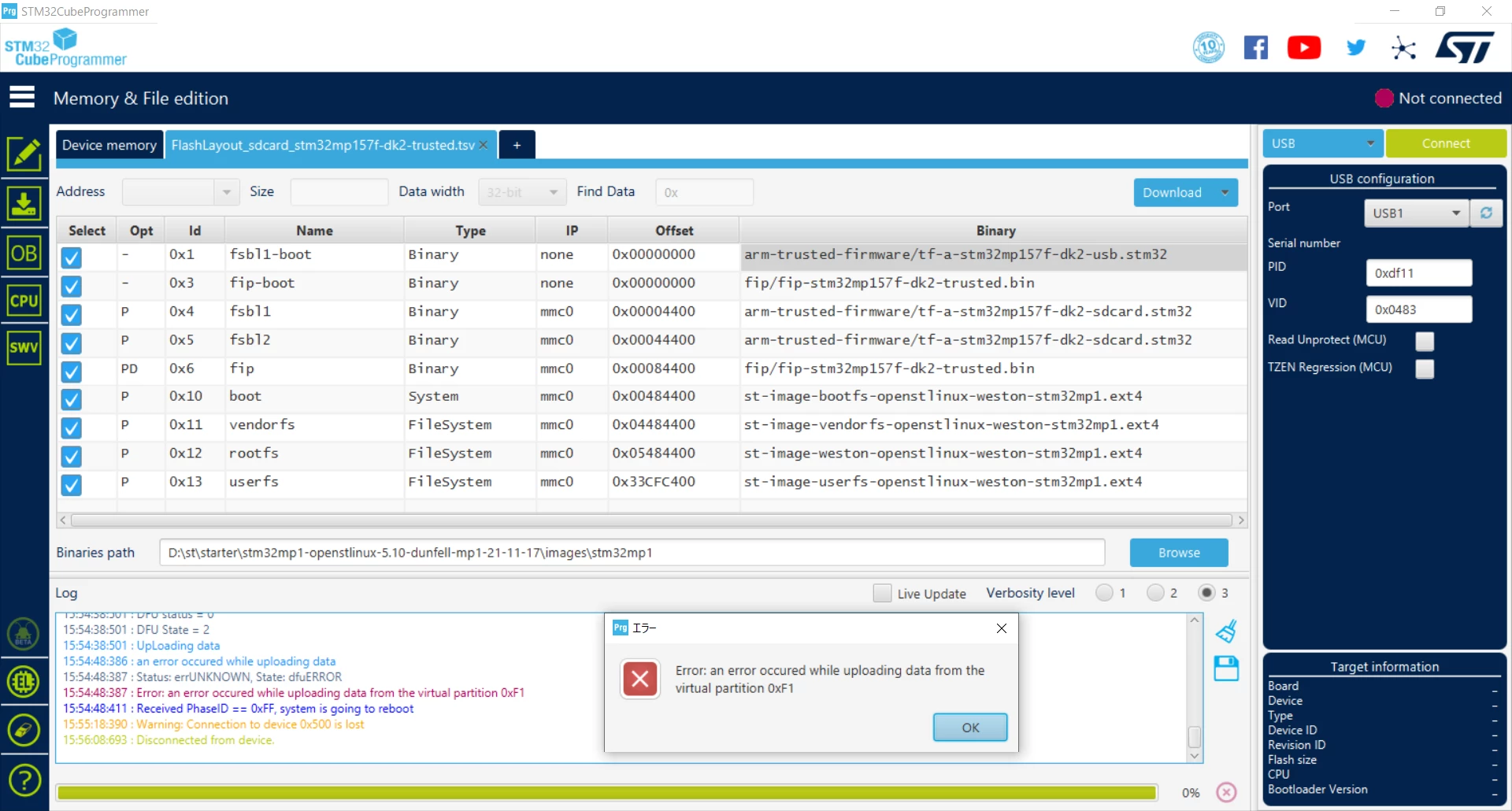
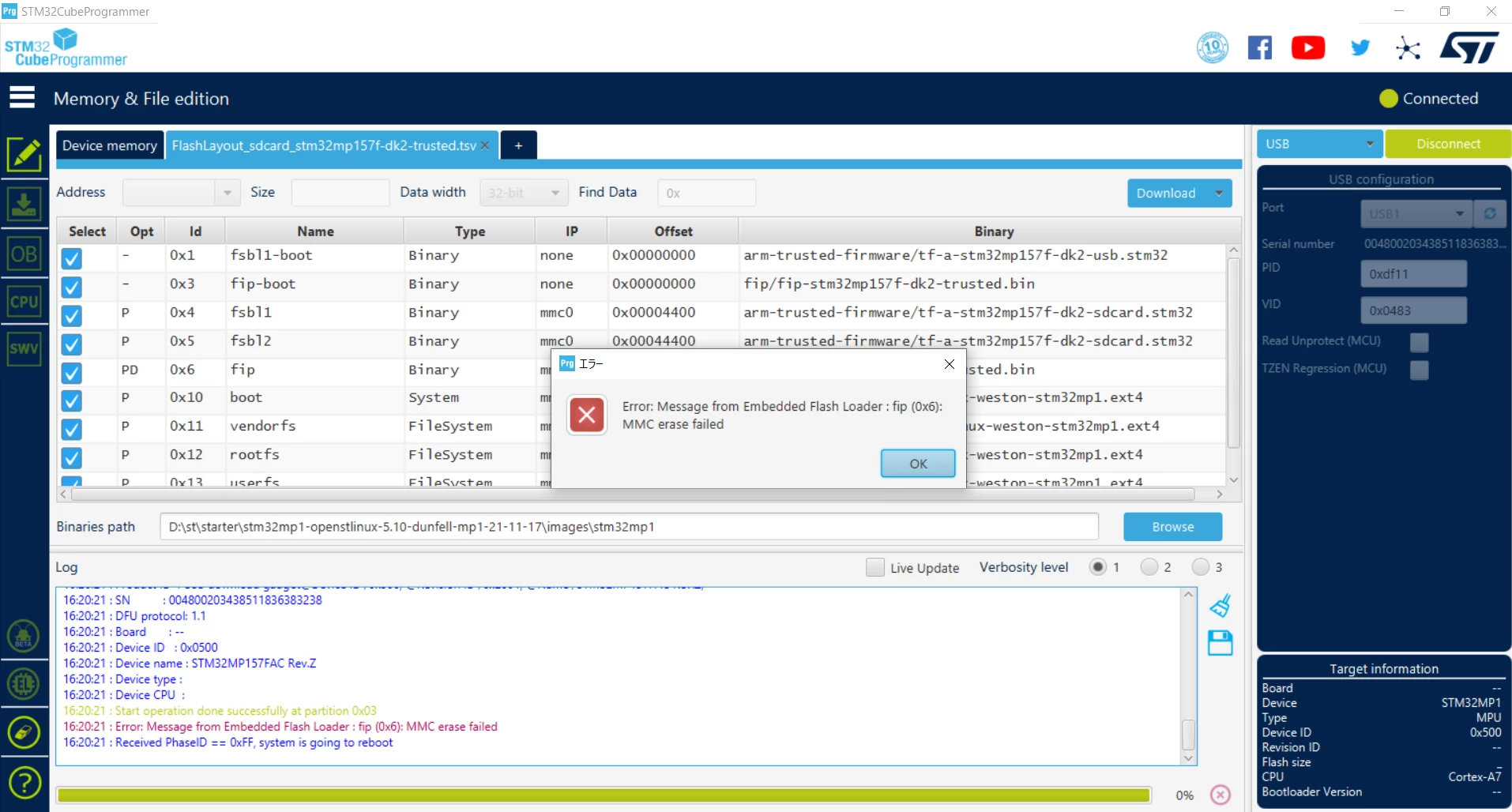
However, STM32CubeProgrammer showed the message "MMC erase failed", or "an error occured while uploading data from the virtual partition 0xF1".

​

Please tell me someone about what shall I do to remove these errors.

​

Note:

・Both DIPSW (BOOT0 and BOOT2) are set to OFF. ​

・I'm using Kingston 16GB microSDHC for downloading.

・I want to use the Programmer for WIndows10 not for Linux if possible.​

This topic has been closed for replies.
Best answer by skawa.1

This problem was resolved by fixing as follows:

・Change programmer from STM32Cubeprogrammer.exe (GUI) to ​STM32_Programmer_CLI.exe (CUI)

・Change microSD from Kingston to SanDisk

・Change​ the FlasyLayout file from FlashLayout_sdcard_stm32mp157f-dk2-trusted.tsv

to ​FlashLayout_sdcard_stm32mp157c-ev1-trusted.tsv

Thanks.

1 reply

skawa.1
skawa.1AuthorBest answer
Associate
June 15, 2022

This problem was resolved by fixing as follows:

・Change programmer from STM32Cubeprogrammer.exe (GUI) to ​STM32_Programmer_CLI.exe (CUI)

・Change microSD from Kingston to SanDisk

・Change​ the FlasyLayout file from FlashLayout_sdcard_stm32mp157f-dk2-trusted.tsv

to ​FlashLayout_sdcard_stm32mp157c-ev1-trusted.tsv

Thanks.