

Associate
August 9, 2026
Question

unable to debug STM32MP257F-EV1 Cortex-M33 core (standalone) over STLINK

  • August 9, 2026
  • 2 replies
  • 40 views

 I am working with an STM32MP257F-EV1 Evaluation board (board reference MB1936, target STM32MP257FAI3) and am unable to debug the Cortex-M33 core independently over SWD. 

Setup:
- Board: STM32MP257F-EV1
- Tools: STM32CubeIDE and STM32CubeProgrammer.
- Boot switches (SW1) set to Development boot: Boot0=1, Boot1=1, Boot2=0, Boot3=0
- JP3: no jumper fitted (STLINK-V3EC active)
- CubeIDE debug configuration: Load Mode = "thru JTAG/SWD link (Engineering mode)", Access port = "8 - Cortex-M33", SWD interface

i have attached debug error screenshot.


i want to debug a standalone (bare-metal) application running on the Cortex-M33 over SWD.

Could you help with the following:

  1. Is it possible to debug the Cortex-M33 via SWD/JTAG on the STM32MP257F-EV1 without booting from SD card, eMMC, or QSPI.
  2. What is the recommended/supported procedure for attaching a debugger (SWD) to the M33 core when running a standalone bare-metal application.
  3. Are there specific boot configuration or provisioning steps required (e.g., boot mode, RDP/TZEN state) to enable SWD debug access to the M33 for a bare-metal use case on this board?
  4. Are there any application notes or reference documentation specifically covering M33 bare-metal debugging on the STM32MP2 series (STM32MP257F-EV1 in particular) that you can point me to?
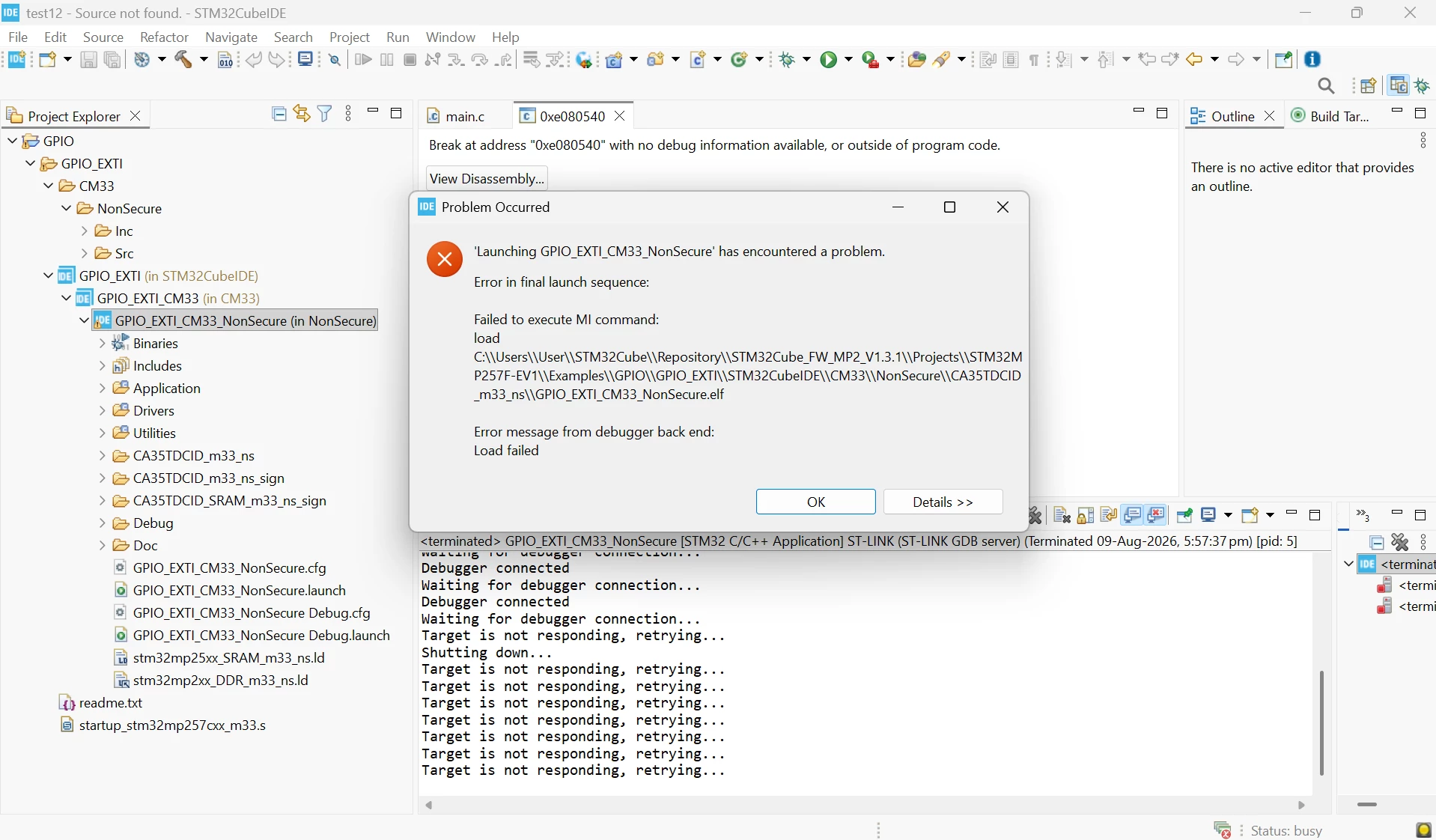
 

2 replies

Explorer
August 9, 2026

Yes, the M33 can be debugged over SWD, but boot/provisioning and security state matter. On the MP257F-EV1, first verify the device is in Development mode, RDP/TZEN settings allow debug access, and that ST-LINK is correctly connected to the M33 access port. You generally don’t need SD/eMMC/QSPI just to establish the SWD debug connection; the key is getting the M33 into a debuggable state and loading the bare-metal image through the supported debug flow.

Associate
August 10, 2026

Thanks for the guidance. Here's where things stand on my end:

Boot switch (SW1) configuration: Development boot mode — Boot0=1, Boot1=1, Boot2=0, Boot3=0.

ST-LINK connection attempt via STM32CubeProgrammer:

14:52:16 : STM32CubeProgrammer API v2.23.0 | Windows-64Bits
14:54:39 : UR connection mode is defined with the HWrst reset mode
14:54:39 : ST-LINK SN  : 004900203234511237333934
14:54:39 : ST-LINK FW  : V3J17M11B6S1
14:54:39 : Board       : STM32MP257F-EV1
14:54:39 : Voltage     : 3.28V
14:54:39 : Error: Unable to get core ID
14:54:39 : Error: No STM32 target found! If your product embeds Debug Authentication, please perform a discovery using Debug Authentication

I also tried both Access Port 0 and Access Port 1 in the ST-LINK configuration, both return the identical 'Unable to get core ID' / Debug Authentication error

So ST-LINK itself connects fine (board identified correctly, voltage nominal, firmware version reads out), but the actual core ID read fails, and CubeProgrammer is explicitly flagging Debug Authentication.

How do I check the current RDP and TZEN settings on this board through STM32CubeProgrammer (or another supported tool)