


Solved
GTK application does not show the image
Hi!
I am using STM32MP157C-DK2 board to create an application on the screen (using GTK library). My idea is to create a window with the following image inside:
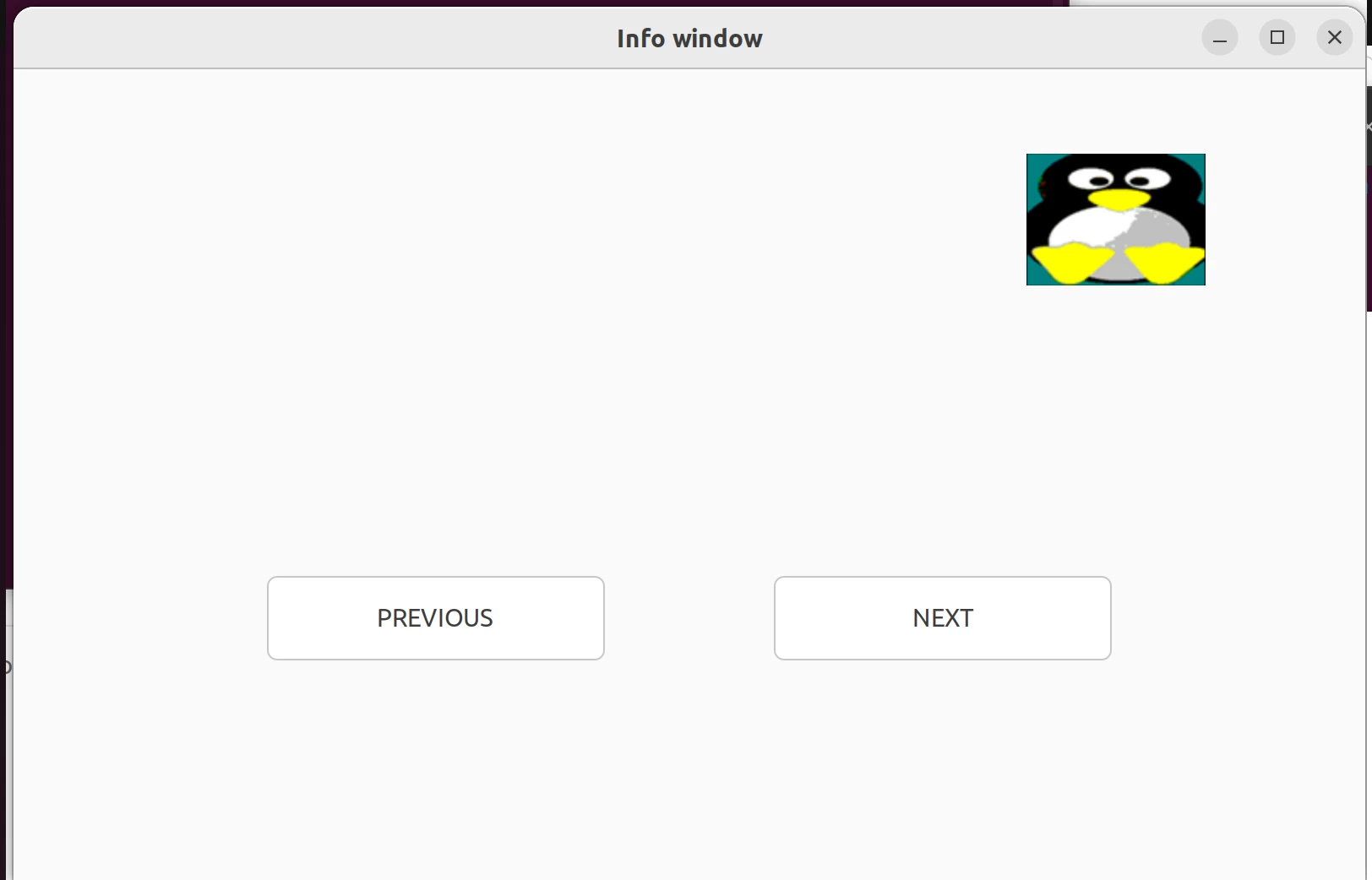 Created code:
#include <gtk/gtk.h>

int main(int argc, char **argv)
{
 GtkWidget *window;
 GtkWidget *layout;
 GtkWidget *image;
 GtkWidget *button;

 gtk_init(&argc, &argv);

 window = gtk_window_new(GTK_WINDOW_TOPLEVEL);
 gtk_window_set_default_size (GTK_WINDOW (window), 800, 480);
 gtk_window_set_title (GTK_WINDOW (window), "Info window");
 // gtk_window_fullscreen(GTK_WINDOW(window));
 gtk_window_set_position(GTK_WINDOW(window), GTK_WIN_POS_CENTER);

 layout = gtk_layout_new(NULL, NULL);
 gtk_container_add(GTK_CONTAINER (window), layout);
 gtk_widget_show(layout);

 image = gtk_image_new_from_file("linux.png");
 gtk_layout_put(GTK_LAYOUT(layout), image, 600, 50);

 button = gtk_button_new_with_label("PREVIOUS");
 gtk_layout_put(GTK_LAYOUT(layout), button, 150, 300);
 gtk_widget_set_size_request(button, 200, 50);
 g_signal_connect(G_OBJECT(button), "clicked", G_CALLBACK(gtk_window_close), window);

 button = gtk_button_new_with_label("NEXT");
 gtk_layout_put(GTK_LAYOUT(layout), button, 450, 300);
 gtk_widget_set_size_request(button, 200, 50);
 g_signal_connect(G_OBJECT(button), "clicked", G_CALLBACK(gtk_window_close), window);

 gtk_widget_show_all(window);

 gtk_main();

 return 0;
}
Then I have created executable using STM32CubeIDE and uploaded it with the image file (.png) in the following location:
- /usr/local
Finally, I have run the GTK application with the following command:
Board $> su -l weston -c "/usr/local/custom_GTK"Obtained result: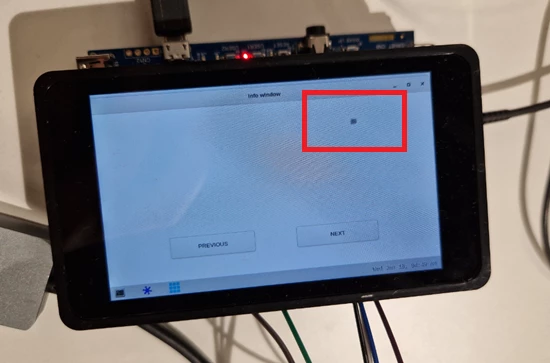 Does anyone know how I can display the image?
Thanks!
