Associate
October 13, 2026
Question

Cannot able to upload the program in the M4 side of the stm32mp157fdk2 using stm32cubeIDE
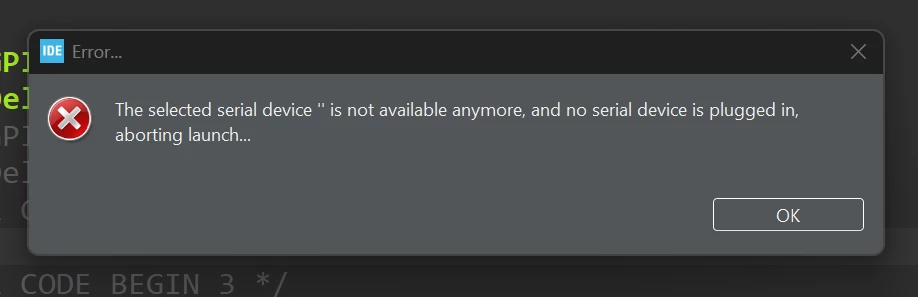
Error Message
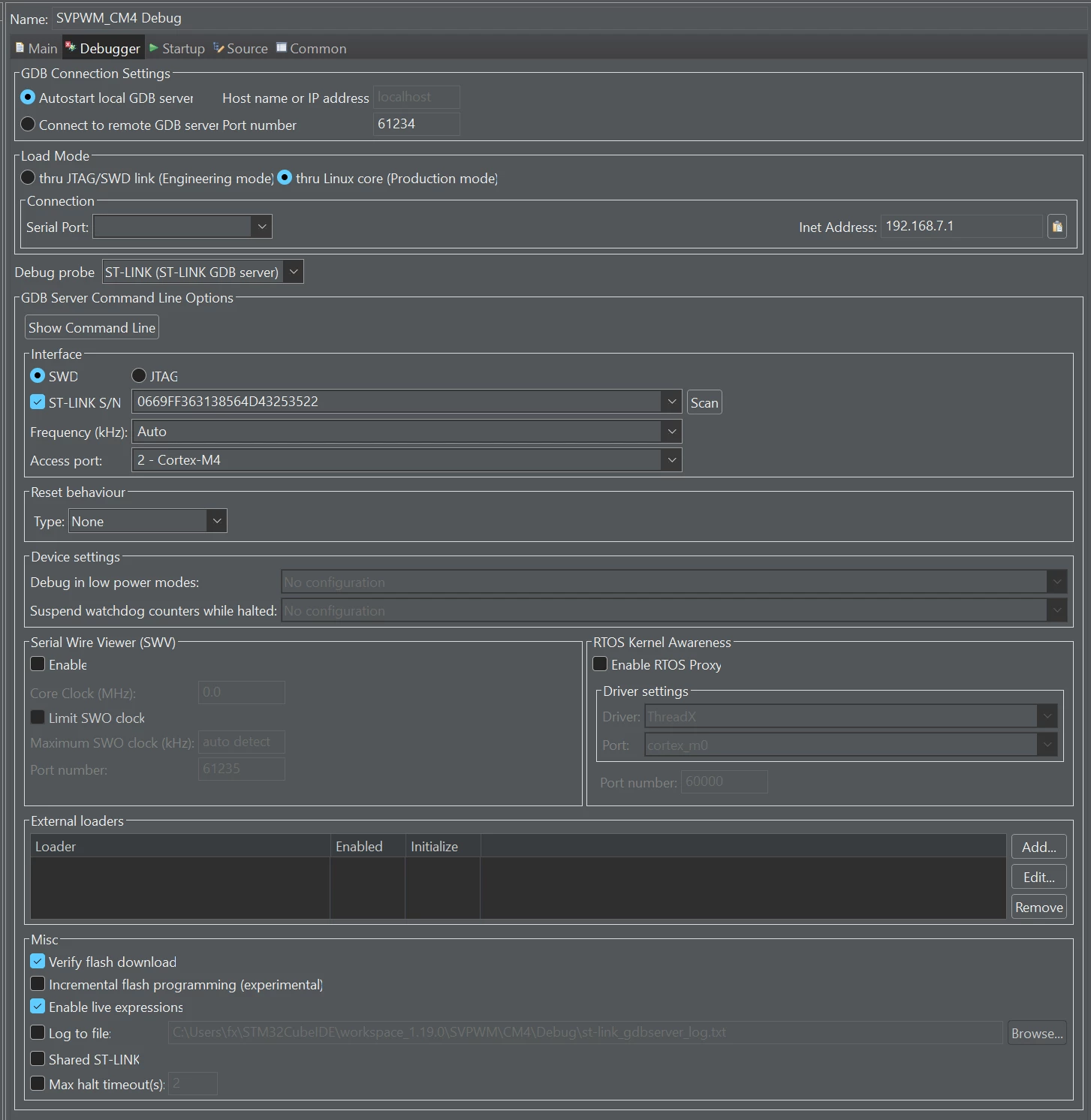
Debugger Settings

i am trying to upload the firmware into the co-processor of the stm32mp157fdk-2 board and struggling with this error I shared the error details and my debug configurations 
In the drop down menu of the Serial Port nothing is over there but I can able to use putty and can able to view the booting messages, and I am not trying to upload the code while connected with the putty, I also tried the engineering mode too

And now I am on the windows, is this windows specific error or what? cause when I was trying to upload using the linux everything was running very fine. 

Now I create elf file everytime and scp into the board then manually start the co processor, I don’t want to do this again and again 

2 replies

OlivierK
ST Technical Moderator
October 15, 2026

Hello ​@deptroit,

I can see some issues related to your Debug probe settings. ST-link allows you to see the bootlog but it cannot be used to upload the code on target.

So you need to add another serial connection to the board (for instance a usb over ethernet cable, or RJ45 cable) to upload the CortexM4 firmware to the board.

A good tutorial can be found here: https://wiki.st.com/stm32mpu/wiki/Getting_started/STM32MP1_boards/STM32MP157x-DK2/Develop_on_Arm%C2%AE_Cortex%C2%AE-M4/Modify,_rebuild_and_reload_a_firmware#Start_Debug_Session

Hope it helps.

Best Regards


In order to give better visibility on the answered topics, please click on 'Accept as Solution' on the reply which solved your issue or answered your question.
deptroitAuthor
Associate
October 15, 2026

Thanks for the reply but I switched the OS, I am using UBUNTU 24.04 LTS now and can able to upload the program into m4 now, windows has the issue I cannot able to select the serial device there.