

m4l490n
Associate III
December 31, 2024
Solved

Why is the "Toolchain/IDE" configuration disabled in the "Project Manager" tab in my project?

  • December 31, 2024
  • 1 reply
  • 2778 views

Hello,

I'm following the video about using the VSCode Extension and how to convert an existing project from STM32CubeIDE to VSCode-compatible. The video says to select CMake in the Toolchain/IDE configuration in the project
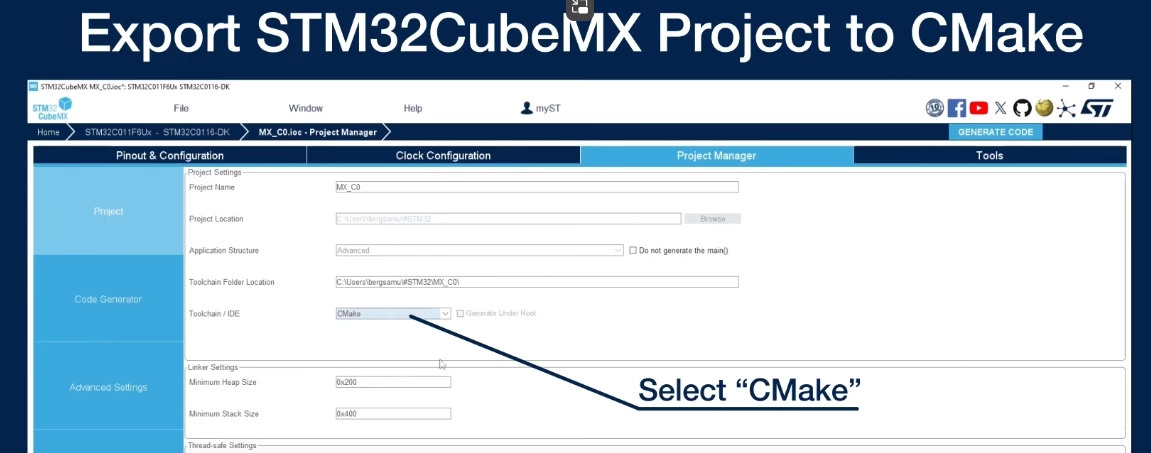
m4l490n_1-1735680858642.png

But this configuration is disabled and I can't change it I don't know why
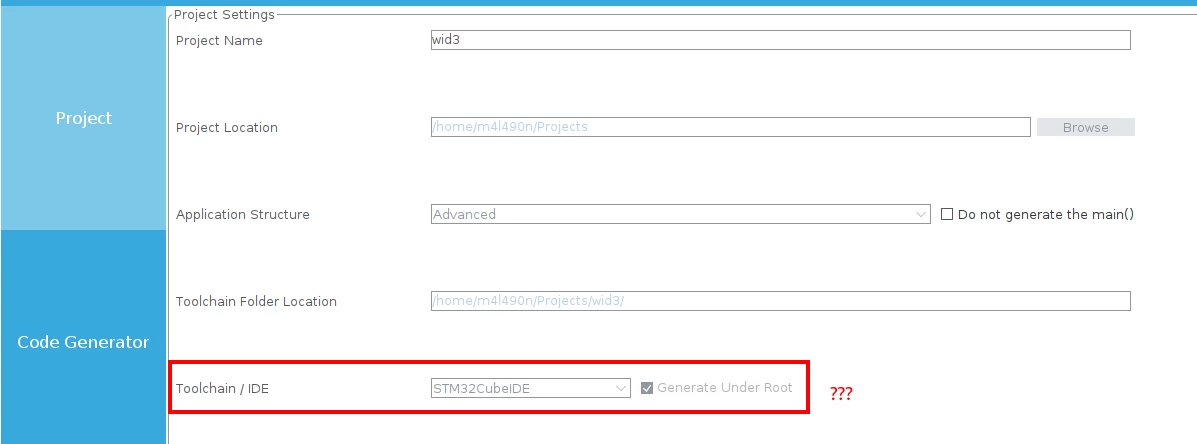
m4l490n_0-1735680785379.png

Does anyone know what's going on? What am I missing?

By the way, this is not a sample project. I created it from scratch with the CubeIDE project creation wizard.

---------------------------------------------------------------------------------------------------------------

OS: Ubuntu 22.04

STM32CubeIDE: 1.17.0

Device: STM32WB5MM

Firmware Package: STM32Cube FW_WB V1.21.0

 

Best answer by STTwo-32

Hello @m4l490n 

This is happening because you are using the STM32CubeMX version integrated on the STM32CubeIDE. So, project will be generated for CubeIDE only. But to have a Cmake file you should use the STM32CubeMX standalone version available on https://www.st.com/en/development-tools/stm32cubemx.html

Best Regards.

STTwo-32

1 reply

STTwo-32
STTwo-32Best answer
Technical Moderator
December 31, 2024

Hello @m4l490n 

This is happening because you are using the STM32CubeMX version integrated on the STM32CubeIDE. So, project will be generated for CubeIDE only. But to have a Cmake file you should use the STM32CubeMX standalone version available on https://www.st.com/en/development-tools/stm32cubemx.html

Best Regards.

STTwo-32

To give better visibility on the answered topics, please click on Accept as Solution on the reply which solved your issue or answered your question.
m4l490n
m4l490nAuthor
Associate III
January 1, 2025

@STTwo-32Thanks! that was it. The standalone CubeMX works.
