

POlcz
Associate III
Dec 16, 2019 12:39 PM UTC
Question

Why examlpe "HandsOn_2" from STM32WB_workshop doesn't work?

I am trying to do the example "HandsOn_2" from STM32WB_workshop. Executes commands as described. The only difference is I use STM32Cube_FW_WB_V1.3.0 instead of STM32Cube_FW_WB_V1.0.0.

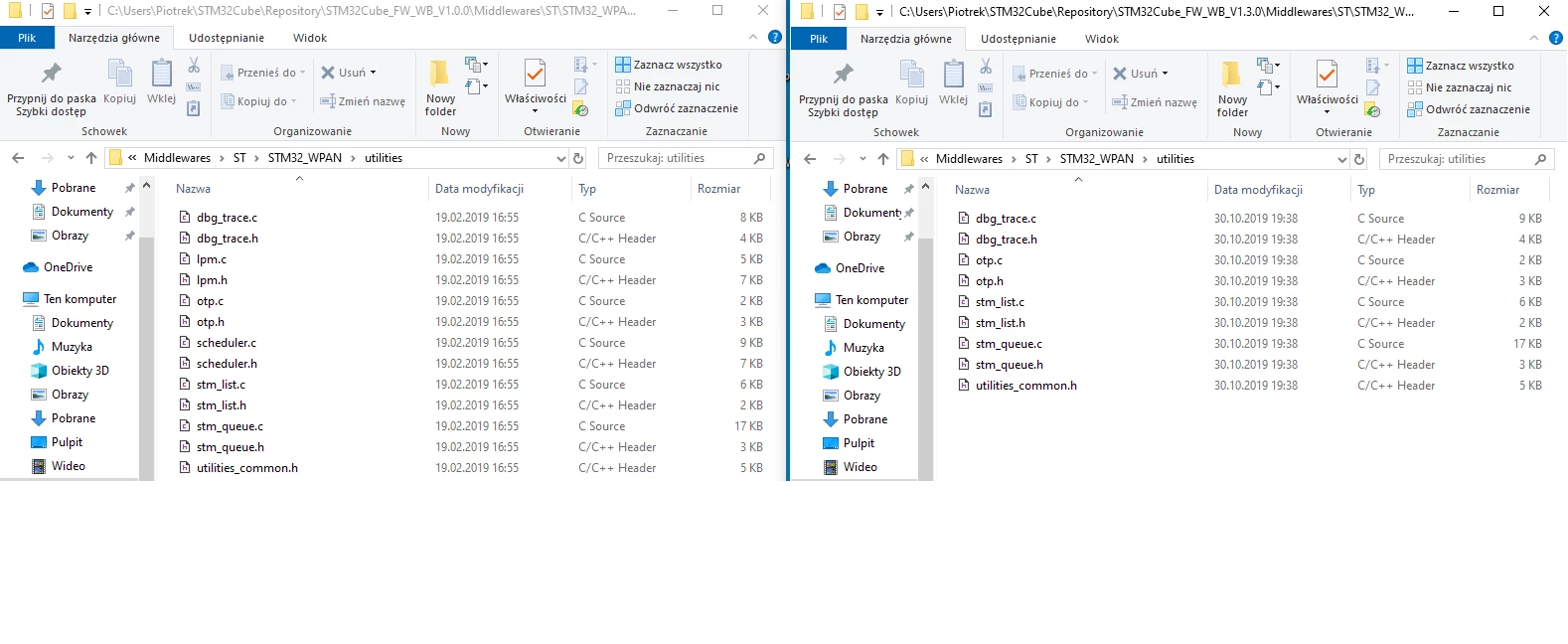
STM32Cubex does not copy the scheduler.c, scheduler.h files to the directory ...\Middlewares\ST\STM32_WPAN\utilities\ . Why in STM32Cube_FW_WB_V1.3.0 files scheduler.c, scheduler.h don't exist?0690X00000Buey7QAB.png
0690X00000BuemkQAB.png

This topic has been closed for replies.

5 replies

POlcz
POlczAuthor
Associate III
Dec 18, 2019 5:07 PM UTC

Do ST employees read this forum?

Why in the firmware package STM32Cube_FW_WB_V1.0.0 in the directory ... \ Middlewares \ ST \ STM32_WPAN \ utilities \.

There are files: scheduler.h, scheduler.c, lpm.h, lpm.c.

Whilst in the latest STM32Cube_FW_WB_V1.3.0 firmware has been removed?

In the 03-STM32WB-WS__How_to_add_BLE_funkcjonalność_V2.2.pdf file on page 57, ST refers to files that do not exist in the latest version V1.3.0.0690X00000BumkXQAR.png

Please reply.

Aishwarya
Associate III
Jan 9, 2020 12:15 PM UTC

go to project property and update source location.

project properties->c/c++ General -> Paths and Symbols ->Source Location ->Add Folder-><root folder>

POlcz
POlczAuthor
Associate III
Jan 15, 2020 8:25 PM UTC

Thanks for the answer,

In firmware package STM32Cube_FW_WB_V1.3.0 files scheduler.c, scheduler.h don't exist?
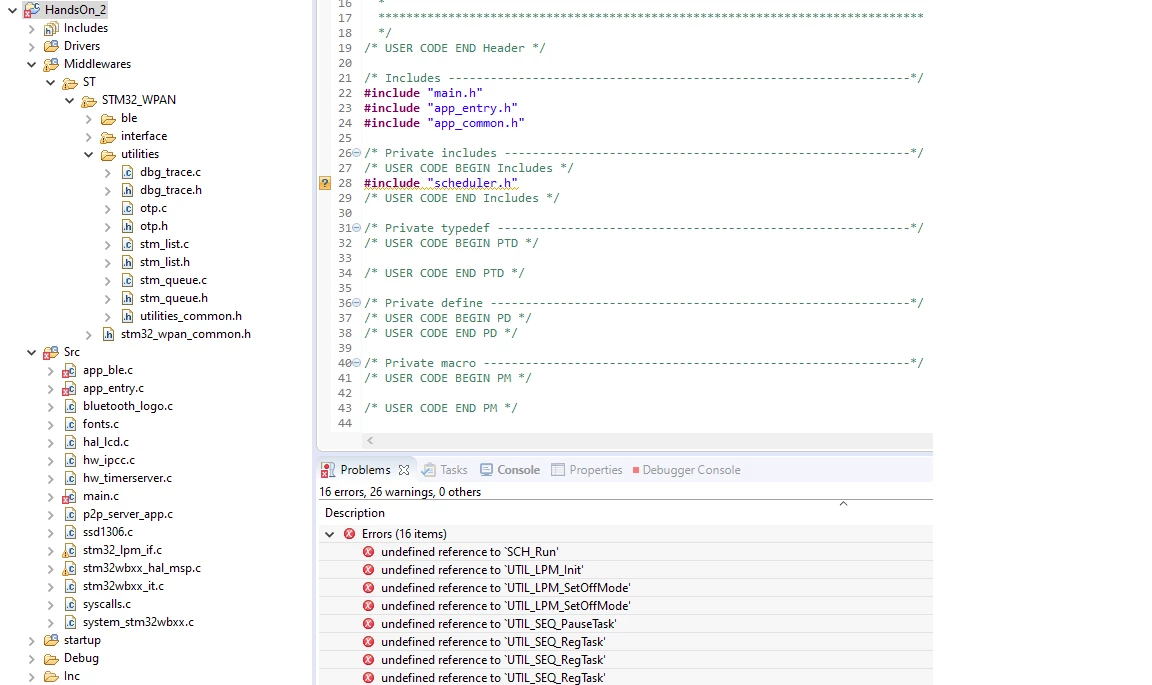
What path to show?

华马.1
Visitor II
Apr 9, 2021 10:23 AM UTC

Do you solve this problem?I meet the same question​

POlcz
POlczAuthor
Associate III
Apr 14, 2021 12:04 PM UTC

Hi,

No, I don't solved my problem. Nobody helped me. I even wasn't received any suggestion!

best regards,

Piotr