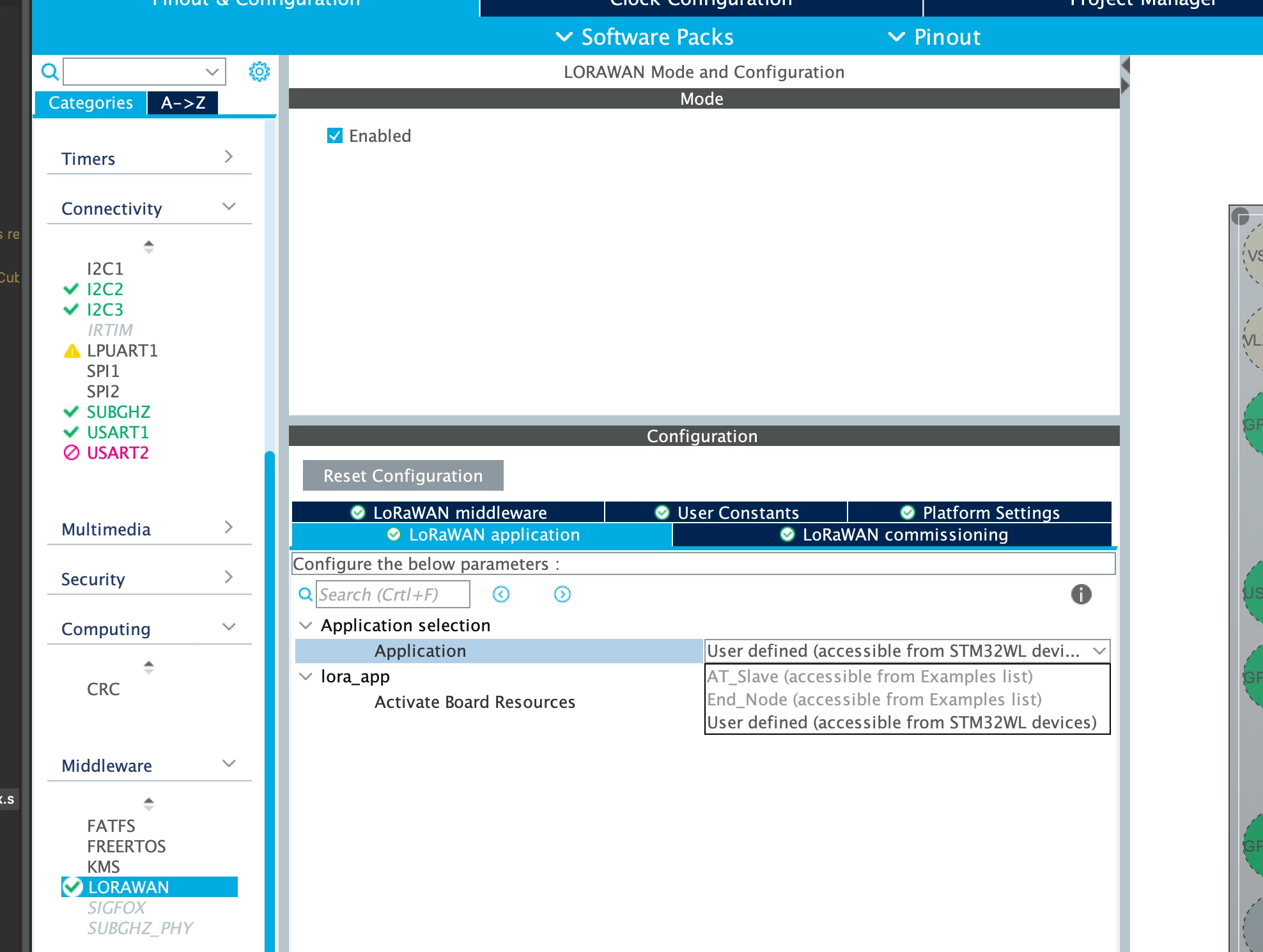
Hello @hpux735 ,
First let me welcome you to the STM32 Community :smiling_face_with_smiling_eyes:
Thanks for reporting. Actually, what STM32CubeMX delivers is a template for a project, without forcing the user to use IP’s used by provided examples because he may want to implement in a different manner.
Thus, AT-Slave application cannot be selected as a LORAWAN application using the current version of STM32CubeMX. An enhancement will be made in a future release. Stay tuned =)
Moreover, I can propose in this situation two workarounds:
- You can import LoRaWAN_AT_Slave example in your project if you are working with Single Core product( not possible with Dual Core product). The LoRaWAN_AT_Slave available example is created based on STM32WL55JCIx MCU and can be selected through STM32CubeMX > Example Selector:
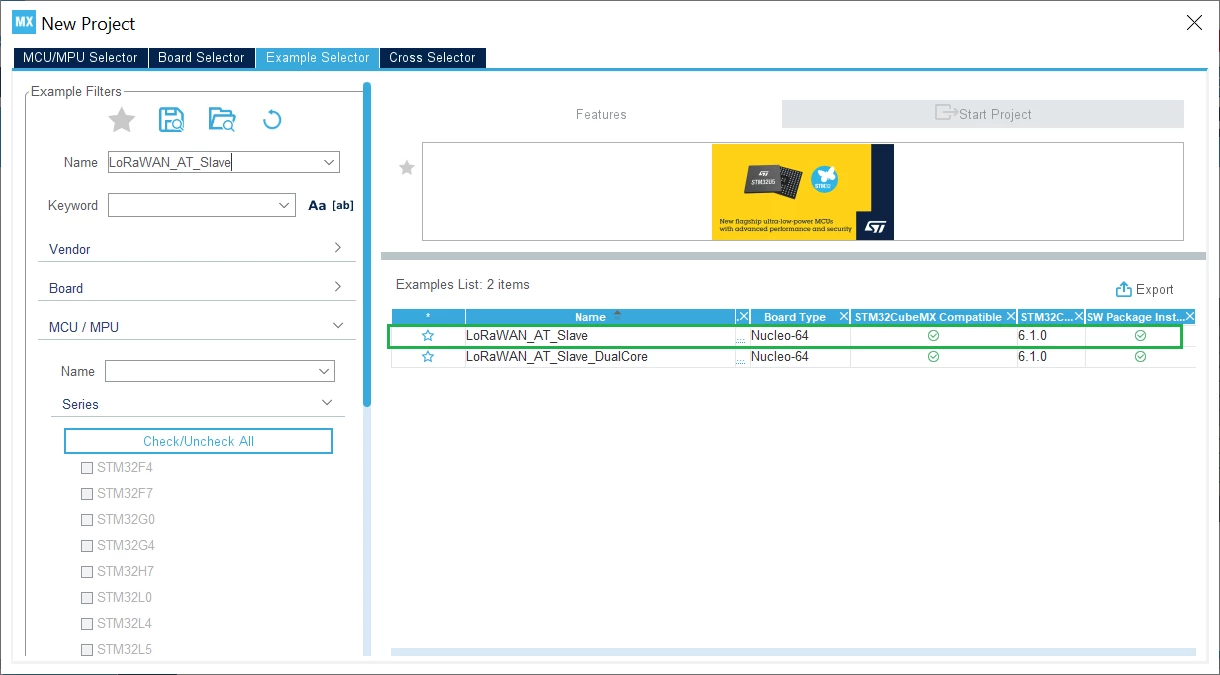 After opening the selected project and saving it, you can start a new project using STM32WLE5C8 and use the Import Project feature:
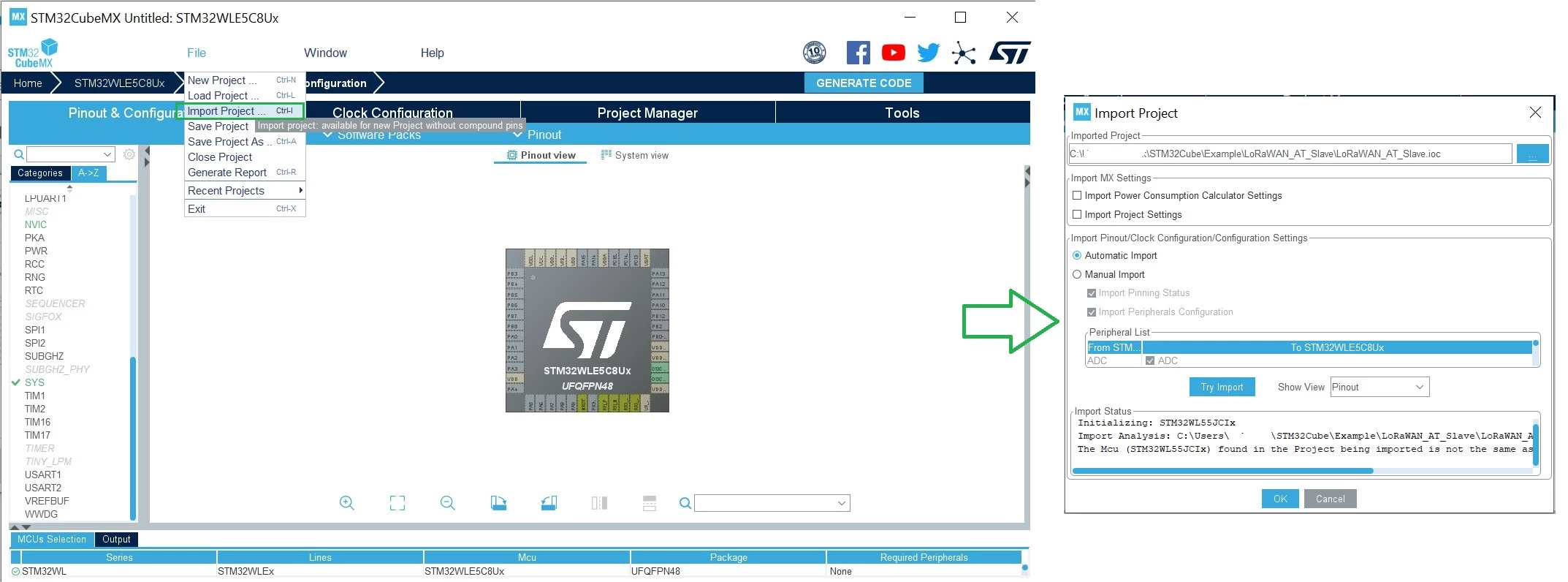 The Import Project menu eases the porting of a previously-saved configuration to another MCU. For further details about the different CubeMX features, you can refer to STM32CubeMX User manual.
Note that trying this solution may throw some errors during build.
- As a second workaround, you can activate all necessary IP’s to mimic the LoRaWAN_AT_Slave example and add necessary files.
As I have already mentioned, improvements will be implemented soon. I'll surely keep you posted with the updates.
I hope this answers your question. if this this case, please click on the Select as Best button on my reply . This will help other members of the community find this solution more quickly.
Khouloud.