
Solved
STM32WL CubeIDE "Could not verify ST device! Abort connection on core CM0+, CM4 working fine
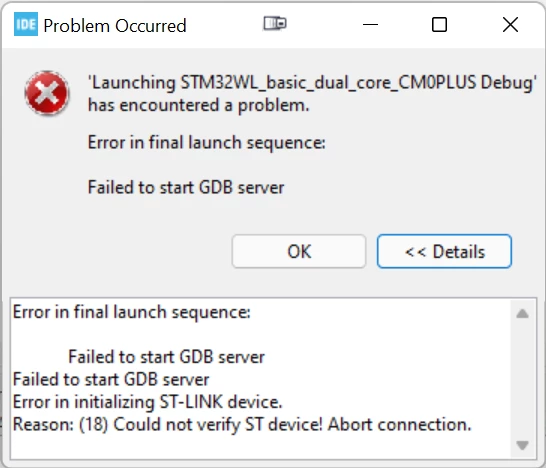
During debugging of a dual core application everything works fine for the CM4 core debug config and afterwards starting the program. As soon as I try to add the debug config for CM0+ the following error occurs:
STMicroelectronics ST-LINK GDB server. Version 6.1.0
Copyright (c) 2022, STMicroelectronics. All rights reserved.

Starting server with the following options:
 Persistent Mode : Disabled
 Logging Level : 1
 Listen Port Number : 61235
 Status Refresh Delay : 15s
 Verbose Mode : Disabled
 SWD Debug : Enabled


Error in initializing ST-LINK device.
Reason: ST-LINK: Could not verify ST device! Abort connection.
I can reproduce the error using Nucleo-WL55JC1 with example dual core projects, so it is at least not my code. Tried onboard ST-link v3 and external STLINK V3SET.
I verified my config following this tutorial.
CubeMonitor and CubeProgrammer can connect without any issues.