


Question
STM32_WPAN middleware not showing up
I am following this tutorial for setting up my STM32WB55 dev kit.
When I generate the code and try to compile I get the following error:
../STM32_WPAN/App/custom_stm.c:22:10: fatal error: common_blesvc.h: No such file or directory
../STM32_WPAN/App/custom_stm.c:22:10: fatal error: common_blesvc.h: No such file or directoryUnder the 'includes' dropdown in the project explorer, all of the STM32_WPAN directories are greyed out. I'm assuming this is because these directories do not exist, because there is no `Middlewares` directory in my project.
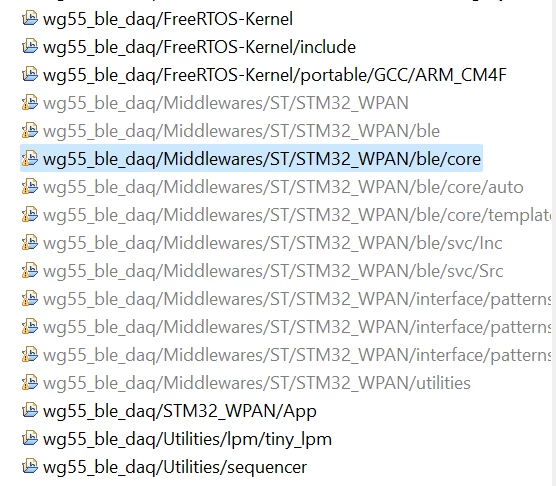 Is this something that CubeMX is supposed to generate? Or do I need to add this myself.