dc2ac
Associate II
June 24, 2026
Solved

Missing stm32wbaxx_hal_pka.c file

  • June 24, 2026
  • 2 replies
  • 27 views

After generating the BLE_Sensor project files for the B-WBA5M-WPAN board with STM32CubeMX Version 6.17.0, the STM32CubeIDE shown this error. I looked for the file in STM32Cube_FW_WBA_V1.9.0 and it is not there. Please advise.

10:56:39 **** Incremental Build of configuration Debug for project BLE_Sensor ****

make -j9 all

make: *** No rule to make target '/Users/user/STM32Cube/Example/BLE_Sensor/Drivers/STM32WBAxx_HAL_Driver/Src/stm32wbaxx_hal_pka.c', needed by 'Drivers/STM32WBAxx_HAL_Driver/stm32wbaxx_hal_pka.o'. Stop.

"make -j9 all" terminated with exit code 2. Build might be incomplete.

Best answer by Issamos

Hello ​@dc2ac 

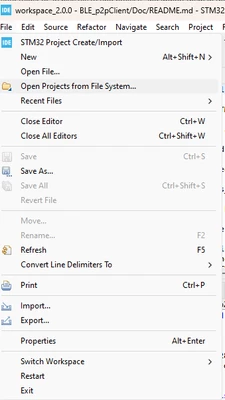
Could you please try to click at "Open Projects from File System" to open the example

KDJEM1_1-1764666714096.png

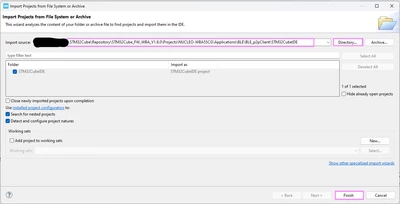
Then, choose the "Directory"

KDJEM1_0-1764666666857.png


If you want to generate code from .ioc file using STM32CubeMX toolchain, I recommend you to copy the .ioc file in a new workspace then generate code and open the project using STM32CubeIDE.

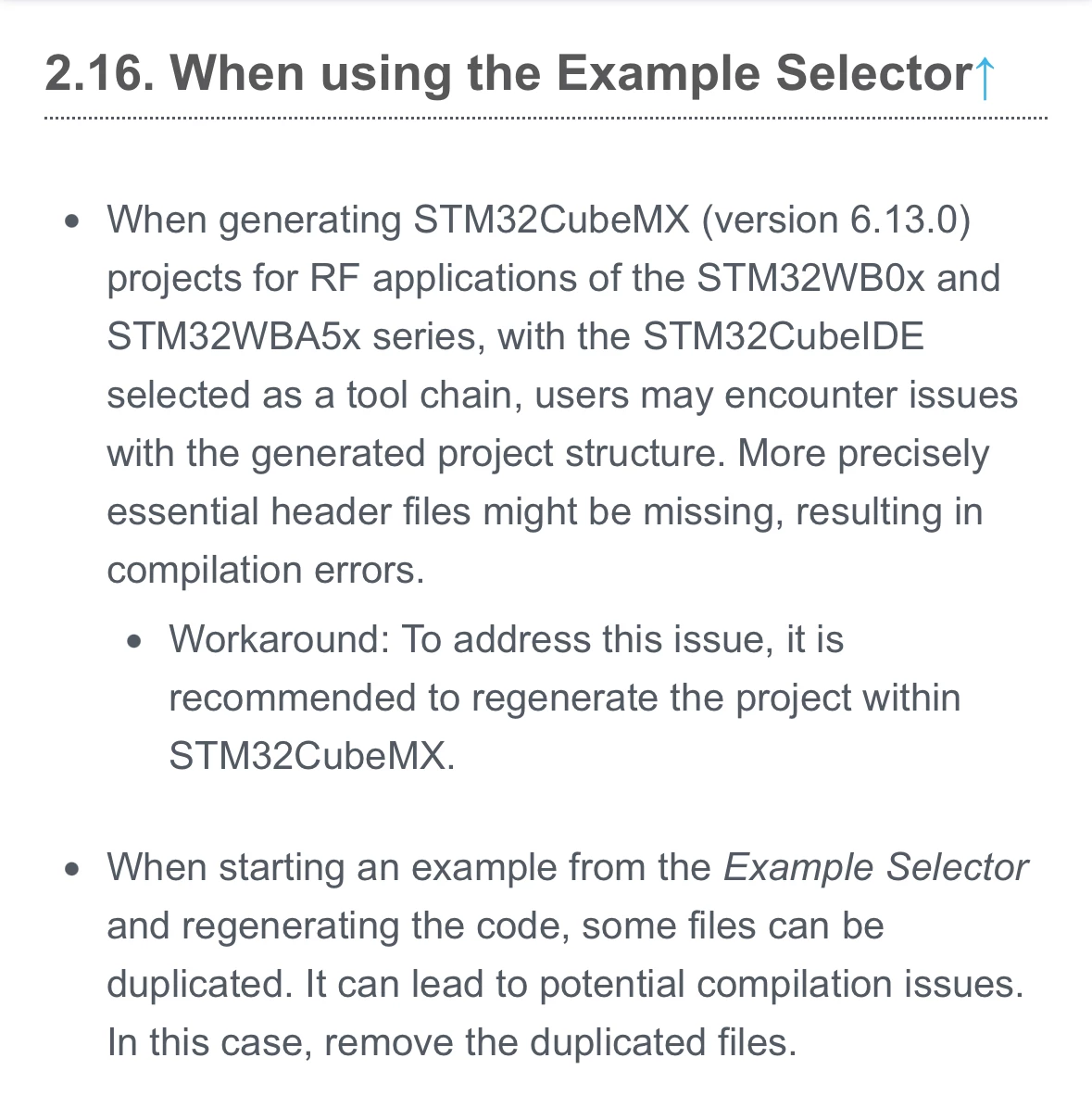
This is a know issue for CubeMX:

Ps: the same issue has been answered here.

Best Regards.

II

2 replies

Issamos
IssamosBest answer
Super User
June 24, 2026

Hello ​@dc2ac 

Could you please try to click at "Open Projects from File System" to open the example

KDJEM1_1-1764666714096.png

Then, choose the "Directory"

KDJEM1_0-1764666666857.png


If you want to generate code from .ioc file using STM32CubeMX toolchain, I recommend you to copy the .ioc file in a new workspace then generate code and open the project using STM32CubeIDE.

This is a know issue for CubeMX:

Ps: the same issue has been answered here.

Best Regards.

II

dc2ac
dc2acAuthor
Associate II
June 25, 2026

Thanks. I got it working.