BParh.1
Senior III
April 28, 2021
Solved

Why I can't choose other color depth in TouchGFX Designer from the GUI template?

  • April 28, 2021
  • 7 replies
  • 2321 views

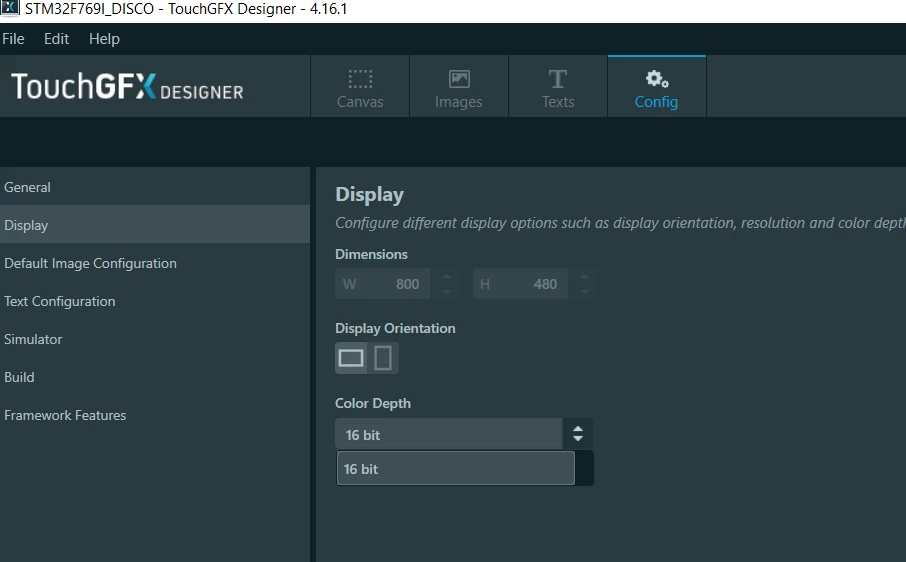
I am using TouchGFX Designer v 4.16.1, first I use the GUI template for board STM32F769 Discovery as startup. By default it set my color depth to 16 bpp. But I want to examine other color depth however under Config-> Display -> Color Depth, it only give me one option i.e. 16 bpp. Why? From datasheet, the hardware should support other color depth. What should I do to change my color depth?

0693W00000AMieJQAT.png

This topic has been closed for replies.
Best answer by Romain DIELEMAN

Hi,

The application templates available in TouchGFX Designer are configured only for 1 color depth. Supporting 2 is actually quite complex as it often implies using different pins on the display/MCU and configurations. If you wish to use another bit depth you have to make the changes yourself through STM32CubeMX.

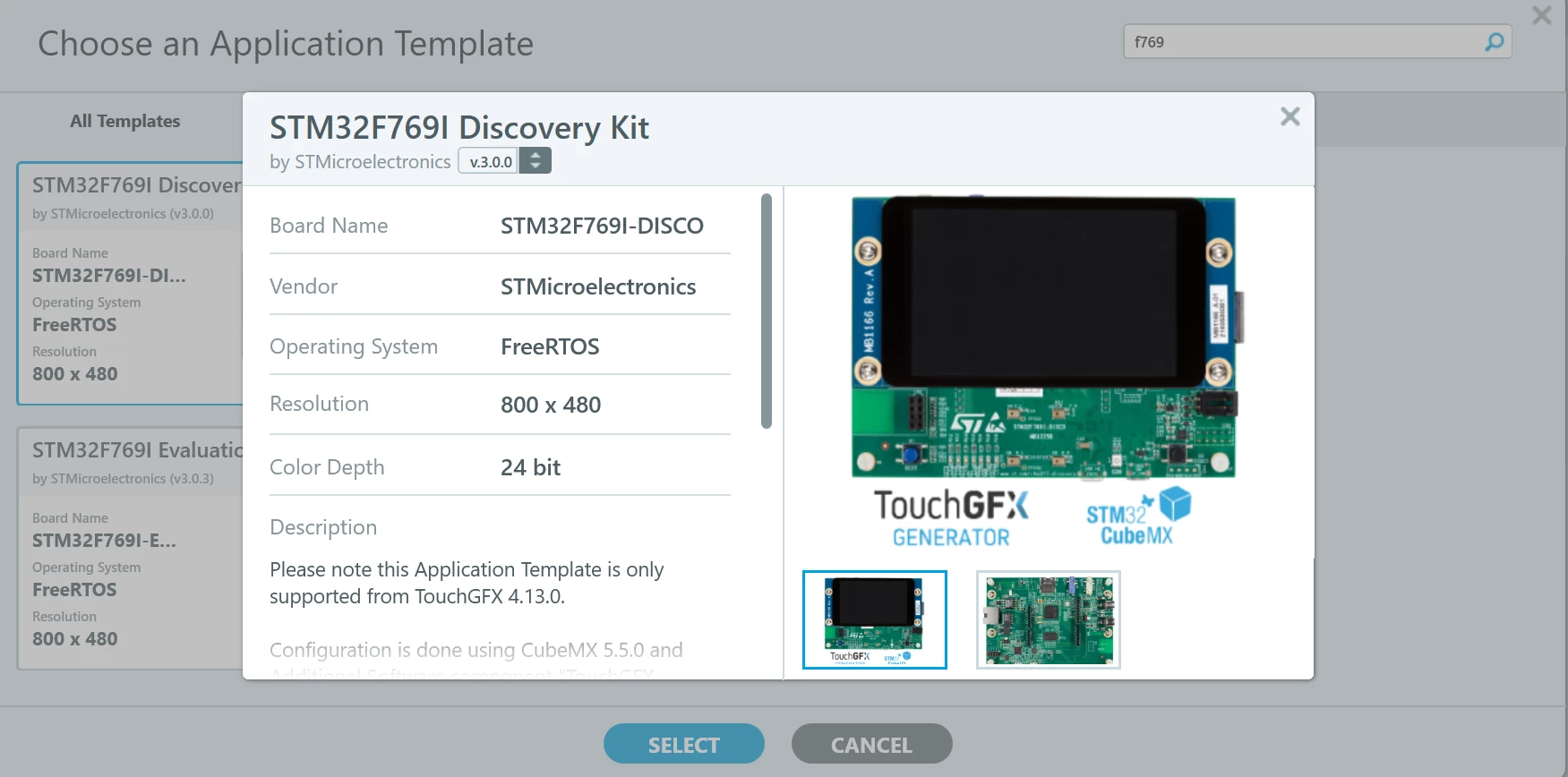
When selecting an application template of a board you can change its version by clicking on the top right box indicating the current version. Some of the old versions actually use another bit depth (we were asked by the Marketing teams to change them for some of the boards :grinning_face_with_sweat: ). For the STM32F769dk the AT version 3.0.0 is based on 24bpp, so you can have a loot at the STM32CubeMX configuration and the code to understand how to do it again for your project (or jsut use this version)

0693W00000AMj7uQAD.png 

/Romain

7 replies

Romain DIELEMAN
Romain DIELEMANBest answer
ST Employee
April 28, 2021

Hi,

The application templates available in TouchGFX Designer are configured only for 1 color depth. Supporting 2 is actually quite complex as it often implies using different pins on the display/MCU and configurations. If you wish to use another bit depth you have to make the changes yourself through STM32CubeMX.

When selecting an application template of a board you can change its version by clicking on the top right box indicating the current version. Some of the old versions actually use another bit depth (we were asked by the Marketing teams to change them for some of the boards :grinning_face_with_sweat: ). For the STM32F769dk the AT version 3.0.0 is based on 24bpp, so you can have a loot at the STM32CubeMX configuration and the code to understand how to do it again for your project (or jsut use this version)

0693W00000AMj7uQAD.png 

/Romain

BParh.1
BParh.1Author
Senior III
April 28, 2021

Thank you @Romain DIELEMAN​ , but I could not see the 'top right box' to change the version, does this option only available on certain TouchGFX cersion?

Romain DIELEMAN
ST Employee
April 28, 2021

The top right box is the thing under the name of the board with that grey arrow as you can see in the screenshot I shared. I dont know why I said top right arrow when it is not really in the top right :grinning_face_with_sweat:

/Romain

BParh.1
BParh.1Author
Senior III
May 7, 2021

Aha, I got it now , thank you @Romain DIELEMAN​ :grinning_face:

Romain DIELEMAN
ST Employee
May 7, 2021

No worries ^^

/Romain