


Richard Lowe
Senior II
September 25, 2023
Question

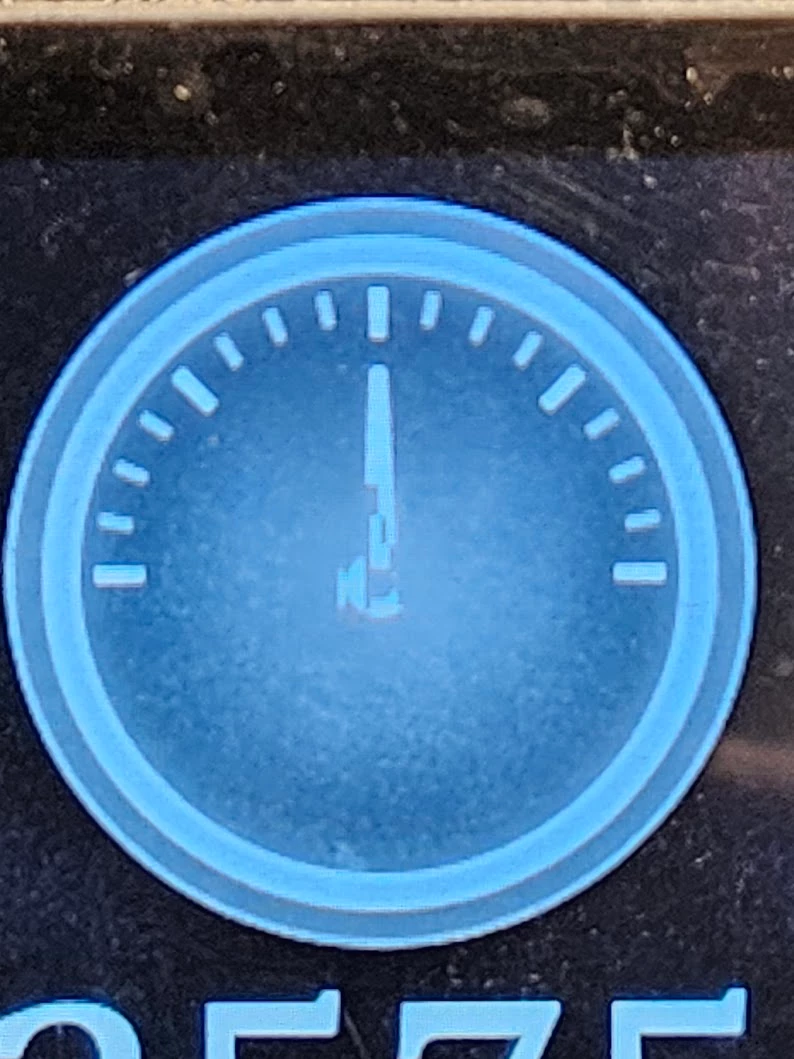
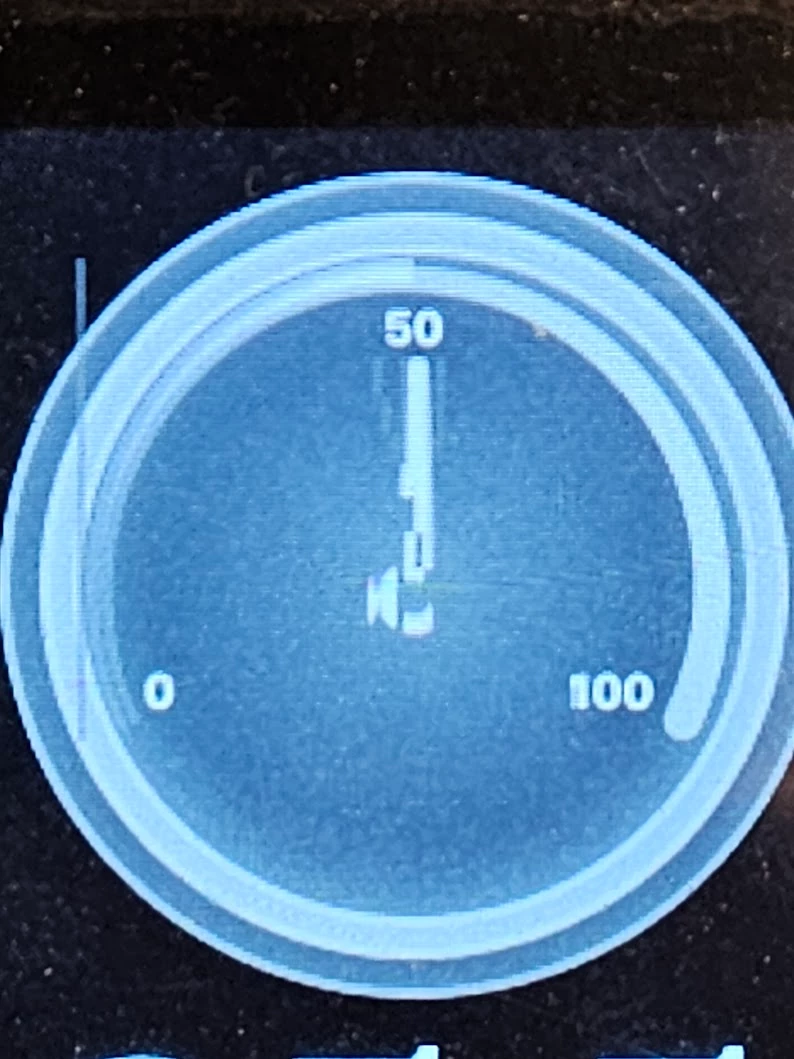
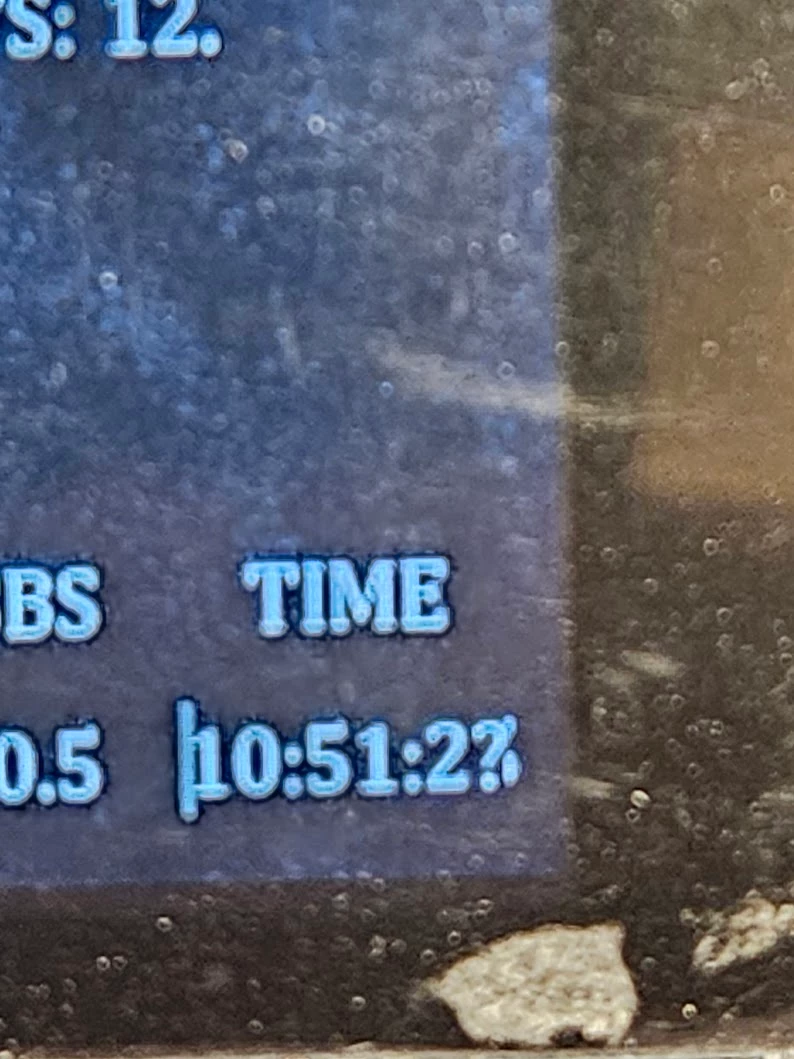
What Causes Artifacts in Displays Like the Following:

  • September 25, 2023
  • 6 replies
  • 5764 views

I'm getting the following artifacts in the display and as of today, haven't tracked down the cause. I've adjusted DSI clock timings, LTDC clock timings, and SRAM timings. Caching is configured as off for the SRAM via MPU. Any ideas?
20230924_194425.jpg


20230924_194421.jpg


20230924_194442.jpg


This topic has been closed for replies.

6 replies

Osman SOYKURT
ST Technical Moderator
September 25, 2023

Hello @Richard Lowe ,

Which board and which compiler do you use? Is your board running with an OS? Do you have a graphic accelerator in your project?

ST Software Developer | TouchGFX
Richard Lowe
Senior II
September 25, 2023

STM32H747i-Eval board.
STM32CubeIDE -> gcc.
FreeRTOS
DMA2D -> Not really a true accelerator, but never really had issues with it.

Tesla DeLorean
Guru
September 25, 2023

Lacking a lot of specific detail to the parts used.

I would start by inspecting the frame buffer, from the static images this doesn't look to be a display timing issue.

Tips, Buy me a coffee, or three.. PayPal Venmo (See Profile) Up vote any posts that you find helpful, it shows what's working..
Osman SOYKURT
ST Technical Moderator
September 28, 2023

Hello @Richard Lowe,

Did you try to put your assets in another region of your memory? Have you inspected the framebuffer as @Tesla DeLorean suggested?

ST Software Developer | TouchGFX
Richard Lowe
Senior II
September 29, 2023

Debugging the SDRAM on the FMC bus shows that it is functional.  Writting and reading to it passes.

Moving the framebuffer to another memory address had no effect. I did, however, have to move the framebuffer on the same SDRAM, the MCU doesn't have enough RAM for the framebuffer to be located on the die. 

Same fragmentation artifacts appearing. 

Osman SOYKURT
ST Technical Moderator
October 3, 2023

Hello @Richard Lowe ,

Ok I see, and what about if you change the framebuffer strategy? (single framebuffer instead of double)
And if you change bpp format?

Also, did you measure render time?

ST Software Developer | TouchGFX
Svenn Dahlstrom
Associate III
October 6, 2023

I have the same issue but it is not permanent, it comes once in a while... In my case I have verified that when this happen it's the frame buffer that is corrupt. 
My setup: custom board, STM32H743, external QUADSPI flash (memory mapped mode), single framebuffer internal RAM_D1, LTDC, DMA2D RGB888 Memory to Memory transfer mode.

/Svenn

Svenn Dahlstrom
Associate III
October 9, 2023

I managed to solve my issue.
I had my QUADSPI clock prescaler at 1 (25MHz QSPI CLK).
Changing this to 0 (50MHz QSPI CLK) or 2 (16.6MHz QSPI CLK) then my QUDSPI data reads got flawless.
From the STM32H743 reference manual:

SvennDahlstrom_1-1696836379311.png


Osman SOYKURT
ST Technical Moderator
October 10, 2023

Hello @Richard Lowe ,

It's definitely too slow. That's why I would suggest you to try to use a lower bpp format and see if it helps.
I think that there's maybe too much data to traffic between SDRAM and the MCU. The time needed for data transfer between SDRAM and MCU must be (much) lower than your vsync period in order to make the screen work properly.

ST Software Developer | TouchGFX
Osman SOYKURT
ST Technical Moderator
November 3, 2023

Hello @Richard Lowe ,

Any updates concerning your issue?

ST Software Developer | TouchGFX