


Video mode printing another frame on screen
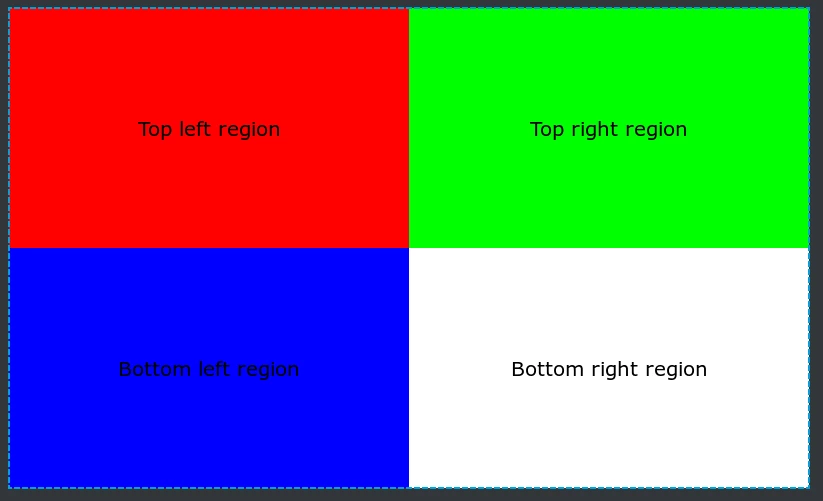
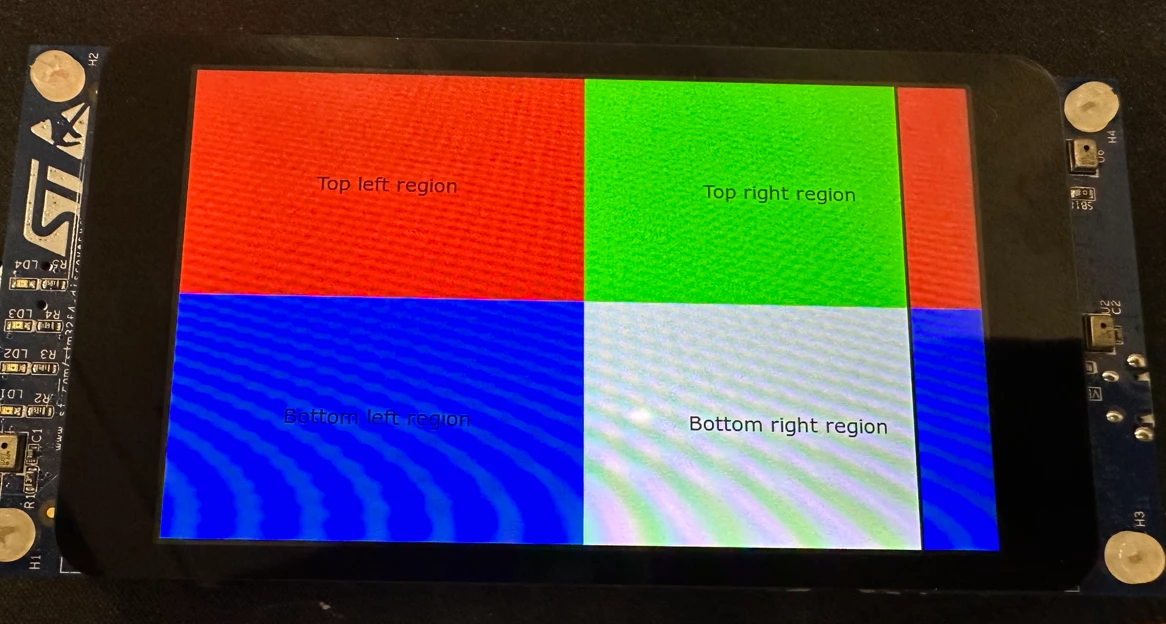
Using STM32F469I-DISCO in video mode, the testing screen created in TouchGFX Designer is being printed to the DISCO board in video mode. The issue I am encountering is the start of the frame is being printed again and I am not sure how to solve this issue, I have tried change different porch values but the problem persists, would anyone know what could be creating this issue and a method to solve it? Below is my method of creating video mode from a fresh TouchGFX Designer project, would this creation method be the reason for this issue?
| TouchGFX Designer testing screen | Testing screen being printed to STM32F469I-DISCO in video mode for otm8009a |
 | 
|
Methodology to creating the project.
Using STM32F469I-DISCO in video mode:
1. Built the project in TouchGFX Designer for STM32F469I-DISCO.
2. Opened the generated project's STM32CubeMX .ioc file to convert to video mode.
2.1. Changed LTDC's Parameter Settings porch values to the values found in otm8009a.h file.
2.2. Changed LTDC's Layer Settings to have the correct screen size 800x480.
2.3. Changed DSIHOST to Video Mode.
2.4. Changed DSIHOST's Commands to Low Power.
2.5. Changed DSIHOST's Display Interface to Burst Mode and enabled all Low-Power Transitions.
2.6. Changed X-CUBE-TOUCHGFX to use Parallel RGB (LTDC) for the interface and LTDC for the Application Tick Source.
2.7. Generated the new code.
3. Opened the generated project into STM32CubeIDE where I commented out all the code in MX_LTDC_Init's USER CODE BEGIND LTDC_Init 2 except for 'HAL_DSI_START', 'OTM8009A_Init' and 'HAL_LTDC_SetPitch'.
4. Edited the TouchGFXHAL.hpp and removed the '+ 32' from 'width + 32' regarding the TouchGFXHAL class.