BO Re.1
Associate III
March 31, 2020
Question

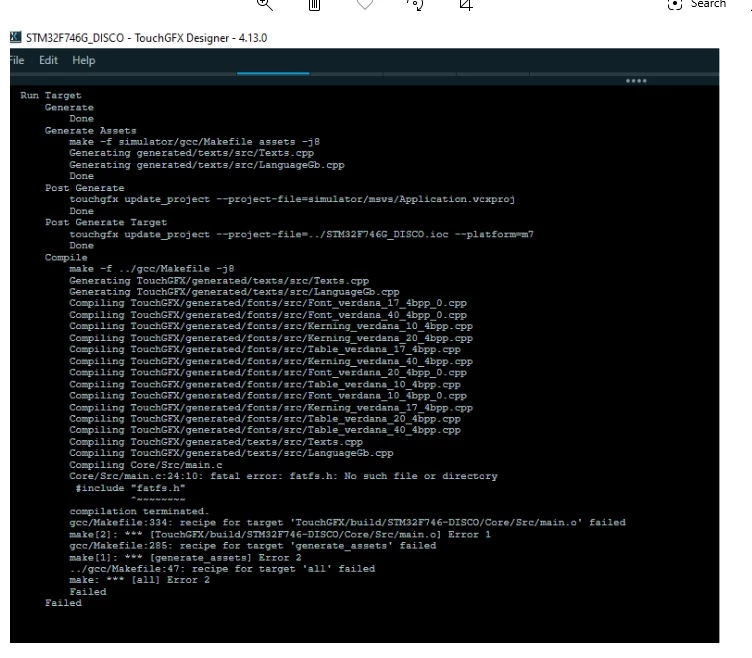
URGENT*** PLEASE HELP**** FatFS.h no such file or directory when running from touchgfx designer, the files are included because they are generated with CUBEMX and the code complies without errors in CUBE IDE, STM32F746 Disco

  • March 31, 2020
  • 13 replies
  • 5751 views

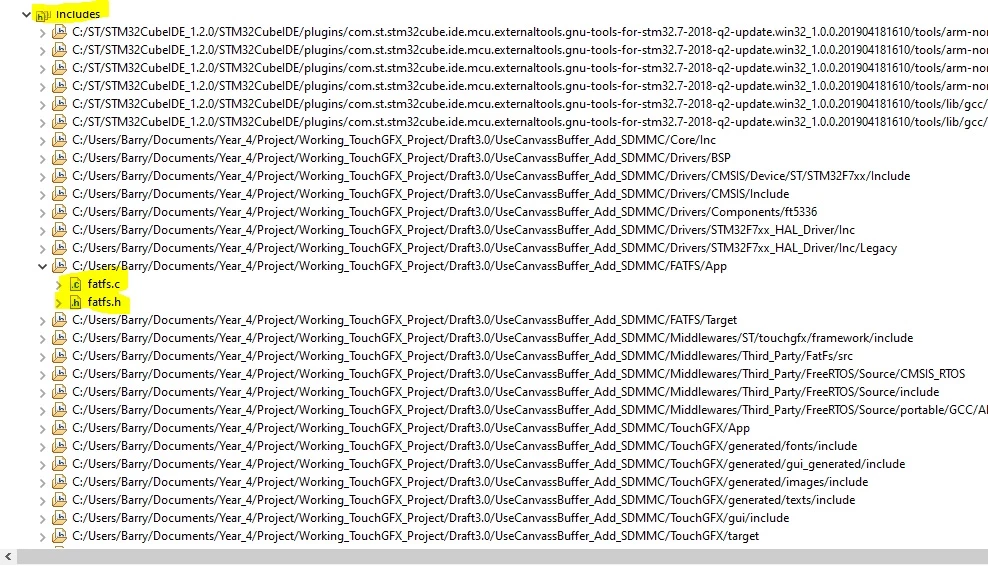
when i try and flash the board through the designer it keeps failing. I have tried removing the files and creating a new folder and linking that one but no success, i am desperate my project is due to be presented on Friday, i have experimented with all parts separately and now i am combining the code, the last piece if the FatFS SDMMC, data logging, the code works perfectly as it is tried and tested, i simply dont understand why this is happening, it should be a simple process just to add code that has already worked on the 746 Disco board, although that was without the screen, but this part of the project is just data logging and has no interaction with the screen apart from sharing a task in main.c. the header is there as CubeIDE complies can someone please get back to me ASAP, it is important. here is the log from TouchGFX designer

Image is not available

Image is not available
0693W000000V7nMQAS.jpg0693W000000V7lBQAS.jpg

 0693W000000V7nMQAS.jpg

This topic has been closed for replies.

13 replies

TDK
April 1, 2020

Make sure the file is in your include path.

Your images are not displaying.

"If you feel a post has answered your question, please click ""Accept as Solution""."
BO Re.1
BO Re.1Author
Associate III
April 1, 2020

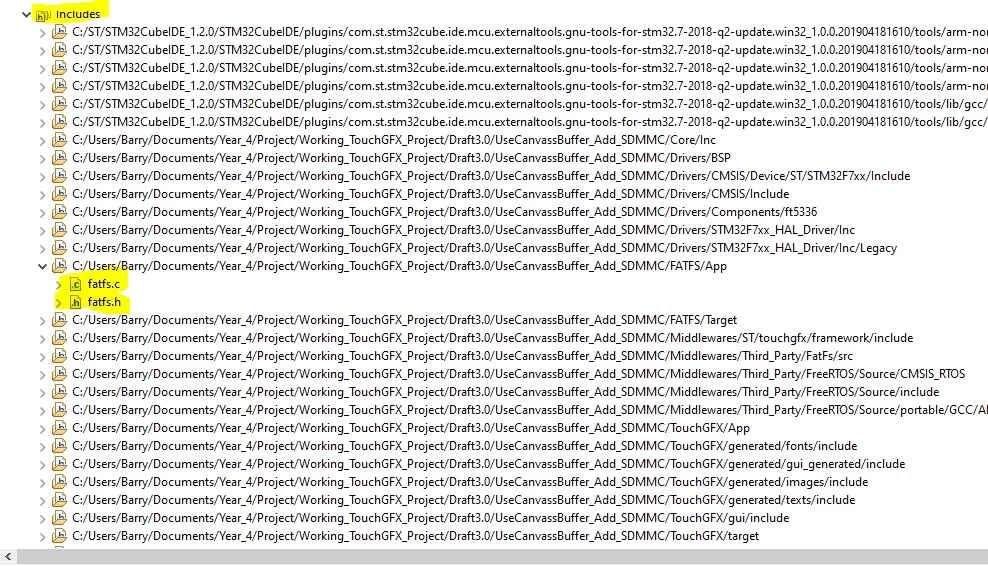
0693W000000V7khQAC.jpgThanks For getting back to me TDK, i am sorry if i wasn't clear in ,my post but yes the file path IS included, the code complies without error in CUBEIDE by it wont flash to the board through TouchGFX designer.

a separate issue is that my ST link fails when i try and enter Debug mode in CUBEIBE, that is why i have to flash the board through ToughGFX. Everything has worked ok up until i added this FatFS part to my code.

i will go through the steps of linking the includes files again, i have attached the pictures again lets hope they upload properly this time .

0693W000000V7lBQAS.jpg

0693W000000V7nMQAS.jpg

Martin KJELDSEN
Principal III
April 1, 2020

If you have additional files you must modify the Makefile the designer uses, accordingly.

/Martin

BO Re.1
BO Re.1Author
Associate III
April 1, 2020

thanks for getting back to me Martin,

what modification should i make to MakeFile and which one, there seems to be 4, 2 are Simulation related ,1 debug and 1GCC.

i have attached copy of section of MakeFile, should i create a path like the one highlighted

0693W000000V92wQAC.jpg

Barry

Martin KJELDSEN
Principal III
April 1, 2020

The Makefile has the following two variables you can add to.

include_paths := 
source_paths :=

/Martin