Associate III
September 29, 2023
Solved

Under TouchGFX's designer tool and its demos, one is missing the instructions to work with target

  • September 29, 2023
  • 1 reply
  • 1713 views

Hi,

Under TouchGFX designer application there is an advertisement touting "STM32U599 fully supported" with an image of the kit with the rounded display. I got the kit from ST (STM32U5A9J-DK / DK32U5A9J$AT1) with the STM32U5A9, with the same round display.

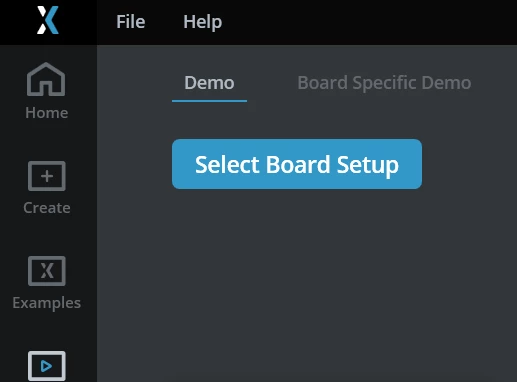
Contrary to some other "board demos", this demo only works with the simulator. Maybe that's the reason why it's only present in the first tab named "demos", and not within the second tab "board specific demo".

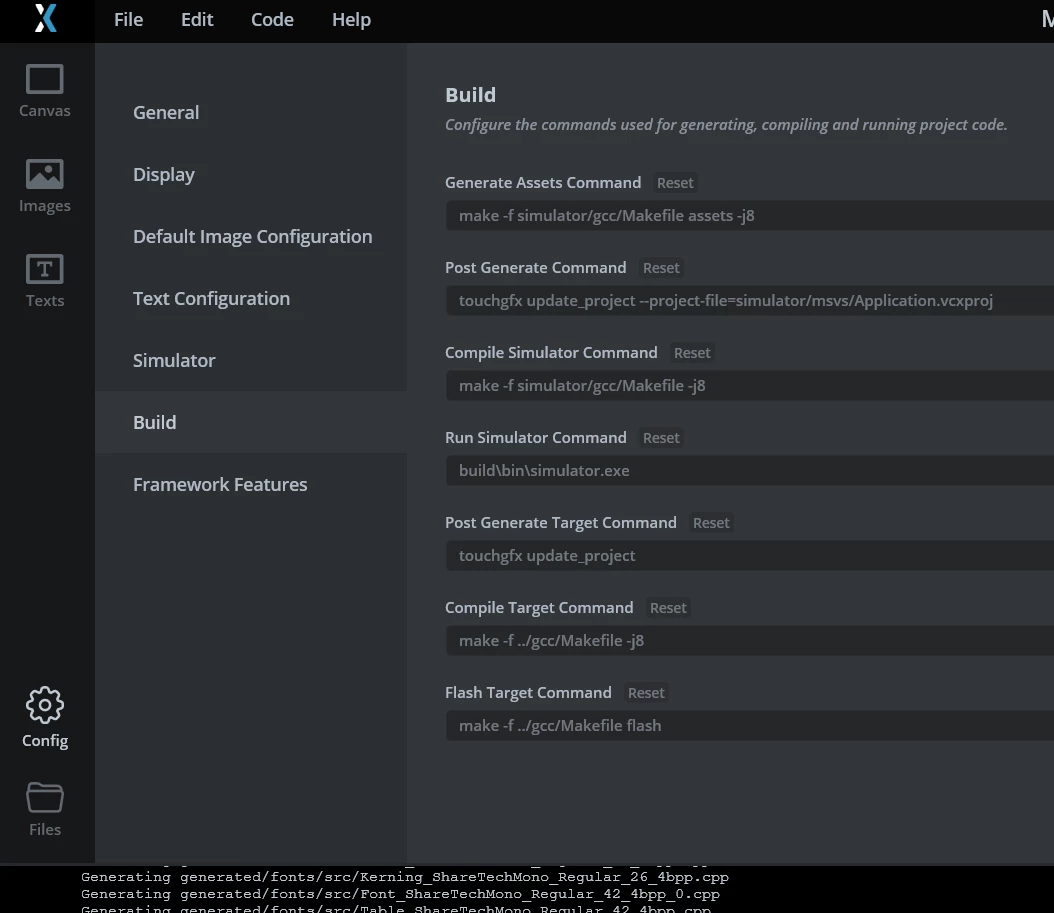
In the build section of the demo named "TouchGFX demo 6", which is exactly the same application running on the kit, there are no instructions to build and upload the demo to the target.

How to solve this? Any hint?
    This topic has been closed for replies.
    Best answer by apadom

    I solved this issue. 

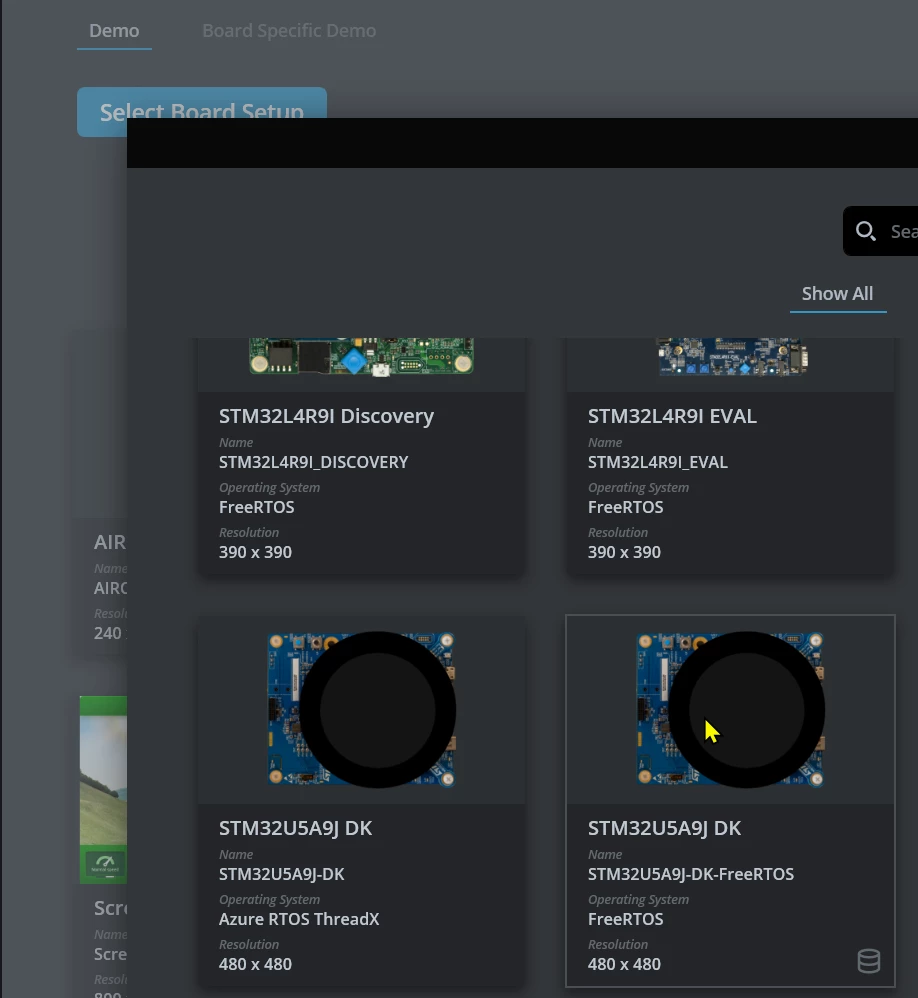
    You have first to select the matching board setup (so the kit I mentioned)

    apadom_1-1695998047595.png

    apadom_3-1695998112796.png

    and then you have reduced set of demos presented for the board.
    And here I could select the demo 6 and the build configuration for the target was correctly set then:
    apadom_0-1695997772099.png
    Hope it can help someone else.


    1 reply

    apadomAuthorBest answer
    Associate III
    September 29, 2023

    I solved this issue. 

    You have first to select the matching board setup (so the kit I mentioned)

    apadom_1-1695998047595.png

    apadom_3-1695998112796.png

    and then you have reduced set of demos presented for the board.
    And here I could select the demo 6 and the build configuration for the target was correctly set then:
    apadom_0-1695997772099.png
    Hope it can help someone else.